67
■
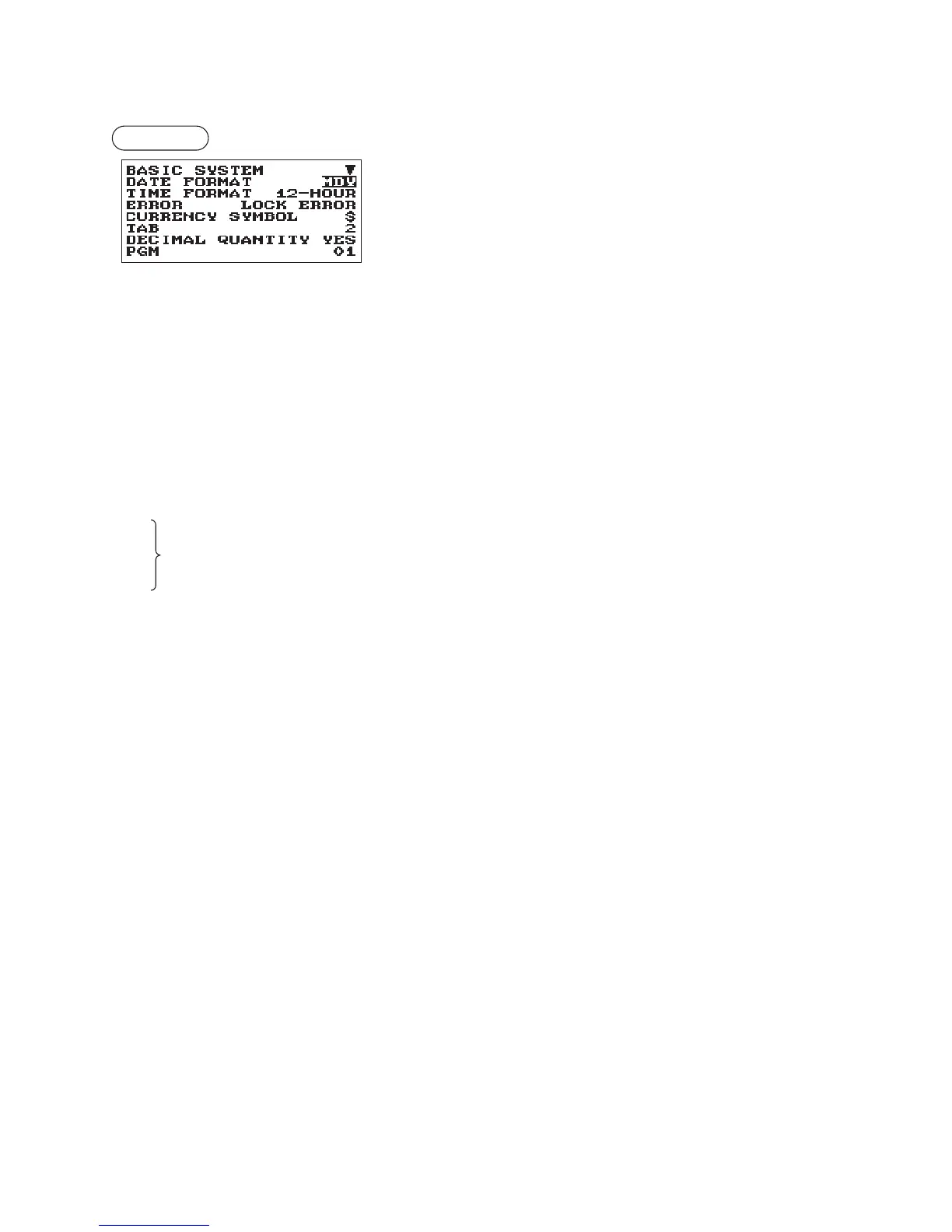
BasicSystem
Your register allows you to select various item of basic system.
Procedure
Program each item as follows:
The screen continues.
•DATEFORMAT(Usetheselectiveentry)
MDY: Display and print the month, day, and year in this order
DMY: Display and print the day, month and year in this order
YMD: Display and print the year, month, and day in this order
•TIMEFORMAT(Usetheselectiveentry)
12-HOUR: Display and print the time on 12-hour system
24-HOUR: Display and print the time on 24-hour system
•ERROR(Usetheselectiveentry)
Response to an erroneous, invalid key operation
LOCK ERROR: Sound a short buzzer for 2 seconds, and display Error. To hide the Error display, press
the
l
key.
MISS OPE.: Sound a short buzzer
•CURRENCYSYMBOL(Usethecharacterentry)
Enter the character (Max. 4 characters)
•TAB(Usetheselectiveentry)
0
1 Position of price delimiter can be set. Setting options are 0, 1, 2, and 3.
2 When setting to “2” for example, the entry of “100” is displayed as “1.00”.
3
•DECIMALQUANTITY(Usetheselectiveentry)
YES: Enables the decimal quantity
NO: Disables the decimal quantity
•DECIMALROUND(Usetheselectiveentry)
ROUND: Round off the number
UP: Round up after the decimal point
DOWN: Round down after the decimal point.
•[00]KEY(Usetheselectiveentry)
[00]: Display [00] by pressing the
:
key
[000]: Display [000] by pressing the
:
key
•PRT/DSPEDIT(Usetheselectiveentry)
YES: All of printing and display are edited
NO: All of printing and display aren’t edited
•ITEMDISPLAY(Usetheselectiveentry)
2-LINE: The 1st line displays the quantity, price and amount. The 2nd line displays the text.
1-LINE: The quantity and text.



 To Next Page