78
DeviceCongurationProgramming
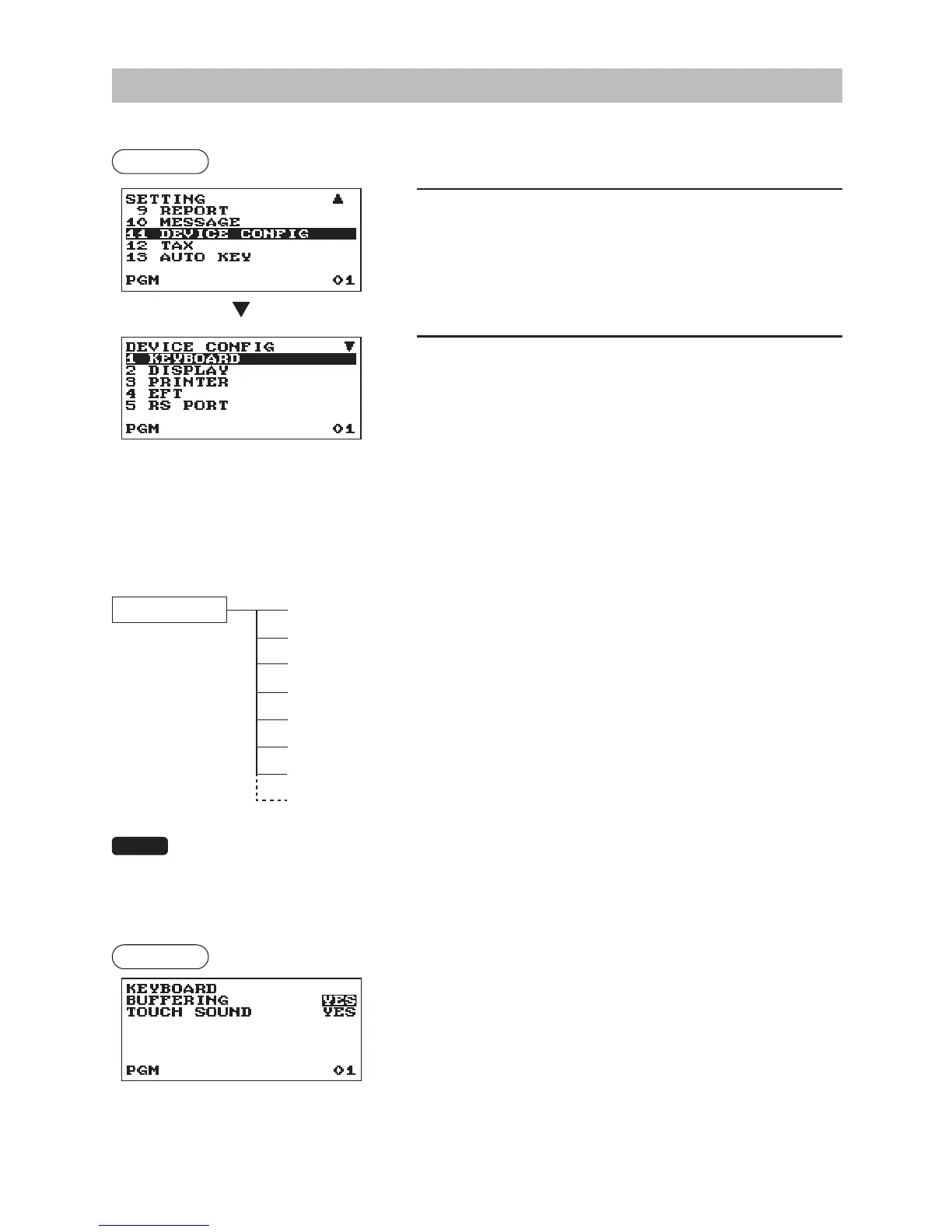
Use the following procedure to select a device conguration programming:
Procedure
1.
In the SETTING window, select “11 DEVICE CONFIG.”
• The DEVICE CONFIG window will appear.
2.
Select any option from the following options list:
1 KEYBOARD
Keyboard
2 DISPLAY
Display
3 PRINTER
Printer
4 EFT
EFT
5 RS PORT
RS port (COM1, COM2)
6 ONLINE
On-line
7 SCANNER
Scanner
(
7 SRM
SRM (Sales Recording Module))
The following illustration shows those options included in this programming group.
11 DEVICE CONFIG
1 KEYBOARD
l
See “Keyboard” this page.
2 DISPLAY
l
See “Display” on page 79.
3 PRINTER
l
See “Printer” on page 79.
4 EFT
l
See “EFT” on page 79.
5 RS PORT
l
See “RS port (COM1, COM2)” on page 80.
6 ONLINE
l
See “On-line” on page 80.
7 SCANNER
l
See “Scanner” on page 81.
(7 SRM
l
See “SRM (Sales Recording Module)” on page 81.)
• The EFT function is not appeared in the Quebec scal type.
• The SRM function is appeared in the Quebec scal type only.
• For enable/disable of the Quebec scal mode, please contact your authorized SHARP dealer.
■
Keyboard
Procedure
Program each item as follows:
•BUFFERING(Usetheselectiveentry)
YES: Enables the buffering keyboard.
NO: Disables the buffering keyboard.
•TOUCHSOUND(Usetheselectiveentry)
YES: Set to sound
NO: Not to sound
The screen continues.



 To Next Page