70
■
FunctionSelection
Your register enables you to select various functional selections.
Procedure
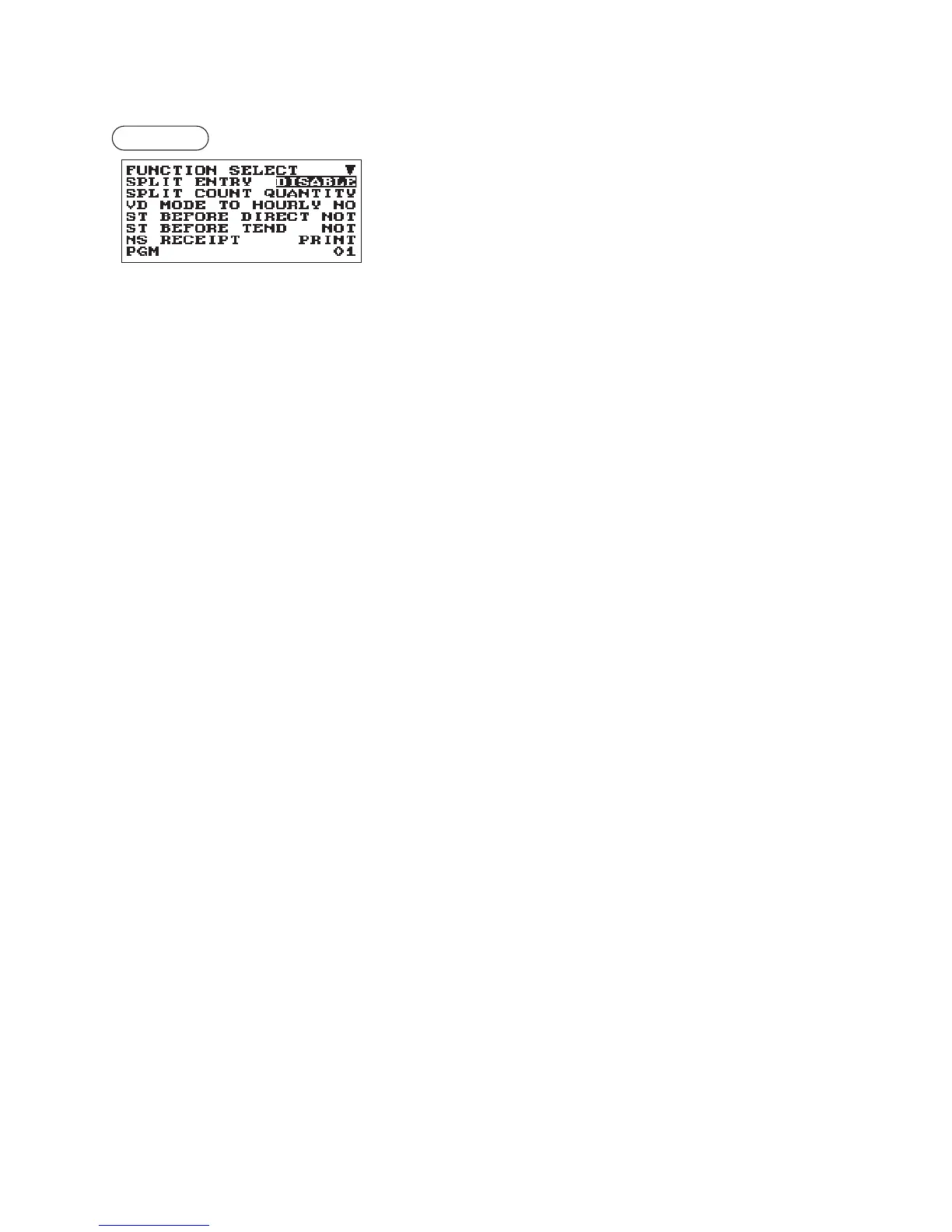
Program each item as follows:
The screen continues.
•SPLITENTRY(Usetheselectiveentry)
ENABLE: Enable the split pricing entry
DISABLE: Disable the split pricing entry
•SPLITCOUNT(Usetheselectiveentry)
Count method of split pricing entry.
PACKAGE: Unit of the package
QUANTITY: Quantity
•VDMODETOHOURLY(Usetheselectiveentry)
YES: Enable to add to the hourly total in void mode.
NO: Disable to add to the hourly total in void mode.
•STBEFOREDIRECT(Usetheselectiveentry)
Subtotal entry before direct non-tendering nalization
NOT: Not to require entry of subtotal for the non-tendering nalization
MUST: Require entry of subtotal for the non-tendering nalization
•STBEFORETEND(Usetheselectiveentry)
Subtotal entry before tender
NOT: Not to require entry of subtotal for the tendering nalization
MUST: Require entry of subtotal for the tendering nalization
•NSRECEIPT(Usetheselectiveentry)
Printing the receipt at the time of No Sale
PRINT: Print the receipt
NOT: Not to print the receipt
•AFTERTRANS.(Usetheselectiveentry)
TOTAL: Print the total only on the after transaction receipt
DETAIL: Print the details on the after transaction receipt



 To Next Page