71
■
PrintSelection
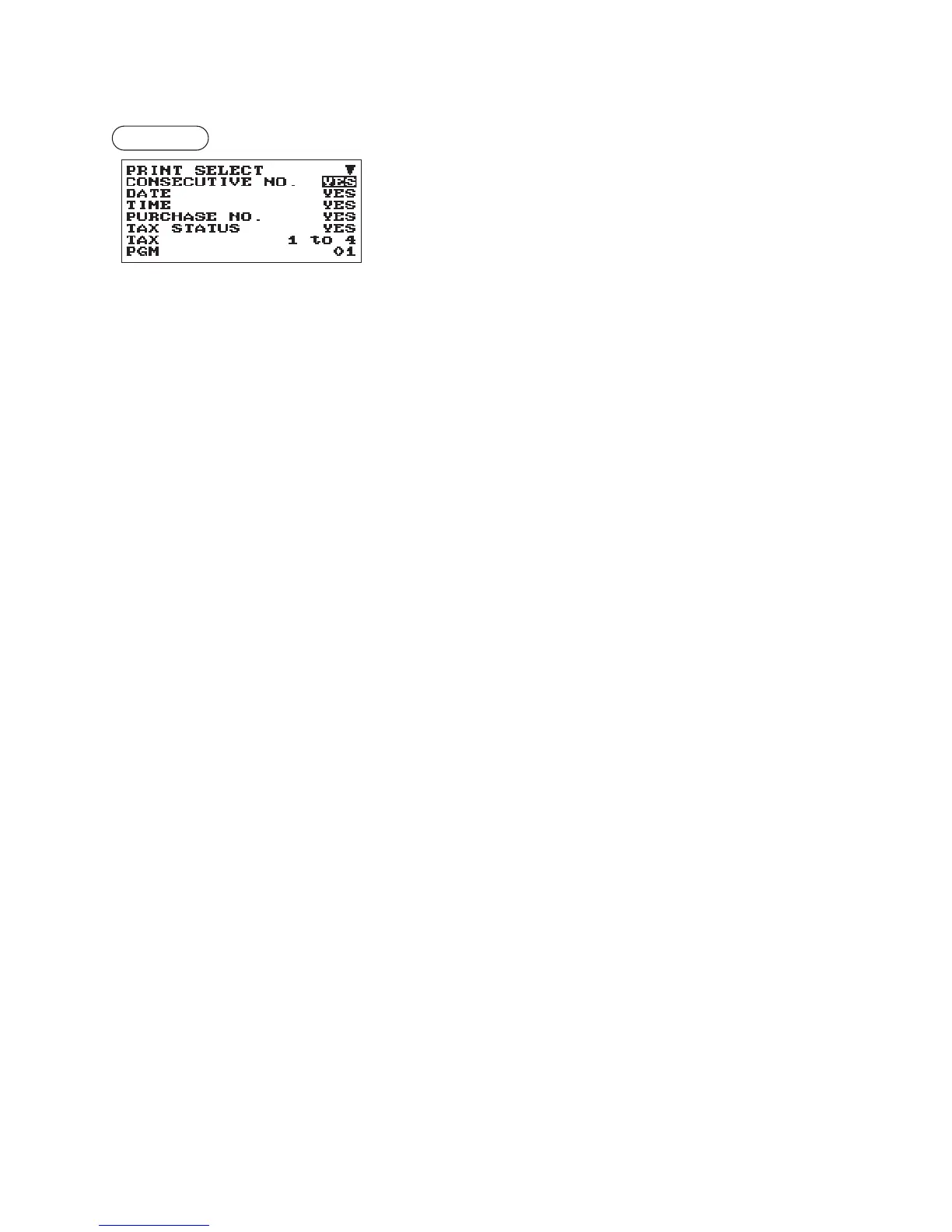
You can program various printing functions.
Procedure
Program each item as follows:
The screen continues.
•CONSECUTIVENO.(Usetheselectiveentry)
YES: Print the consecutive No.
NO: Not to print the consecutive No.
•DATE(Usetheselectiveentry)
YES: Print the date
NO: Not to print the date
•TIME(Usetheselectiveentry)
YES: Print the time
NO: Not to print the time
•PURCHASENO.(Usetheselectiveentry)
YES: Print the number of the purchase No.
NO: Not to print the number of the purchase No.
•TAXSTATUS(Usetheselectiveentry)
YES: Print the tax status
NO: Not to print the tax status
•TAX(Usetheselectiveentry)
Tax print format
1 to 4: Print order tax1 to tax4
4 to 1: Print order tax4 to tax1
TOTAL: Print total tax
•TAX(TAXABLE=0)(Usetheselectiveentry)
YES: Print the tax amount (when the taxable amount is zero.)
NO: Not to print the tax amount (when the taxable amount is zero.)
•TAX(TAX=0)(Usetheselectiveentry)
YES: Print the tax amount (when the tax amount is zero.)
NO: Not to print the tax amount (when the tax amount is zero.)
•STATSTKEY(Usetheselectiveentry)
YES: Print the subtotal using the
Q
key
NO: Not to print the subtotal using the
Q
key
•LOGOFORM(Usetheselectiveentry)
PATTERN 1: 3 line text header
PATTERN 2: Image logo header
PATTERN 3: Image logo header + 3 line text footer
PATTERN 4: 6 line text header
PATTERN 5: Image logo header + 3 line text header
PATTERN 6: 3 line text header + 3 line text footer



 To Next Page