Chapter 8 Service Window
GC-2014 Service Manual
112
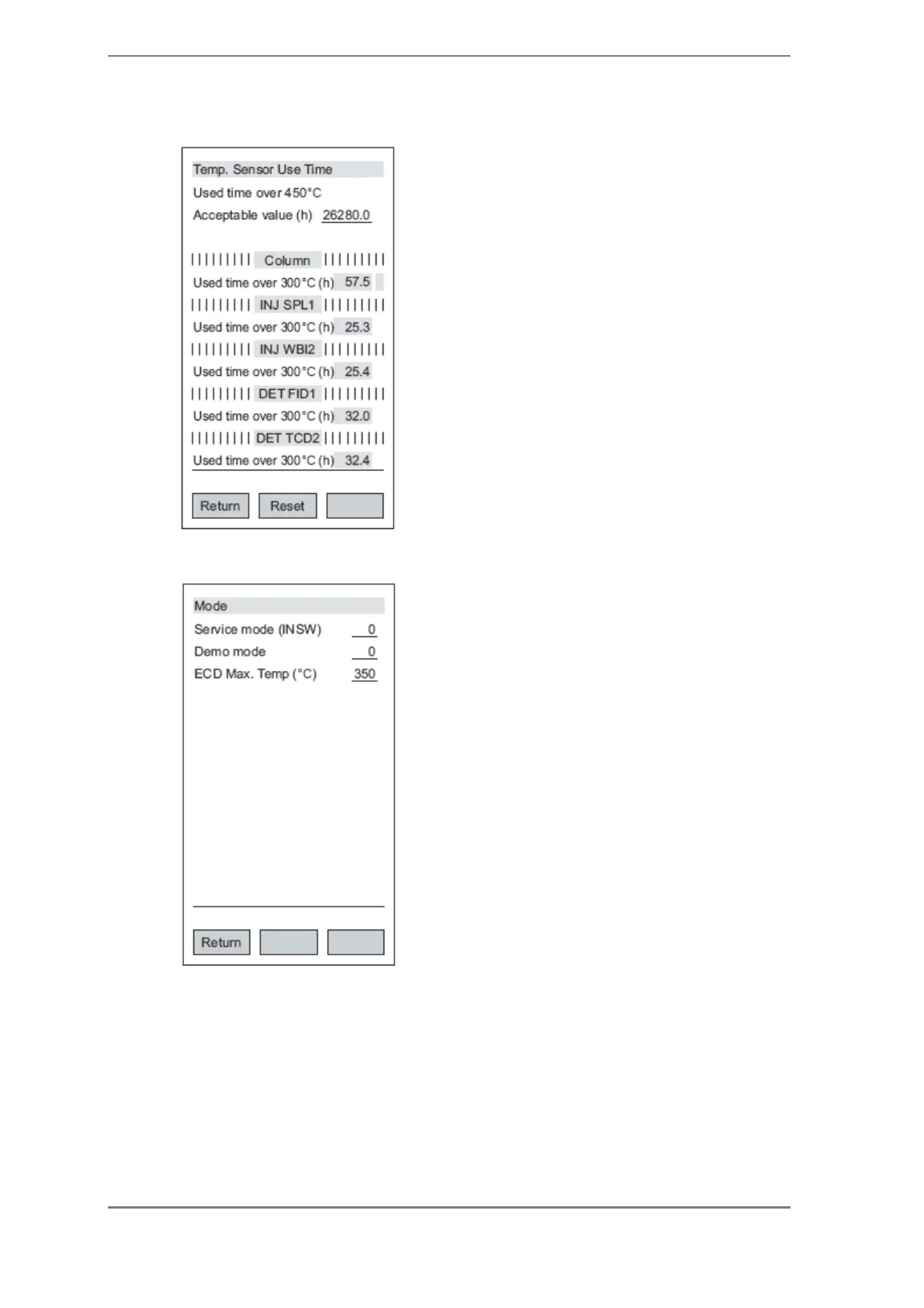
8.4 Temp. Sensor Use Time
pf2: Pressing "Reset" clears the counter at the cursor
position.
This window is used to check or reset the
temperature-sensor usage time for each unit.
Note: The display items vary with the unit.
With the GC-2014, the time for which the temperature
sensor has been used at a temperature of 300ºC or higher
is calculated. As a rough guide, a warning is issued after
approx. 26,280 hours (3 years).
Press pf2 after replacing the temperature sensor to reset
the usage time.
8.5 Mode
Service mode (INSW): Be sure to set to 0 in normal use. In
the following cases, however, temporarily set the
corresponding value.
To increase the number of digits after the decimal
point in the actual measurement value: 2
To stop the error confirmation window being
displayed: 4
(To increase the number of digits and stop the error
confirmation window being displayed: 6)
Demo mode: Be sure to set to 0 in normal use.
To make all the actual measurement values equal to the se
values: 1
Note: This is to allow demonstrations in situations where
there is no gas piping, such as exhibitions.
ECD Max. Temp (ºC): Default value is 350ºC.
In Japan, allowing the ECD temperature to exceed 350ºC is
prohibited by law. This law does not apply overseas,
however, and a temperature of up to 400ºC can be set. To
be on the safe side, 350ºC was selected as the default
value.



 To Next Page
 Loading...