ShopBot PRS Assembly Manual Page -43
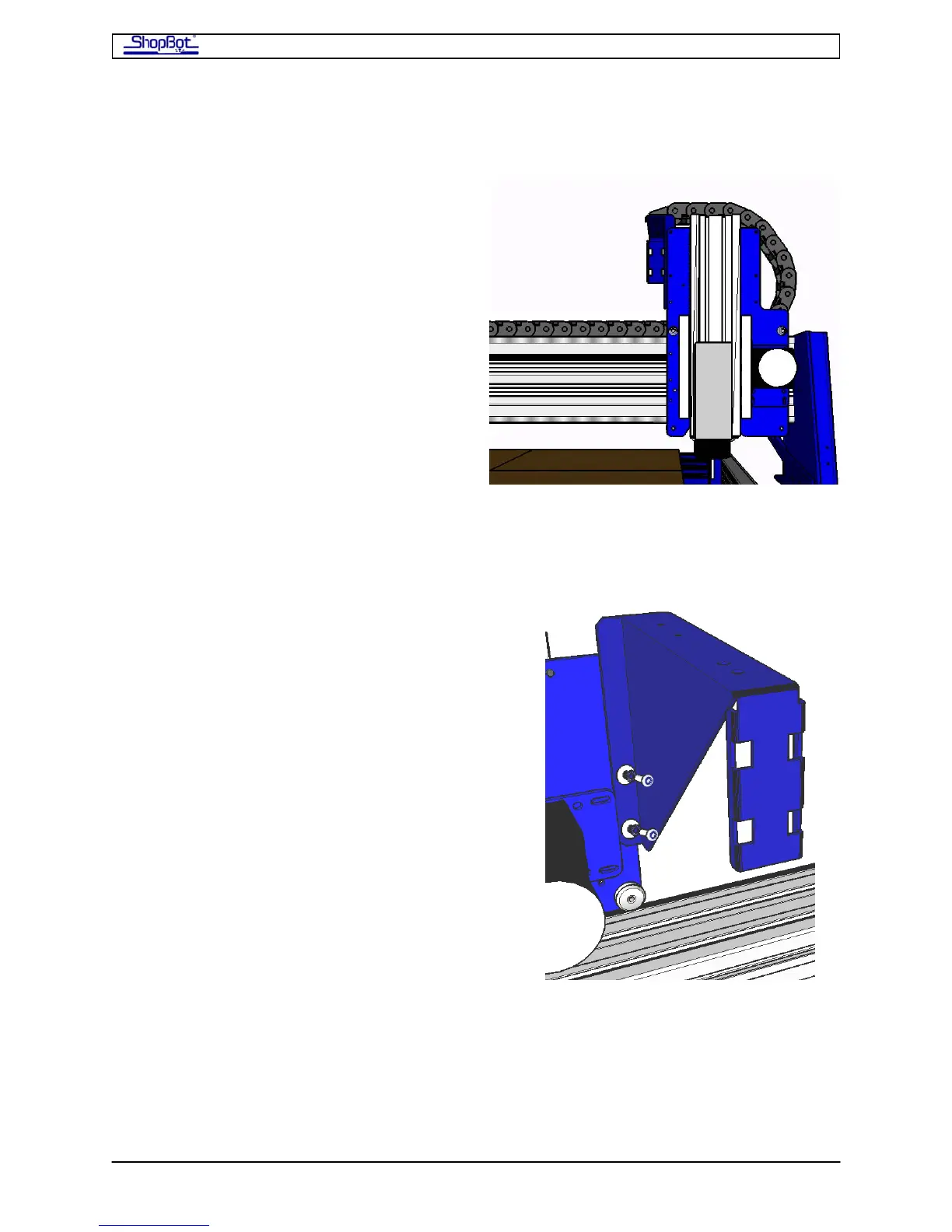
Mounting the Y-axis Echain on the PRS
Remove any previously-installed wire guide
and wire guide brackets from the gantry and
YZ-car if necessary. When the YZ-car is
viewed head on, the Y-upper Echain bracket
will be located on the back left side of the YZ
car and the Echain will loop to send the
cables toward the back of the ShopBot.
Step 1: Installing the Y-upper Echain bracket.
• (1) Y-upper Echain bracket (002160-01)
• (2) ¼-20 x 1/2 socket head screws
• (2) ¼” lock washers
• (2) ¼” flat washers
On the back left side edge of the YZ-car there
are 2 ¼-20 holes. Align the holes in the longest
tab of the Y-upper Echain bracket with the
tapped holes of the YZ car. Using the ¼-20
screws, lock washers, and flat washers, secure
the bracket tightly to the YZ car.
PRSAssembly080922.doc Copyright 2007,2008 ShopBot Tools, Inc



 To Next Page