AD.A module
User’s Manual, DU3310103-MRI / rev.3 - 02.05.2019
7-9
7.3 Lung ventilator: AD.A
How selecting the operative mode
Description of the start-up phase of MORPHEUS LT/MRI anaesthesia
unit: see on cfr. 5.
At the end of “ SELF TEST “ the ventilator automatically switches to
STAND-BY view.
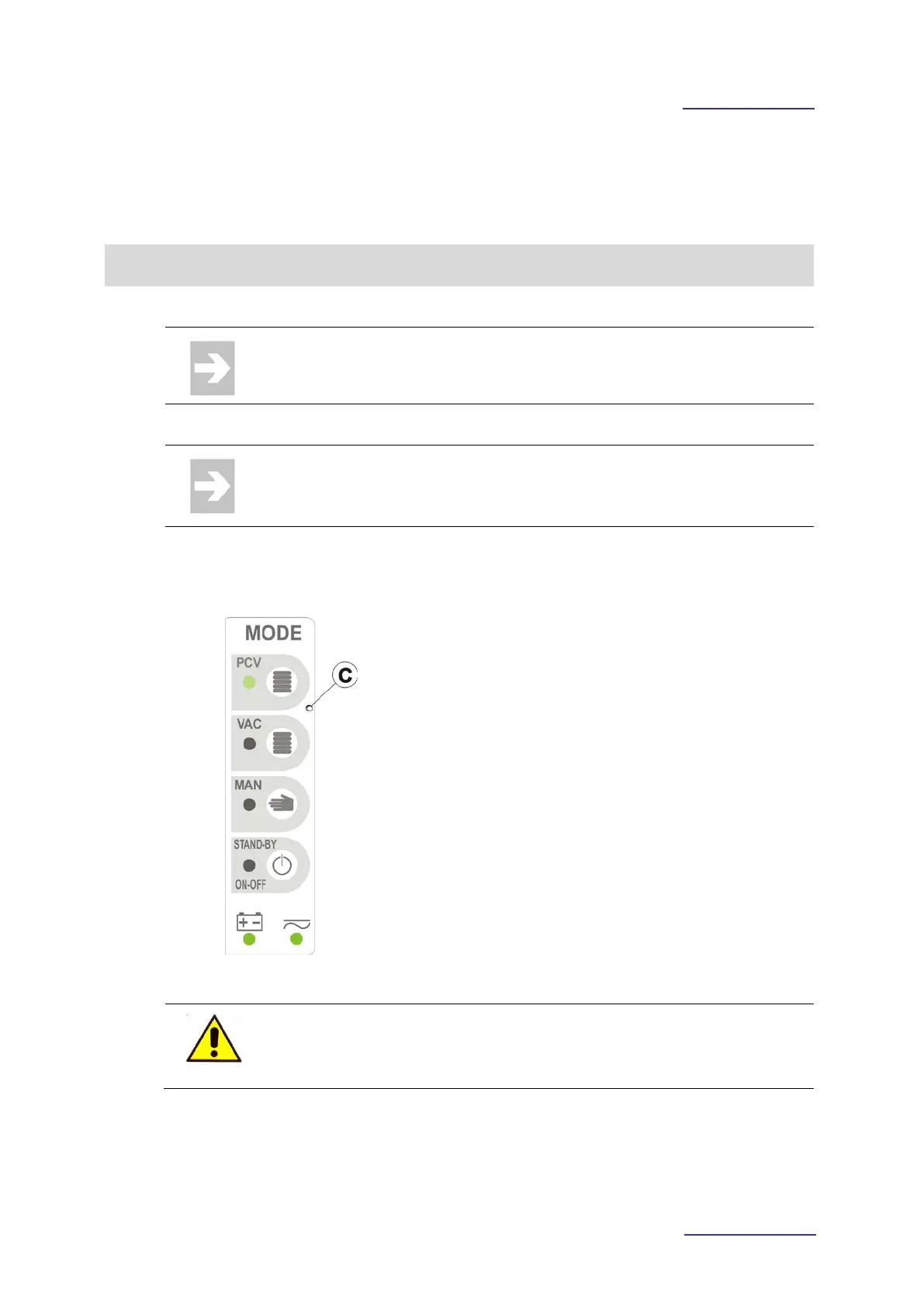
• Press the membrane key relevant to the
operative mode to activate (the led relevant to
the membrane key lights on).
• Press the STANDBY / ON-OFF button to
interrupt the ventilation.
•
Keep pressed for a few seconds the STAND-
BY / ON-OFF key, to turn off the ventilator
module.
It’s possible to quickly switch from an operative mode to another by
pressing the membrane key relevant to the new operative mode to
activate.



 To Next Page