Valves group
3-10 MORPHEUS MRI
3.4.2 Connections to valves group
O
2
cell
WARNING. Risk of injury for the user
To avoid risks of electric shocks and/or break of components, during
interventions, verify that the anaesthesia unit has been disconnected
from power supply.
1. Unpack carefully the O
2
cell
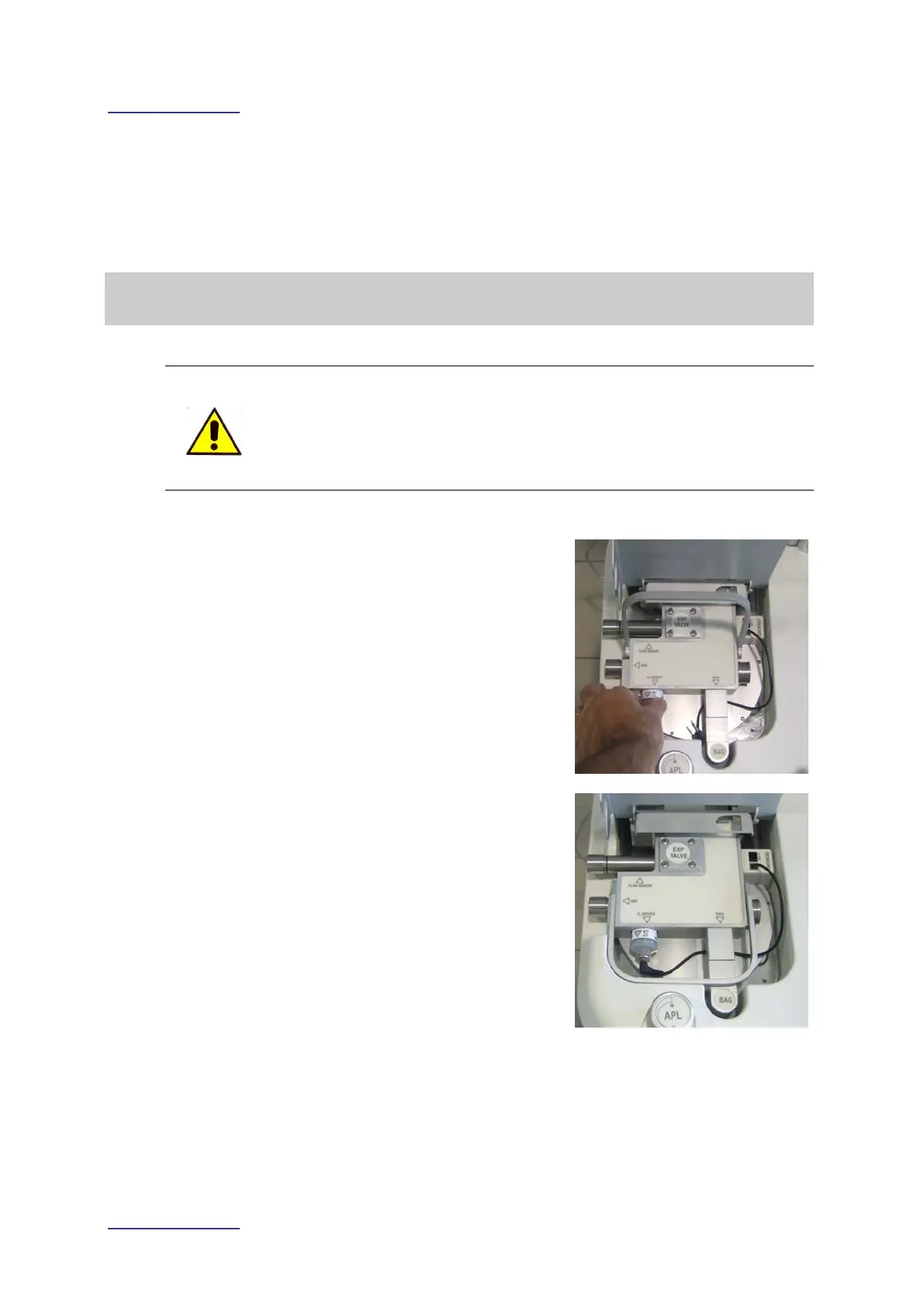
2. Pull up the valves group cover.
3. Insert and screw the cell: in the space
marked with the script “O
2
SENSOR”.
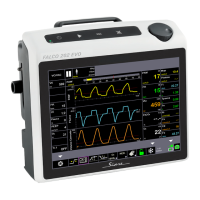
4. Verify that the electric cable for cell
connection is positioned within the
dedicate space.
• Connect the pin to the O2 sensor
• Connect the RJ connector on the
dedicated outlet within the valves
group.



 To Next Page