Valves group
User’s Manual, DU3310103-MRI / rev.3 - 02.05.2019
3-13
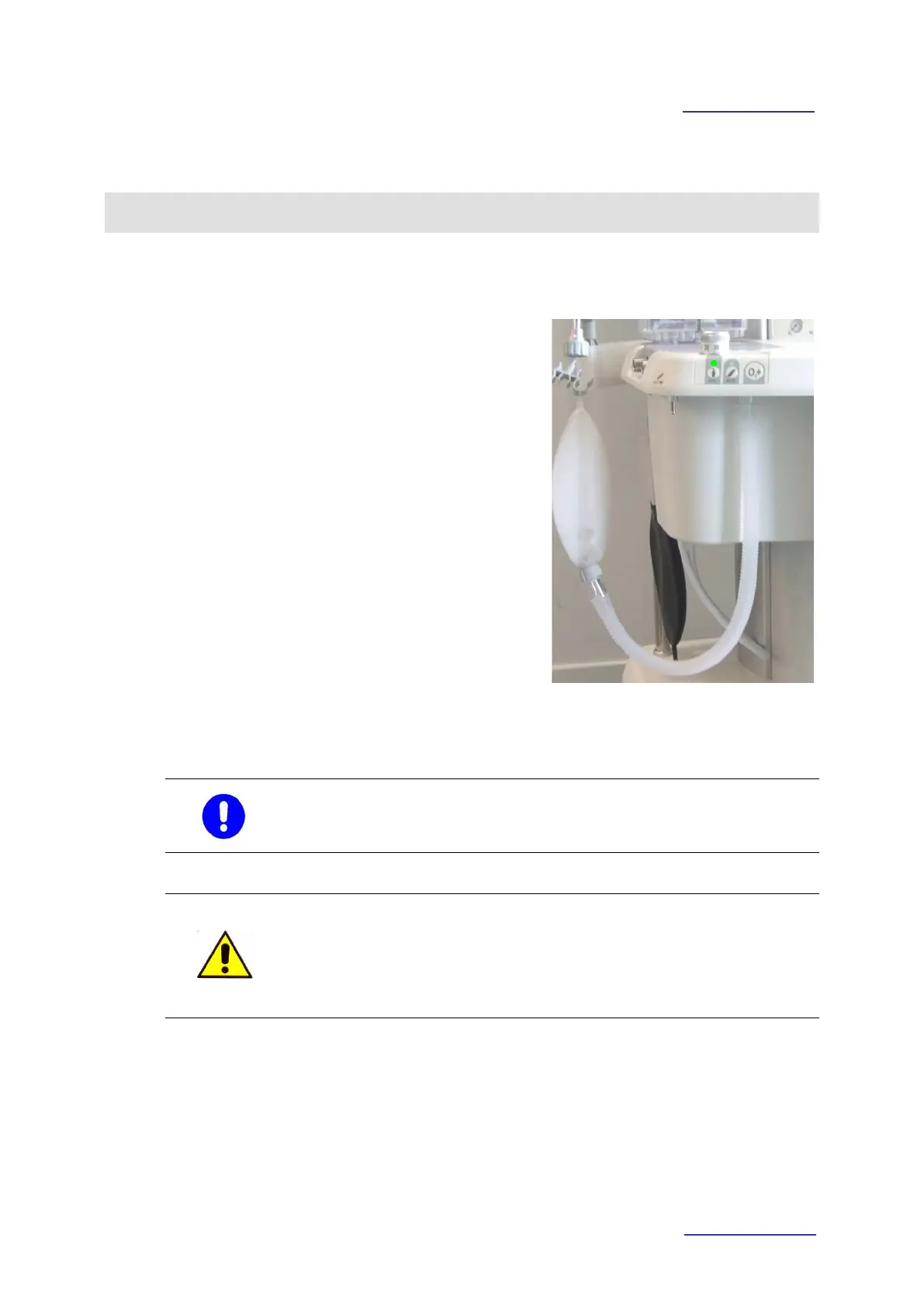
Kit for manual ventilation
• Connect the hose of supplied manual
ventilation to the “Bag” connector on
the valves group.
• Position the bag of the kit on the
patient circuit supporting arm.
MAN (MANUAL) operative mode:
• select the MAN operative mode on the
ventilator membrane key board;
• on front panel, the “APL” membrane
control is activated (the green led lights
on);
• manage the quantity of fresh gases for
manual ventilation through the gas
flowmeter box;
• set the APL valve at the desired
maximum pressure.
When the “APL” control is activated the manual ventilation is
performed through the valves group.
WARNING !! Risk of injury for the patient
During manual ventilation, the airways pressure can overcome the
limit set on lung ventilator.
The pressure limit depends on APL valve regulation.



 To Next Page