EasyManua.ls Logo

Siemens FC361 Series - User Manual

Siemens FC361 Series
151 pages
Print Icon
To Next Page IconTo Next Page
Loading...
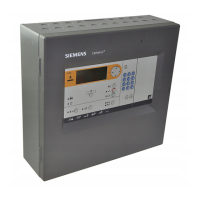
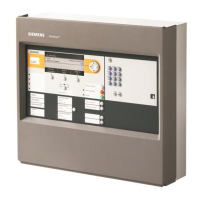
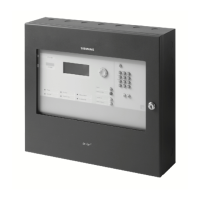
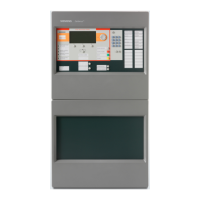
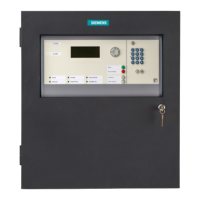
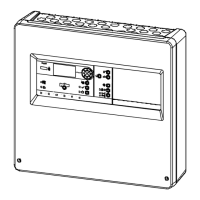
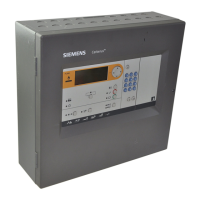
FC361-xx, FC362-xx
Fire control panel
Technical Manual
A6V10421795_en--_k
Smart Infrastructure
2021-04-28

Table of Contents

Questions and Answers

  • J
    Jennifer YoungAug 19, 2025
    How to adjust LCD screen brightness on Siemens Control Panel?
    • D
      dean02Aug 19, 2025
      If the LCD screen brightness is low on your Siemens Control Panel, press the and keys simultaneously. Each press increases the brightness by one level. The brightness cycles through 5 levels.
  • A
    Amy HillAug 21, 2025
    What to do if Siemens FC361 shows a general fault?
    • V
      Vanessa PopeAug 21, 2025
      If your Siemens Control Panel indicates a general fault, first check if another fault LED is flashing. If not, check the display and whether the fault control input is activated. The system has a fault.
  • L
    Lindsey RamseyAug 23, 2025
    What to do if Siemens FC361 Control Panel shows a system fault?
    • T
      Thomas WalkerAug 25, 2025
      If the Siemens Control Panel displays a system fault, perform a visual check of the cable connections. Then, switch the power off and restart the system. If the fault persists, the cause may be a failure of the main CPU, and you should replace the mainboard.
  • J
    Jennifer WhiteAug 26, 2025
    What to do if Siemens FC361 Control Panel shows detector line overload?
    • G
      Gabriella LoganAug 26, 2025
      If your Siemens Control Panel indicates a detector line overload, first power off the detector line and then restart it. If the error persists, check the load on the detector line using the 'FX3610 Cerberus FIT Quantities tool'.
  • R
    Robert WilliamsAug 27, 2025
    What causes a sounder fault on a Siemens FC361?
    • J
      Jeffery TurnerAug 27, 2025
      A sounder fault on your Siemens Control Panel is caused by a fault on the sounder line. Check the sounder line for a short circuit, an open circuit, or a missing or defective EOL element.
  • J
    Janice LucasAug 29, 2025
    What to check if outputs from output card (4M) indicates a fault on Siemens FC361?
    • L
      Laura BurgessAug 30, 2025
      If the outputs from the output card (4M) indicate a fault on your Siemens Control Panel, check the cable connection and the output line.
  • V
    Victoria MiddletonSep 1, 2025
    How to fix a date and time fault on a Siemens FC361?
    • A
      Alicia FlowersSep 1, 2025
      To resolve a date and time fault on your Siemens Control Panel, power down the system and then reset the date and time.
  • R
    Robert HoltSep 3, 2025
    What does RT fire fault mean on Siemens Control Panel?
    • R
      Randy MoralesSep 3, 2025
      An RT fire fault on your Siemens Control Panel indicates a fault on the RT fire line. Check remote transmission.
  • S
    susanjacksonSep 5, 2025
    What to do if DC 24 V is too low on Siemens Control Panel?
    • R
      Randall HernandezSep 5, 2025
      If the DC 24 V is too low on your Siemens Control Panel, check the voltage input '24V' on the output card FCA3602- Z1.
  • G
    garygardnerSep 7, 2025
    What should I do if my Siemens FC361 shows an EVAC fault?
    • A
      Anna JonesSep 7, 2025
      If your Siemens Control Panel displays an EVAC fault, check the cable connection. If the fault persists, replace the device.

Summary

Safety

Safety instructions

Outlines general safety notices and symbols used.

Safety regulations for operation

Covers national standards, legislation, and electrical installation safety.

System description

Installation

Instruction

General instructions and warnings for panel installation.

Surface mounting

Step-by-step guide for surface mounting the panel.

Power supply - mains voltage

Details on connecting the panel to the mains power supply.

Battery

Information on connecting and selecting batteries for emergency power.

C-NET detector line

Explains the C-NET detector line, capacity, and devices.

Function overview

Access levels

Explains panel access levels, passwords, and user roles.

Operation

Alarm procedure in unmanned mode

Step-by-step guide for handling alarms when no personnel are present.

Alarm procedure in manned mode

Step-by-step guide for handling alarms when personnel are present.

Procedure in case of fault

Steps to follow when a fault is detected on the system.

Engineering

Auto configuration

How to perform an automatic system configuration.

Resetting detection module

Procedure to reset the detection module when it reports a fatal fault.

Restoring factory settings

Procedure for resetting the panel to its factory default settings.

Connecting a PC to the panel

Steps for connecting a PC to the panel for configuration.

Commissioning

Installing and checking a detector line

Procedures for installing and checking detector lines.

Installing panel

Steps for installing the FC360 fire control panel.

Starting up the panel

Initial startup procedure for the panel.

General commissioning steps

General steps to follow during system commissioning.

Function test

How to perform a function test on the installed system.

Completing work

Final steps to complete the commissioning process.

Updating firmware

Procedure for updating the panel's firmware.

Maintenance

General

General information and recommendations for system maintenance.

Troubleshooting

Fault message indication

Explains fault indications and their causes/actions.

Components and spare parts

Appendix A: Alarm Verification Concept (AVC)

Appendix B: Delayed Alarm Reset (DAR)

Appendix C: Door holder function

Appendix D: Voice alarm device synchronization

Appendix E: Device type list

Appendix G: Default settings for panel;devices

Siemens FC361 Series Specifications

General IconGeneral
BrandSiemens
ModelFC361 Series
CategoryControl Panel
LanguageEnglish

Related product manuals