Connection
6.3 Connecting the reader
SIMATIC MV500
Operating Instructions, 03/2021, C79000-G8976-C494-05
121
Communication module cable
You use the CM adapter cable to connect the communication modules (e.g. RF180C and ASM
456) to the optical reader. The communication module cable is pre-fabricated.
Note that when using the power supply via the communication module, you must enable the
setting "Settings > Options > Lighting > Power supply via POU or CM".
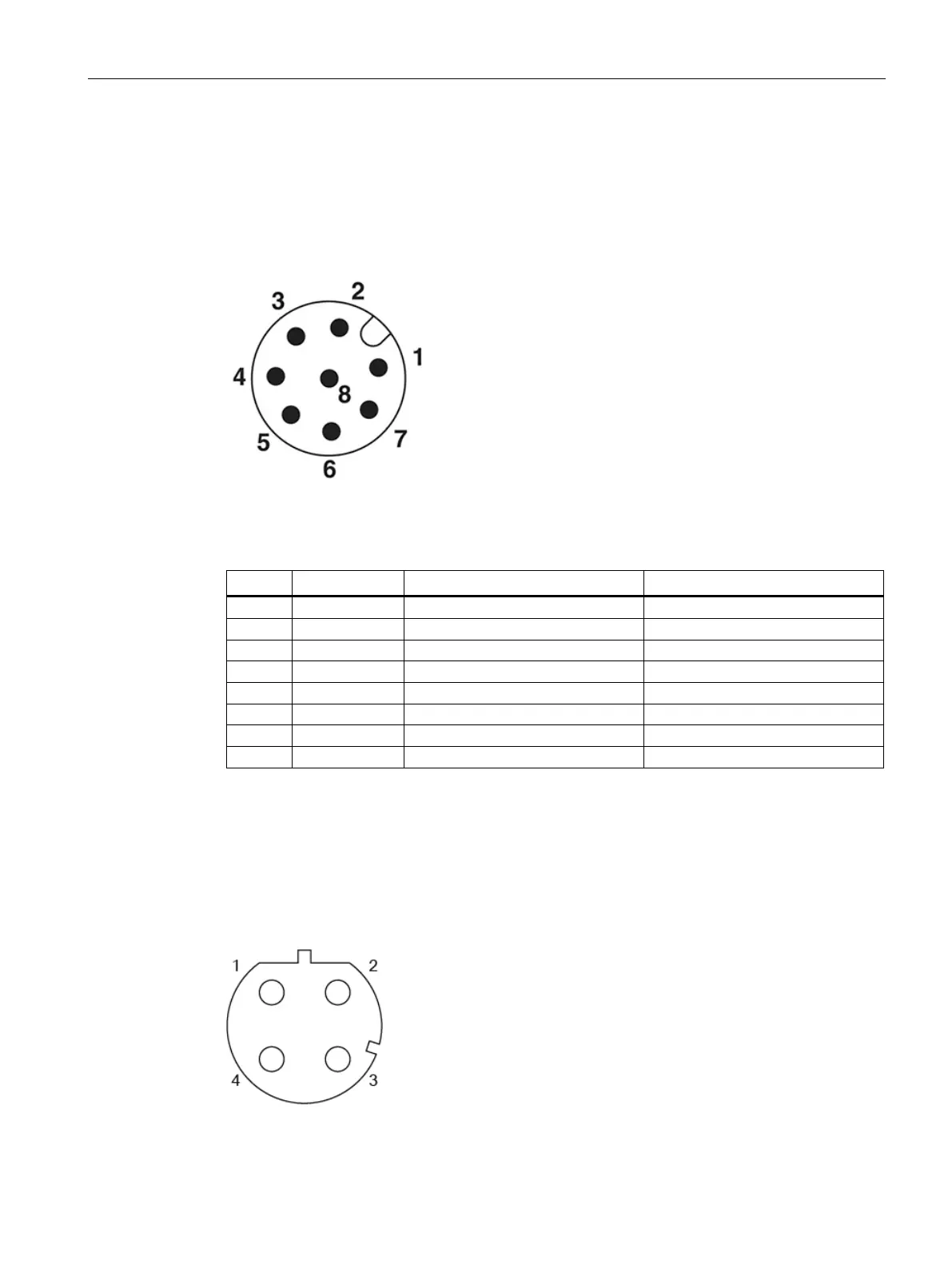
Figure 6-3 Pin assignment of communication module plug
Table 6- 2 Communication module cable, M12 (female, 12-pin) / M12 (male, 8-pin)
Pin assignment ↔ socket/wire color of the cable/signal connector of the optical reader
Industrial Ethernet connecting cable
Connect a PC/PG (for control and operation) to the optical reader using a prefabricated
Ethernet cable.
Attach the Ethernet cable to a switch to connect the optical reader to an S7 controller via
onboard PROFINET IO.
Figure 6-4 Pin assignment of "X1 LAN1" Ethernet socket (M12, 4-pin) ③



 To Next Page