Operator control and monitoring
SIMATIC MV500
144 Operating Instructions, 03/2021, C79000-G8976-C494-05
Layout of the WBM
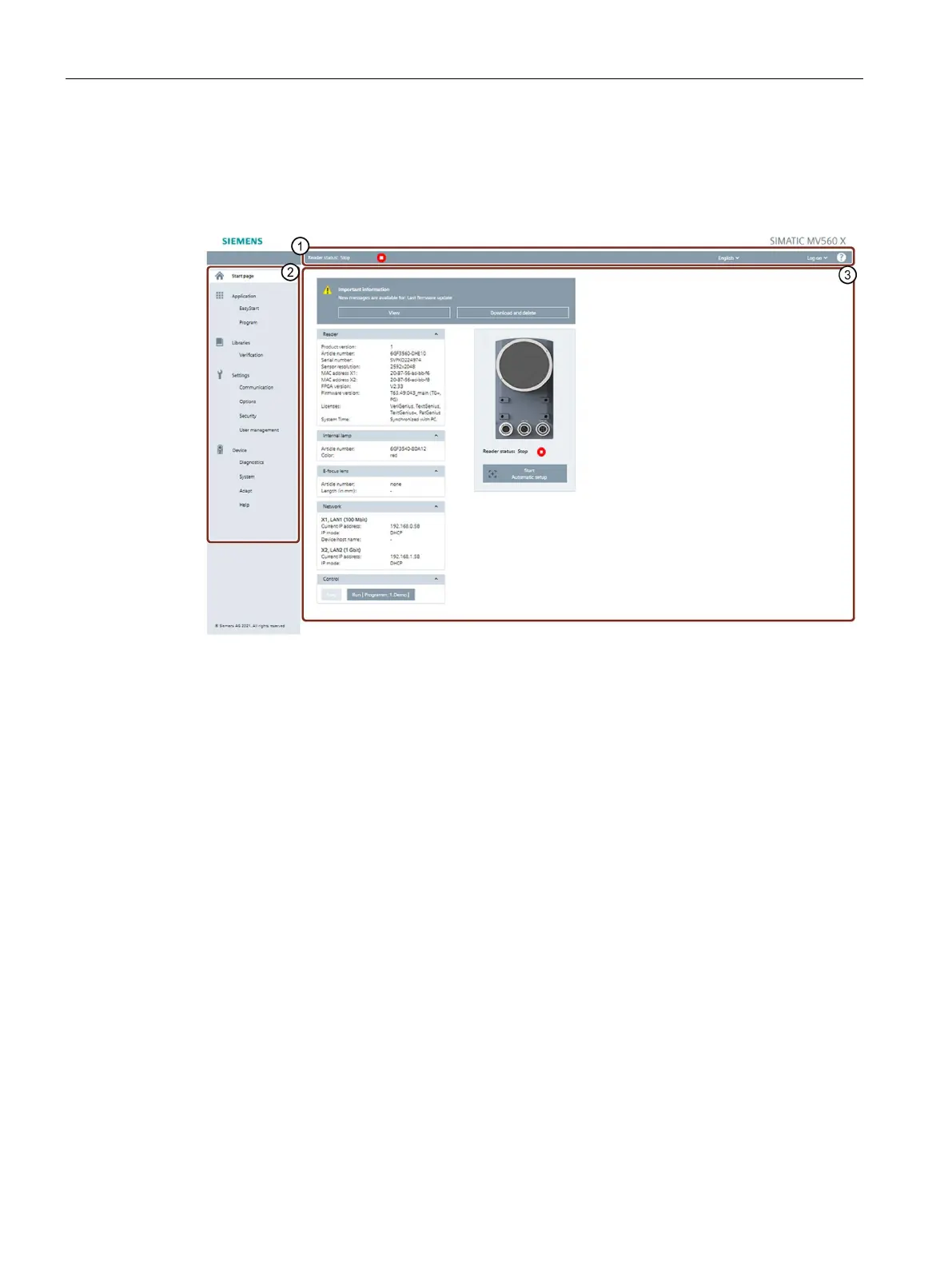
After successful connection establishment to the optical reader, the start window of the WBM
appears:
Figure 8-1 Start window of the WBM
Status bar and toolbar
Above the main window there is the status bar with the following information:
• Display of reader status and access status
• Drop-down list for selecting the user interface language
• Display of the user profile
• Login area for login/logout on the WBM (only with active user management)
• Help
A menu-specific toolbar may be displayed below the status bar and above the main window.
The toolbar is only displayed in the "Application" and "Libraries" menus and has different
functions depending on the menu.
The toolbar and its individual functions are described at the start of each section related to
the menu.



 To Next Page