179
Printer Service
Printer service
Margin Adjustment
To adjust margin,
1. Select Printer service in the diagnostic
mode.
2. Select PRT Registerration
3. Select Margin adjust
4. Select any one of Left margin,
Top margin, Back-left margin, Back-top
margin to change the value..
5. Set the wanted value by using the arrow
direction keys and press OK.
6. Press [Back] to exit.
1. Select Printer service in the diagnostic
mode.
2. Change values of Left margin, Top
margin, Back-left margin, Back-top
margin of PRT Registerration-Margin.
3.When entering negative values, type in
the numbers first and press # key.
4. Press SAVE to exit if all the values are
set .
5. Press EXIT to exit.
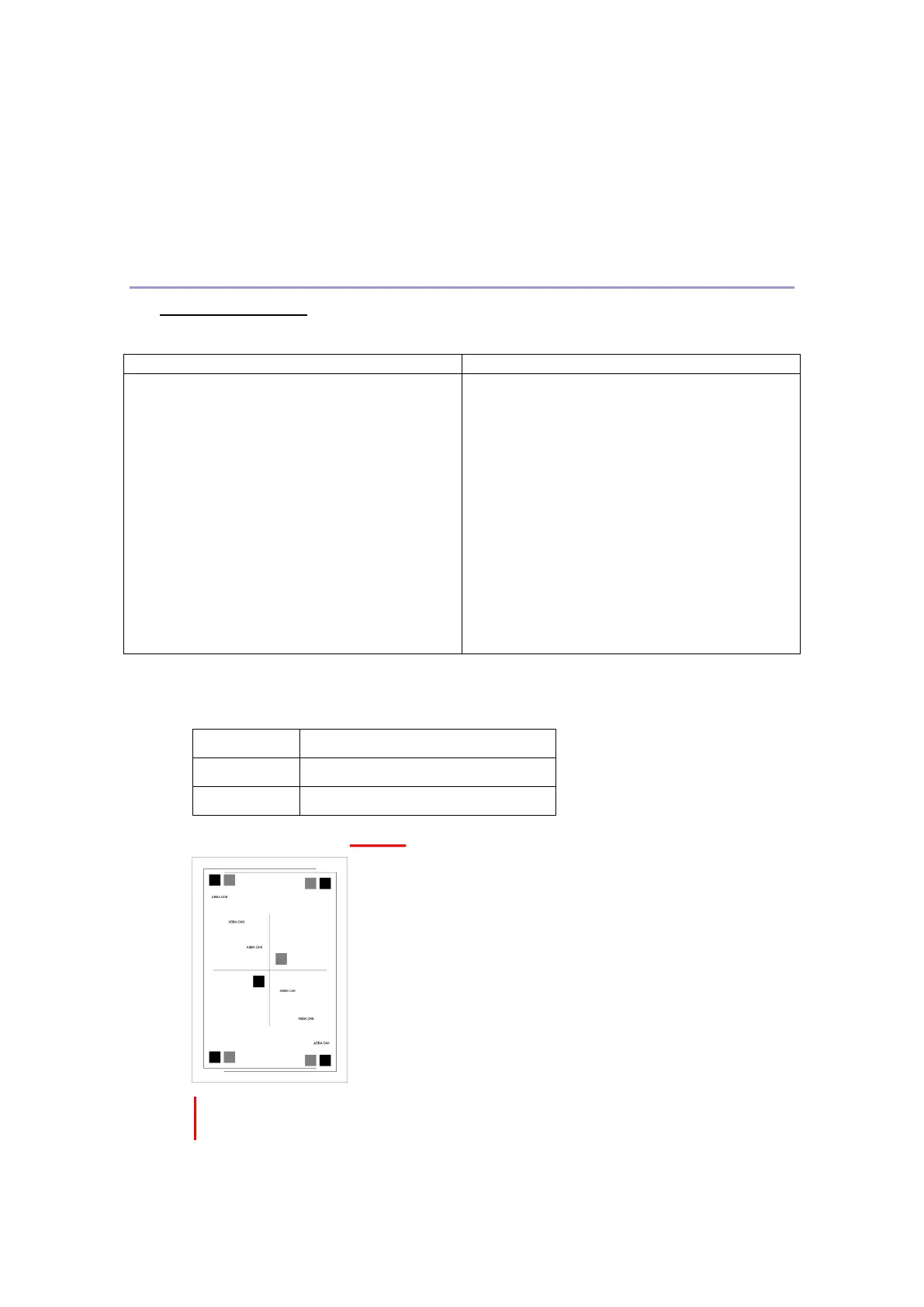
The print margin ranges are as the following and it can be changed by 1
unit(=0.2mm).
Adjusting Top Margin +5 makes the image to move
down 1mm.
Adjusting Top Margin -5 makes the image to move
up 1mm.
Adjusting Left Margin +5 makes the image to move
to the right by 1mm.
Adjusting Left Margin -5 makes the image to move to
the left by 1mm.



 To Next Page