Product description
26 / 76 Sintratec S1 BA_S1_en 1.1
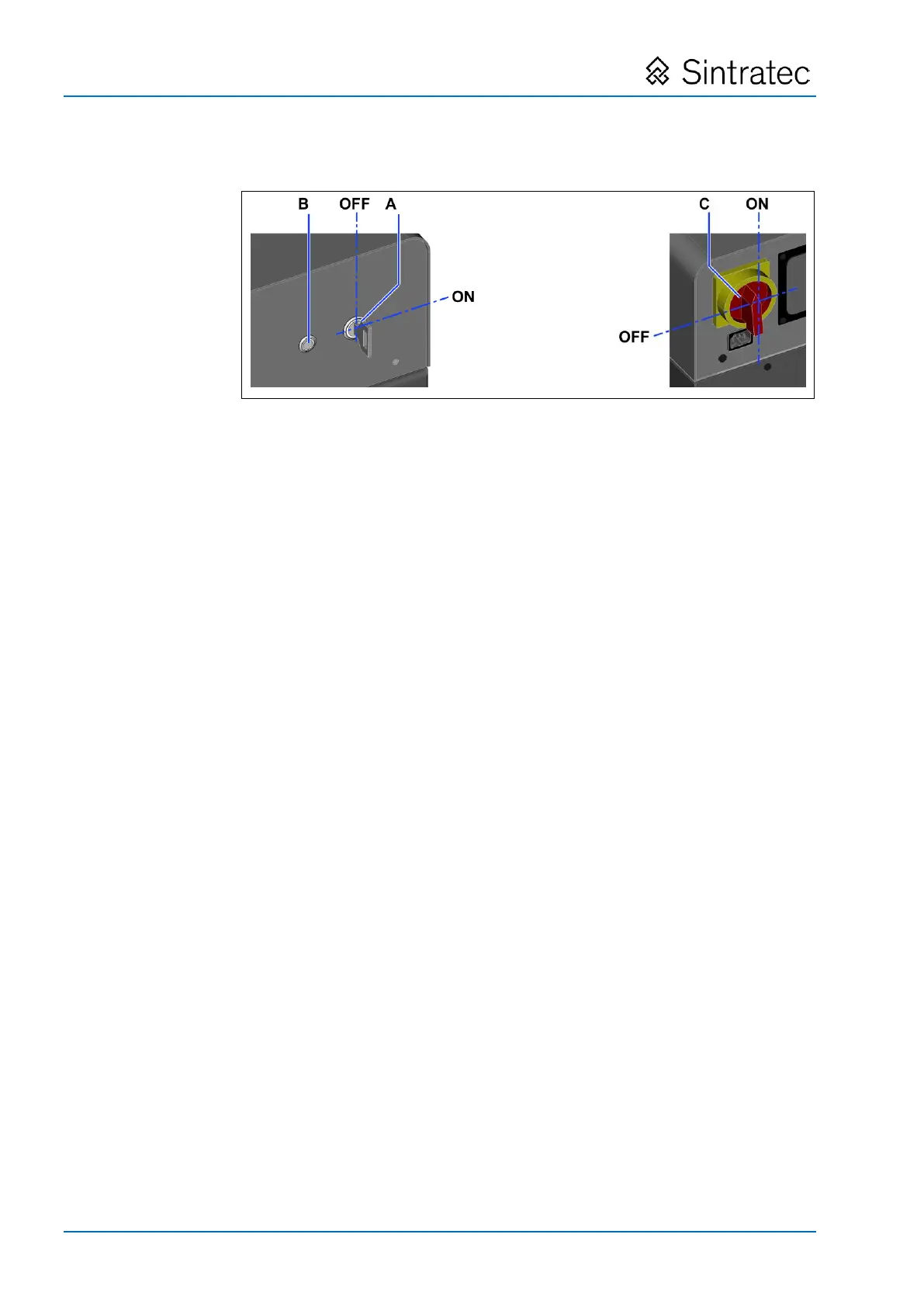
Operation and display elements
: Operation and display elements
"Enable laser" key switch with white indicator lamp
• Used to enable the laser.
• The key can be removed only in the OFF position.
Note Move the key to the ON position prior to starting the printing process,
and return it to the OFF position after the printing process has finished.
ON/OFF button with white indicator lamp
• Used to switch the device ON (operational state) and OFF (standby
mode).
Main switch
• Used to switch the power supply on and off.
• Also serves as EMERGENCY STOP switch.
Pos: 90 /Sintrat ec/++++++++ S eitenumbruch +++ +++++ @ 3 \mod_1463981 070991_0.doc x @ 7762 @ @ 1


 To Next Page