Sirona Dental Systems GmbH 14 SIVISION 3 / SIROCAM 3 / SIROCAM C
C3
+
14.8 SIROCAM 3 / SIROCAM C integrated in the assistant element (video)
59 06 404 D 3390
D 3390.201.01.18.02
103
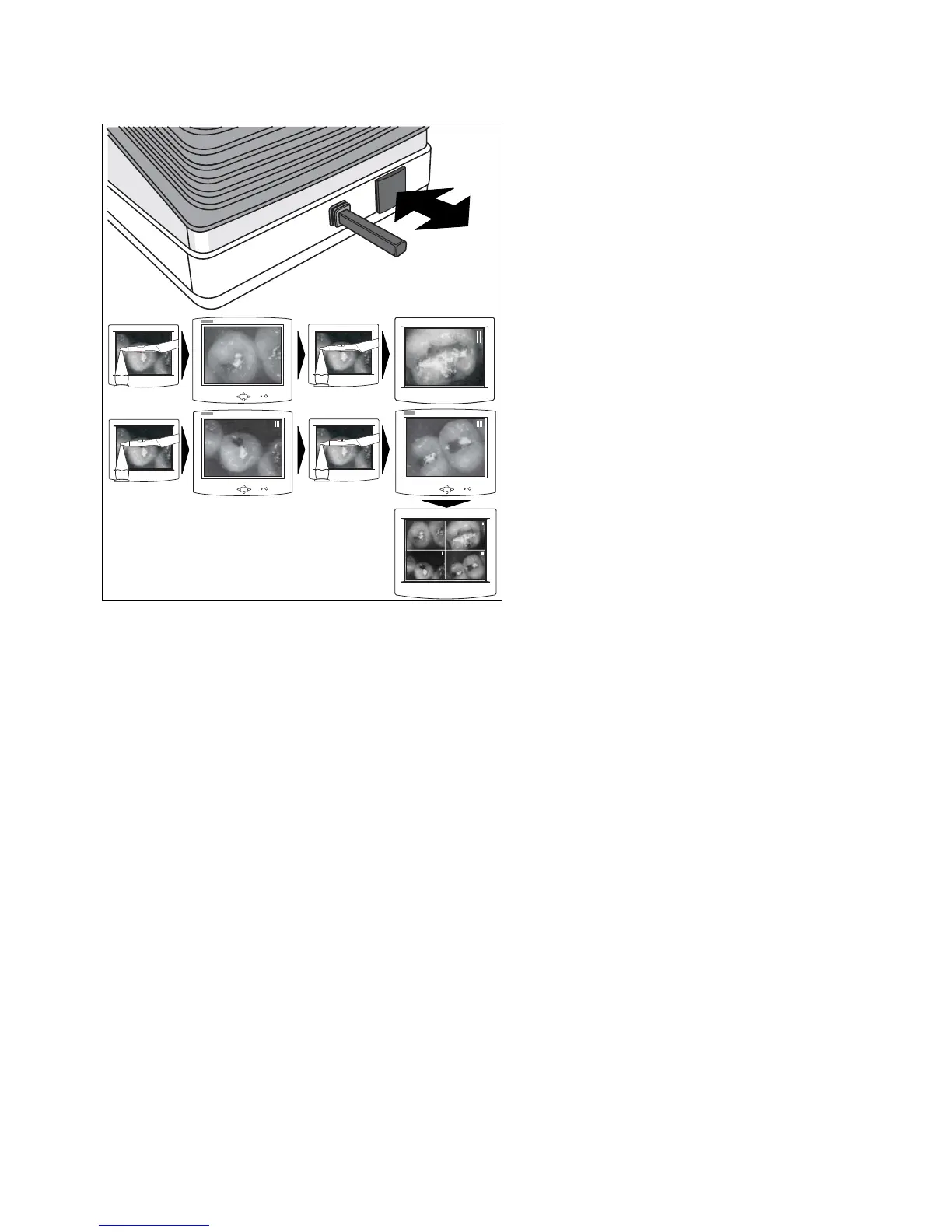
GENERATING STILL IMAGES
• Briefly touch the foot button when the camera has
been picked up. The image number I appears in the
upper right corner of the image.
• When you touch the foot button again briefly, a LIVE
IMAGE reappears.
• To freeze the next STILL IMAGE briefly touch the
foot button again. Image number II appears in the
upper right corner of the image.
• Use the same method to generate STILL IMAGE III
and IIII.
• When you briefly touch the foot button after STILL
IMAGE IIII has appeared, the QUAD IMAGE (the
4 single images in a tiled view) is displayed on the
screen.













 To Next Page