6 Foot control Sirona Dental Systems GmbH
6.1 Wireless foot switch C+ C3
+
59 06 404 D 3390
30 D 3390.201.01.18.02
6 Foot control
6.1 Wireless foot switch C
+
The treatment center can be operated with a wireless
foot switch C
+
.
The service engineer already registered the wireless foot
switch during the installation.
If the registration has to be performed again, inform
the service engineer and have him / her carry out the
following steps.
For technical data of the wireless module, see "Foot
switch wireless interface" on page 20.
Setting the wireless foot switch on the treat-
ment center
The wireless foot switch must be assigned to the treat-
ment center via registration. This prevents malfunctions
caused by neighboring wireless foot switches.
✔ The treatment center and wireless foot switch are
ready for operation.
✔ All instruments are in place.
1. Remove the small bellows from the 4-way foot
switch.
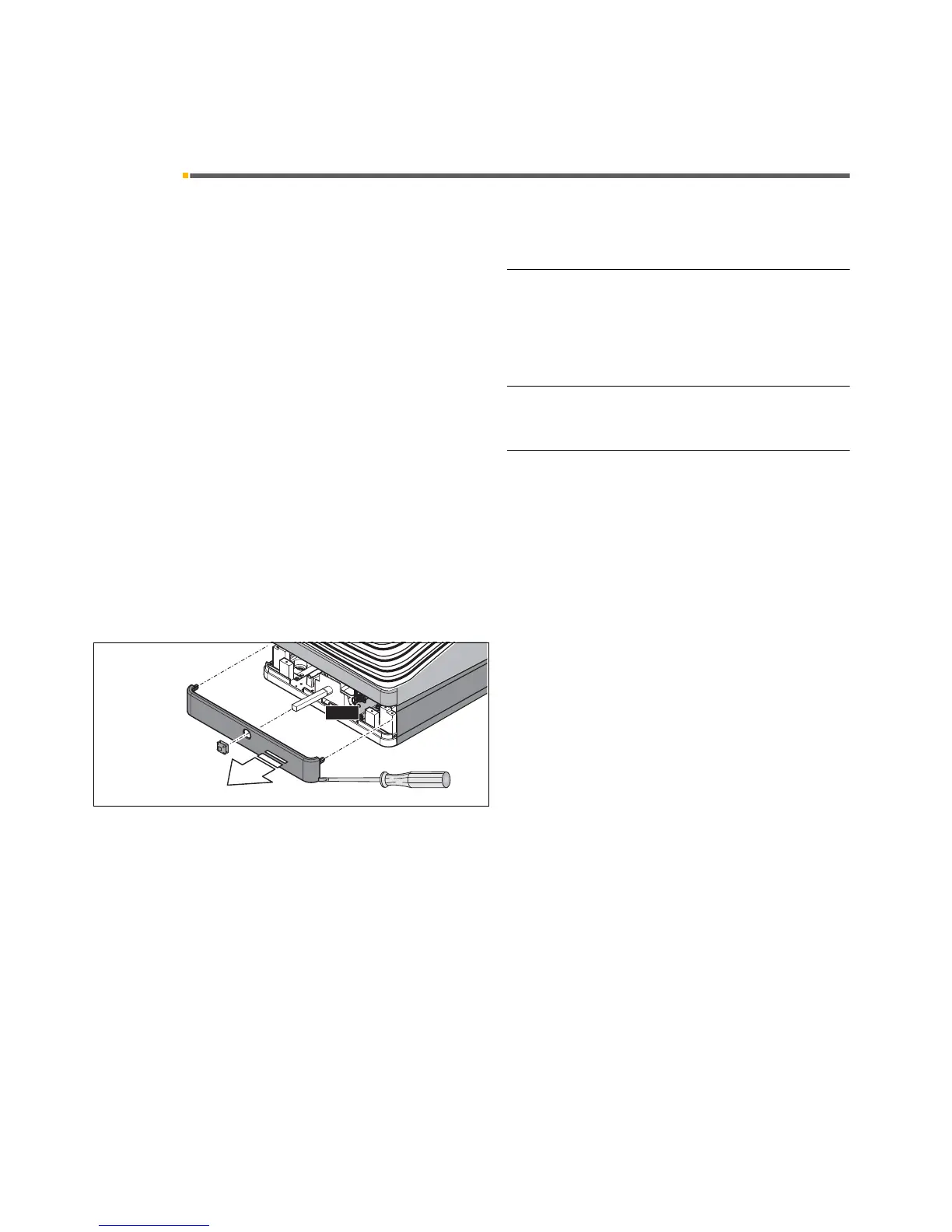
2. Remove the rear faceplate of the base. It has a plug
connection to the lateral panels. If necessary, use a
screwdriver to carefully pry the faceplates away from
the panels.













 To Next Page