14 SIVISION 3 / SIROCAM 3 / SIROCAM C Sirona Dental Systems GmbH
14.5 Operating modes of SIVISION 3 C3
+
59 06 404 D 3390
90 D 3390.201.01.18.02
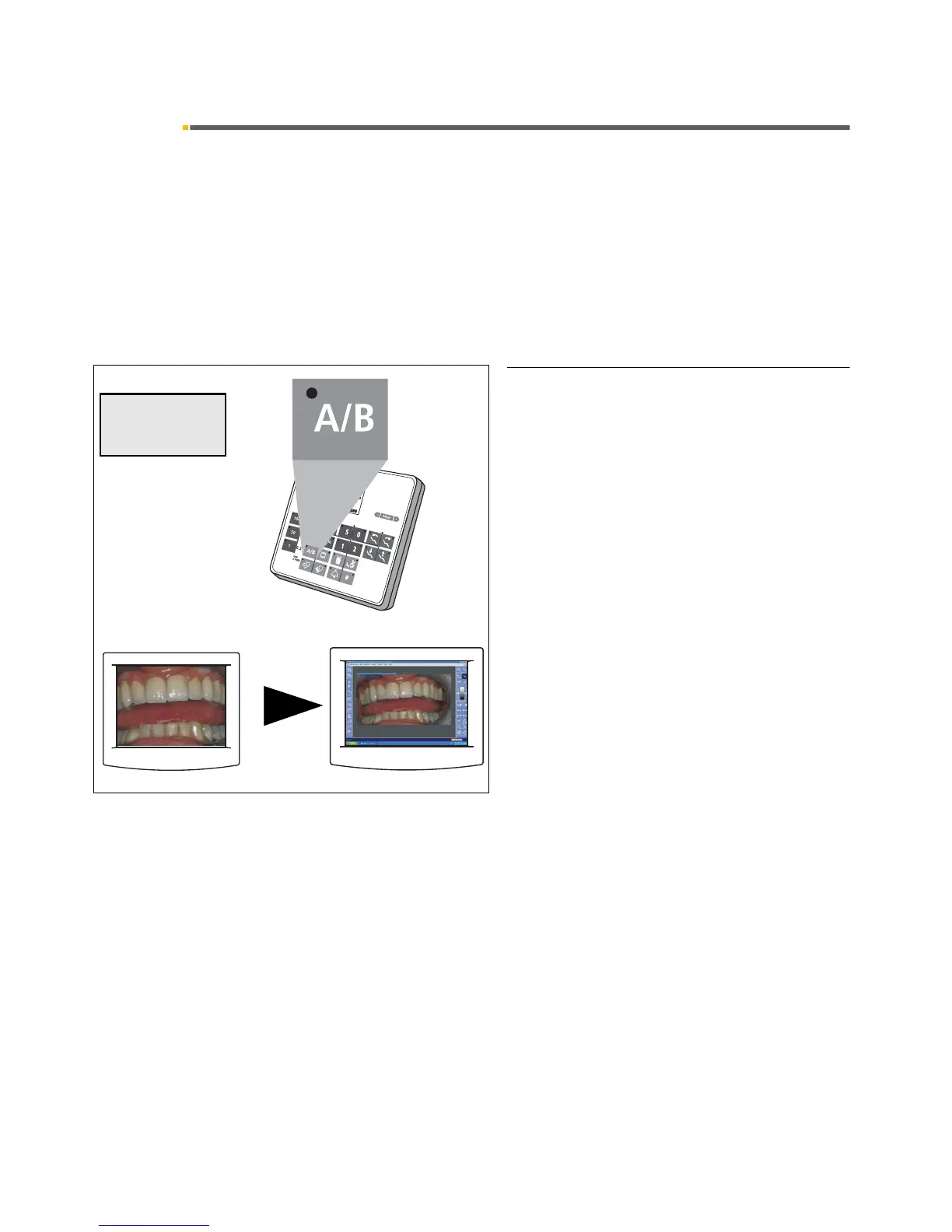
14.5 Operating modes of SIVISION 3
SIVISION 3 with SIROCAM 3 or SIROCAM C can be
used basically in two different operating modes:
• VIDEO mode
The camera image is directly displayed on the
SIVISION monitor.
The quad image memory of the camera is activated.
• PC mode
The camera image is first processed on the PC and
then the image generated on the PC is displayed on
the SIVISION monitor.
SWITCHING TO PC MODE
A/B key on the control panel
Only for:
• camera picked up and activated,
• manually or by cursor (using the foot switch),
"VIDEOCAM" and the operating mode "PC
MODE" now appear on the display.
The image from the PC monitor, e.g. SIDEXIS/
VIDEXIS, will appear on the SIVISION monitor.
The camera switches to LIVE IMAGE.
This mode remains active even after you switch the
treatment center OFF and back ON.













 To Next Page