14 SIVISION 3 / SIROCAM 3 / SIROCAM C Sirona Dental Systems GmbH
14.6 SIROCAM 3 / SIROCAM C integrated in the dentist element (video) C3
+
59 06 404 D 3390
92 D 3390.201.01.18.02
14.6 SIROCAM 3 / SIROCAM C integrated in the dentist element
(video)
Operation in video mode
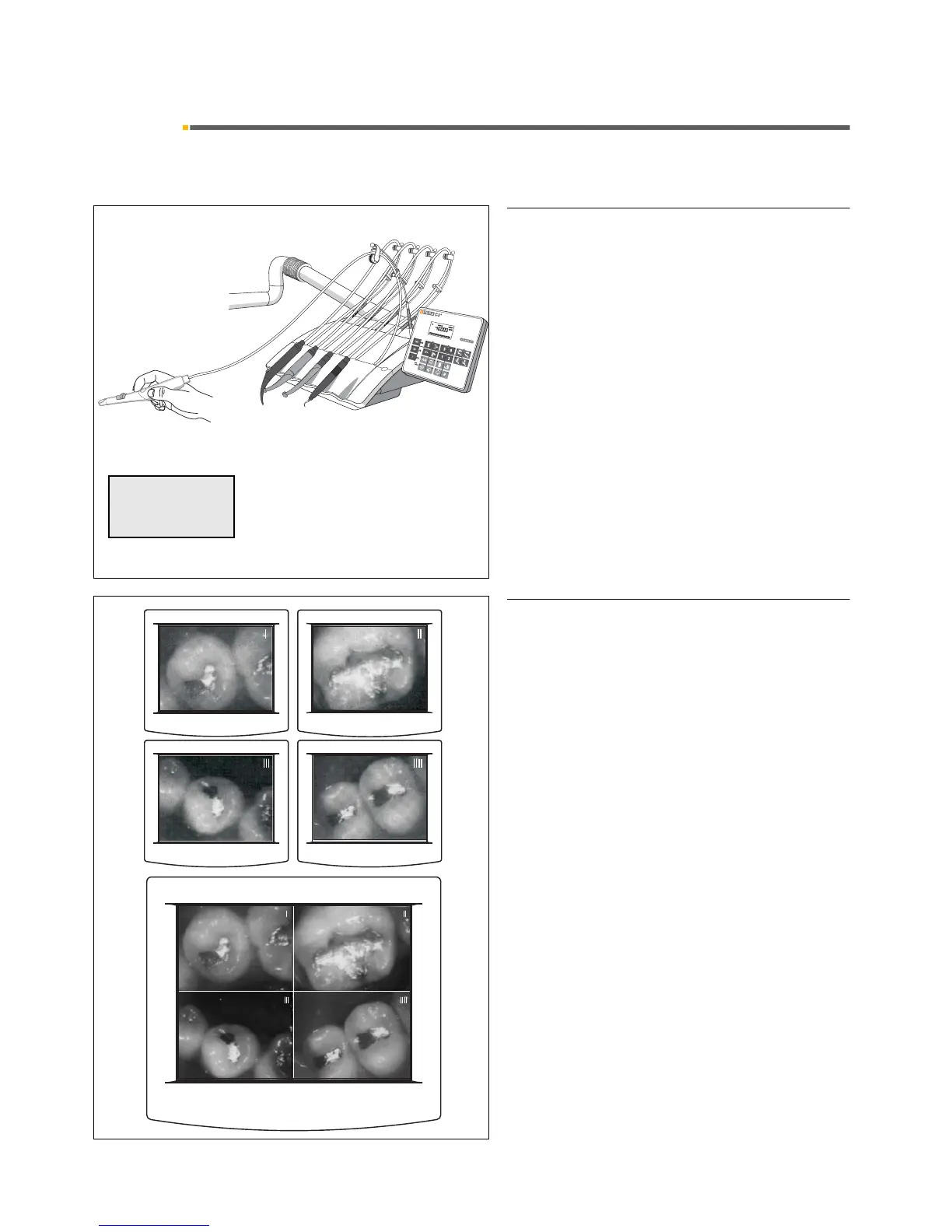
In this version the SIROCAM 3 / SIROCAM C intraoral
camera is installed in instrument holder 5 of the dentist
element.
The camera can be controlled with the foot switch if no
other instrument is activated (picked up and controllable
with foot switch) when you pick up the camera.
If the camera is the active instrument "VIDEOCAM"
and the operating mode "VIDEO MODE" appear on
the display.
SAVING AN IMAGE
In VIDEO mode, the camera can save 4 still images con-
secutively (indexed with I, II, III and IIII).
A 5th view shows a QUAD IMAGE in which these 4 still
images are tiled on the screen.













 To Next Page