Sirona Dental Systems GmbH 14 SIVISION 3 / SIROCAM 3 / SIROCAM C
C3
+
14.10 Switching between VIDEO mode and PC mode
59 06 404 D 3390
D 3390.201.01.18.02
111
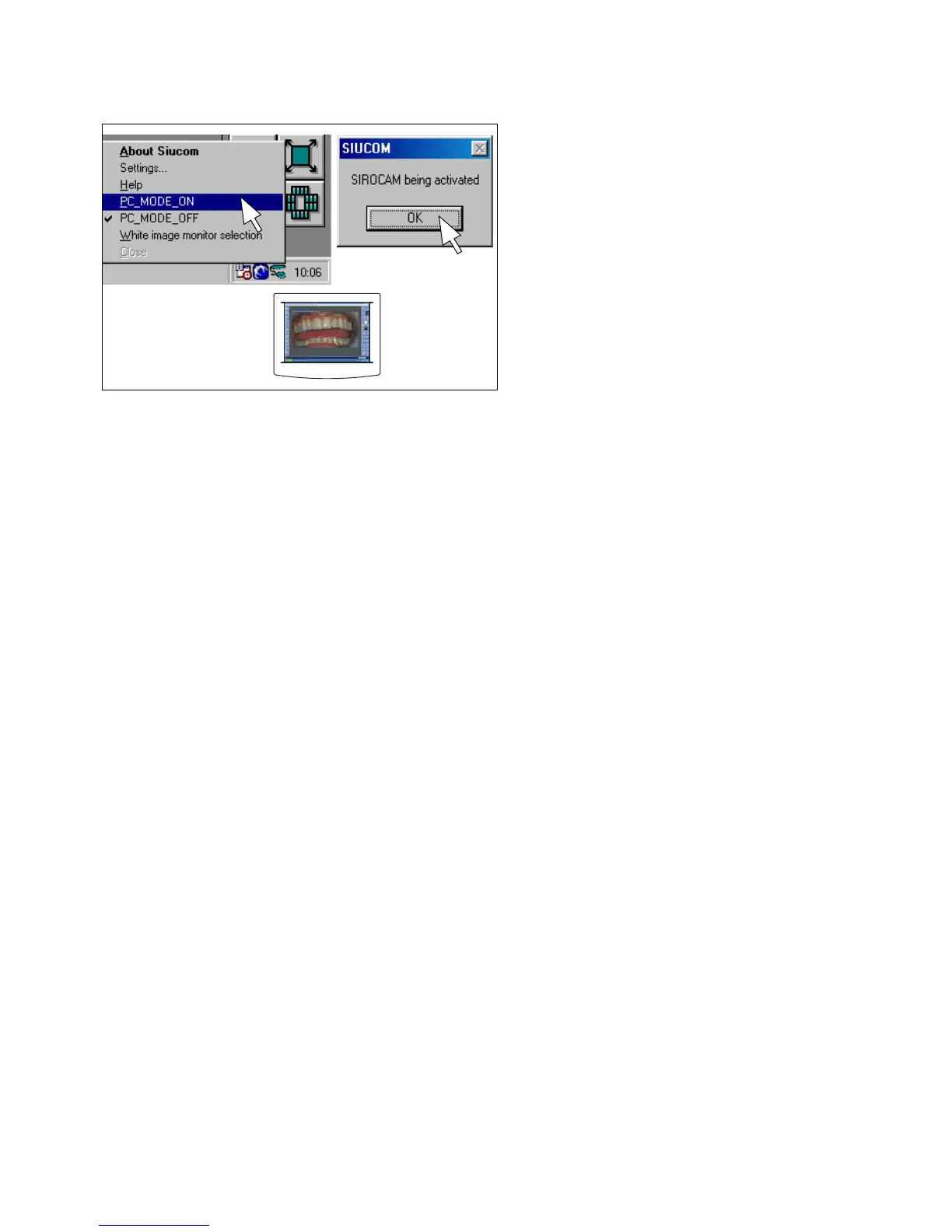
Switching to PC mode
Right-click the Siucom icon in the Systray (usually in the
lower right corner of the screen).
In the Siucom popup menu which then opens, click
"PC_MODE_ON". Confirm by clicking OK in the mes-
sage box.
These settings will remain saved even after you switch
off the PC.
The SIVISION monitor must also be set to PC mode
(Analog Port; see flat-screen monitor Operating Instruc-
tions).
After switching the treatment center or the PC off and on
again, it may be necessary to reset the monitor to PC
mode.













 To Next Page