6 Foot control Sirona Dental Systems GmbH
6.1 Wireless foot switch C+ C3
+
59 06 404 D 3390
34 D 3390.201.01.18.02
Removing and changing the battery from the
wireless foot control (with battery
compartment)
Prior to changing the battery, switch the treatment center
off at the main switch. This prevents the inadvertent trig-
gering of unwanted functions.
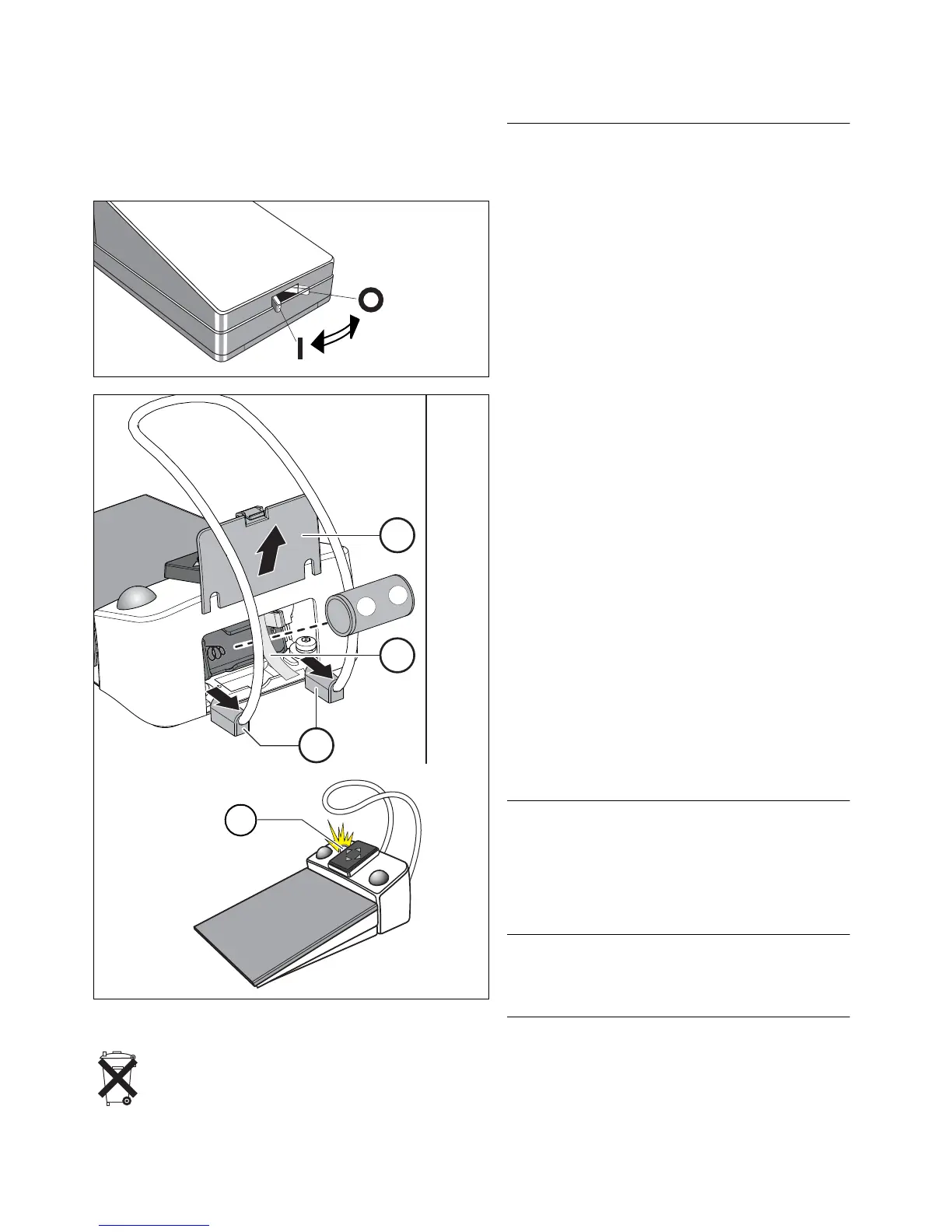
1. If the adjustable feet D sit close to the battery cover
E, slide this small part outward.
2. Open the battery cover E.
3. Pull the battery out of the battery compartment by
pulling the cloth strap B and replace it with a new
one. Be careful to insert it with the correct polarity
(minus pole facing spring). The cloth strap (B) must
again lie underneath the battery.
Checking the battery status
The battery status is indicated by the yellow LED F in the
switch part.
• LED lights up for approx. 10 s after battery is insert-
ed – Battery OK
• LED flashes after battery is inserted – Battery too
weak, must be replaced
• LED does not light up – Battery empty, must be re-
placed
Assembling the foot switch
• Close the battery cover E.
Restarting the wireless foot switch
Once you have changed the battery, switch the treat-
ment center back on and check that all functions of the
foot switch are working.
Yo u d o not need to register the foot switch at the treat-
ment center again after changing the battery.
Battery disposal
For environmental reasons, batteries may not be dis-
posed with household garbage. Please observe the
applicable national regulations for battery disposal.













 To Next Page