8 Positioning patients Sirona Dental Systems GmbH
8.4 MultiMotion headrest C3
+
59 06 404 D 3390
44 D 3390.201.01.18.02
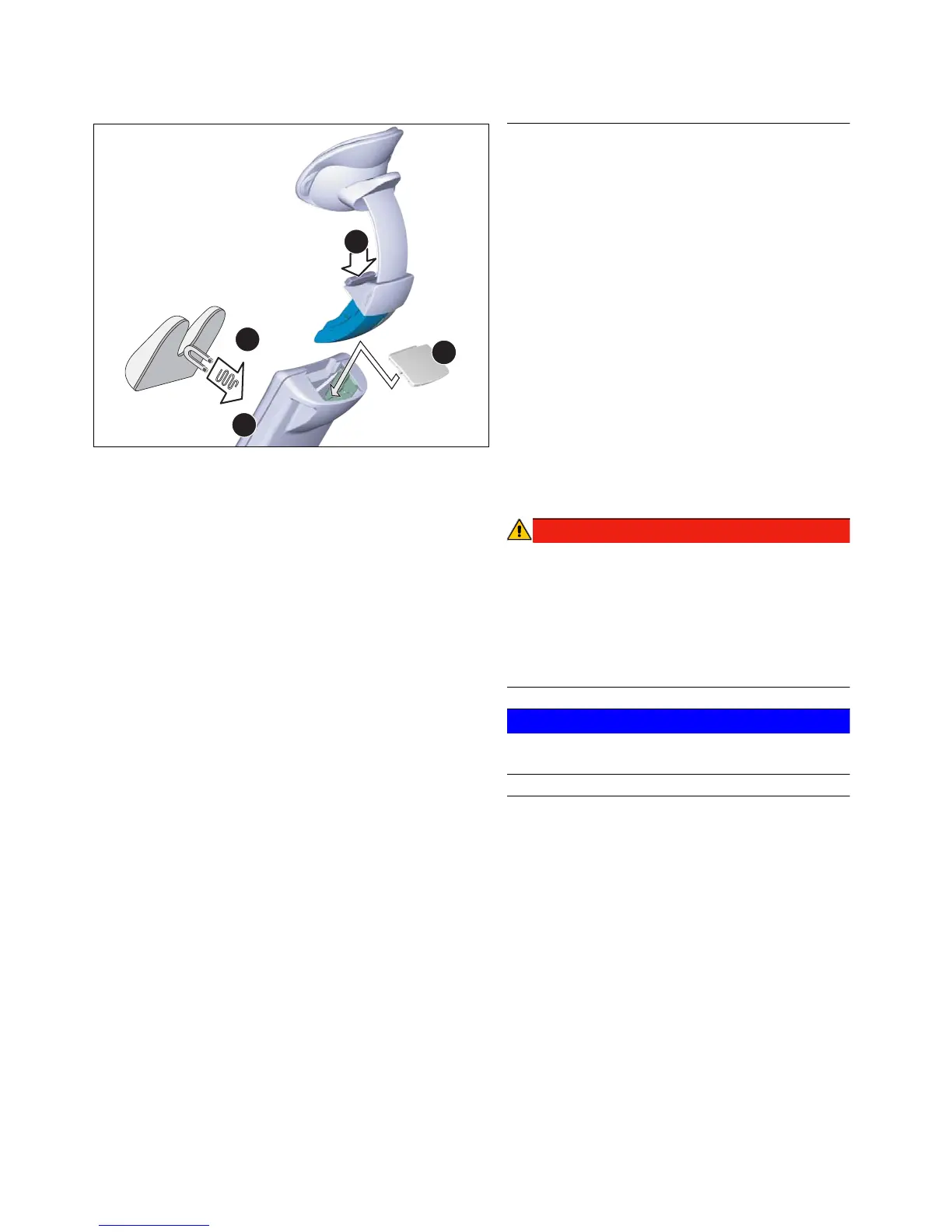
Removing the MultiMotion
For certain treatments (e.g. involving children) it may be
appropriate to remove the MultiMotion completely in
order to obtain better access to the patient. The patient's
head will then be supported on the contact surface of the
headrest extension F.
To remove the MultiMotion, proceed as follows:
1. Press release button C.
2. Pull the complete headrest out of the headrest
extension.
3. Cover the opening of the headrest extension with
cover cap E.
4. If a children's head pad D is available, place it on the
headrest extension. The head pad is held magneti-
cally.
Tip: The children's head pad D is not included in the
scope of supply; however, it is available from your dental
dealer.
The children's head pad D contains a strong magnet
on its bottom side. This magnet could affect any
cardiac pacemaker located nearby.
Therefore, do not allow patients, users, and technical
personnel with a cardiac pacemaker to be located near
this magnet.
Furthermore, direct contact of the head pad with mag-
netic cards can lead to data loss.
Deposit the removed MultiMotion in a safe place where it
cannot fall onto the floor.
Inserting the MultiMotion
To insert the MultiMotion, proceed as follows:
1. Check the guide of the removed headrest for con-
tamination. Remove any contamination.
2. Remove the cover cap E.
3. Reinsert the MultiMotion in the guide from above
until it audibly locks in place.
Pull on the headrest again to make sure that it is
locked securely in place.













 To Next Page