Sirona Dental Systems GmbH 11 Basic treatment center settings in the Mode dialog
C3
+
11.11 Mode: WHITE BALANCE
59 06 404 D 3390
D 3390.201.01.18.02
69
The selected item flashes.
Select USER with the
– / + keys. USER starts flashing.
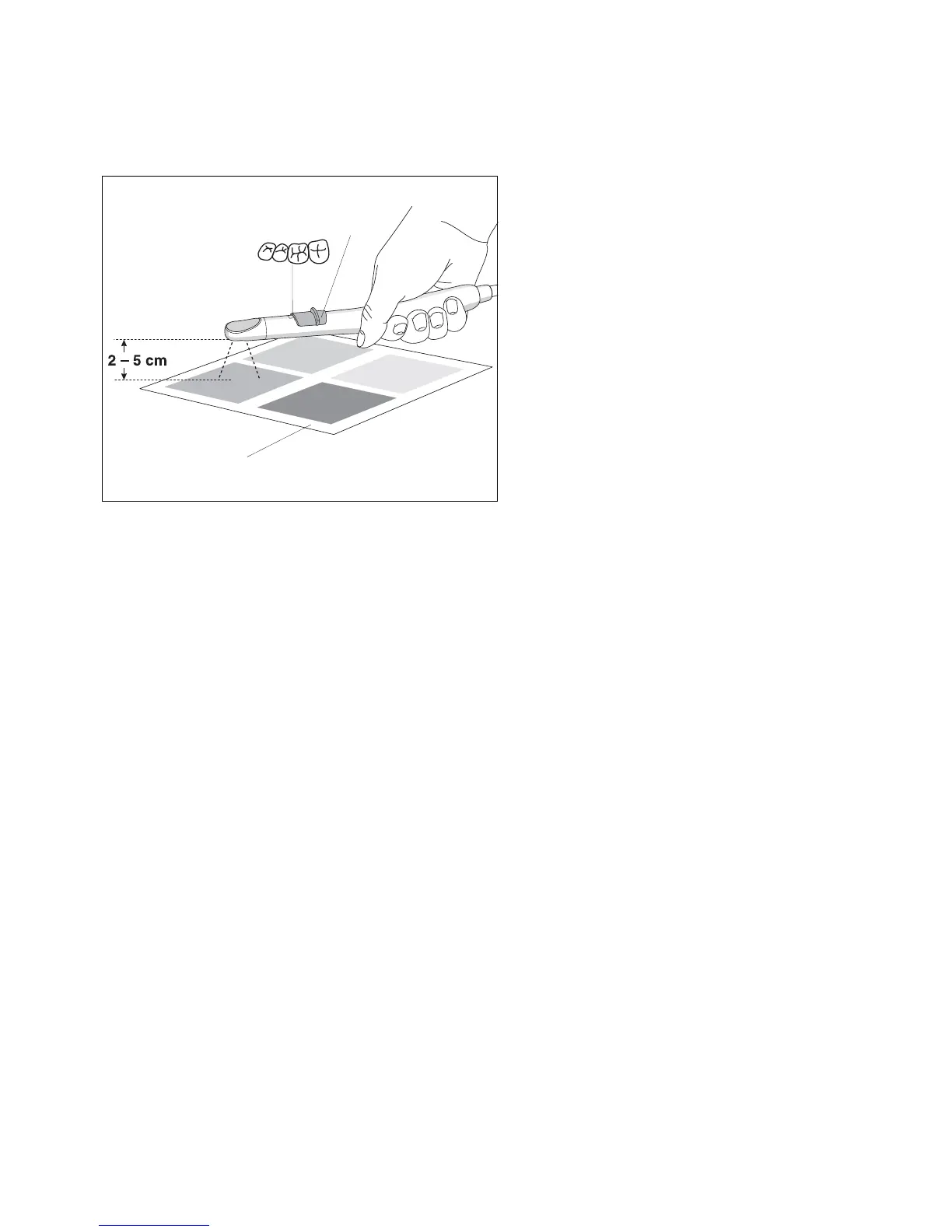
Set the slide switch (2) of the camera to its middle posi-
tion (overview exposure).
Then hold the camera so that its lens is located 2–5 cm
above a color pattern sheet of own choice (A) in the live
mode.
The screen must be completely filled by the focused
color area.
• Press the Mode key to start the white balance (takes
several seconds).
If the white balance has been completed successfully,
USER is displayed in bold type and an audible confirma-
tion signal sounds.
If the white balance has not been successful, USER will
not be displayed in bold type. You may repeat the white
balance as often as desired.
Different color patterns will produce different results with
respect to the color settings. For example, a color area
with a high amount of blue will reduce the amount of blue
color in the video image.
If you want to reset the camera to its factory settings,
select HOME with the
– / + keys. When you confirm by
pressing the Mode key, HOME is displayed in bold type.
To exit this Mode dialog, select EXIT and press the
Mode key, or put the camera back in place. Automatic
exit from the dialog is disabled as soon as USER or
HOME is selected. This allows you to repeat the white
balance as often as necessary until you obtain the
desired result.













 To Next Page