Configuring Your SmartRG™ - Common Use Cases
S m a r t R G © 2 0 1 2 C o n f i d e n t i a l P a g e | 19
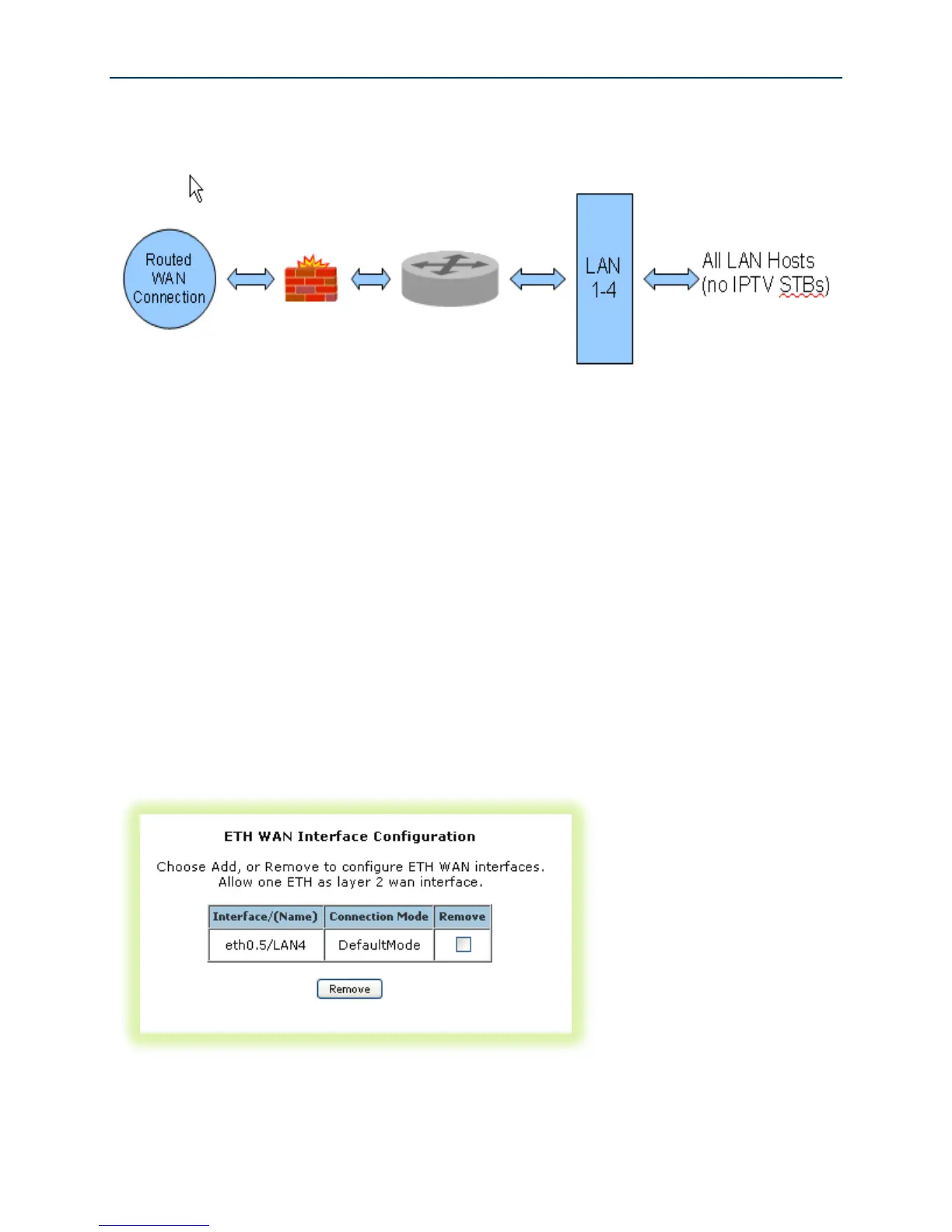
Figure 10 Internet / TR-069 Management WAN Connection
WAN connection creation is a two-step process beginning with the configuration of a layer 2
interface (Ethernet or DSL) followed by the creation of a layer 3, WAN service. Common WAN
services include PPPoE, DHCP and Static IP.
Configuring the Layer 2 Interface (Ethernet)
To configure an Ethernet layer 2 interface:
1. Select Advanced Setup -> Layer2 Interface. The default Ethernet WAN interface
(eth0.5/LAN4) will be displayed.
Figure 11 Ethernet Layer 2 Interface Configuration (Default)



 To Next Page