Managing Your SmartRG™ Gateway
S m a r t R G © 2 0 1 2 C o n f i d e n t i a l P a g e | 59
Configure Time Settings
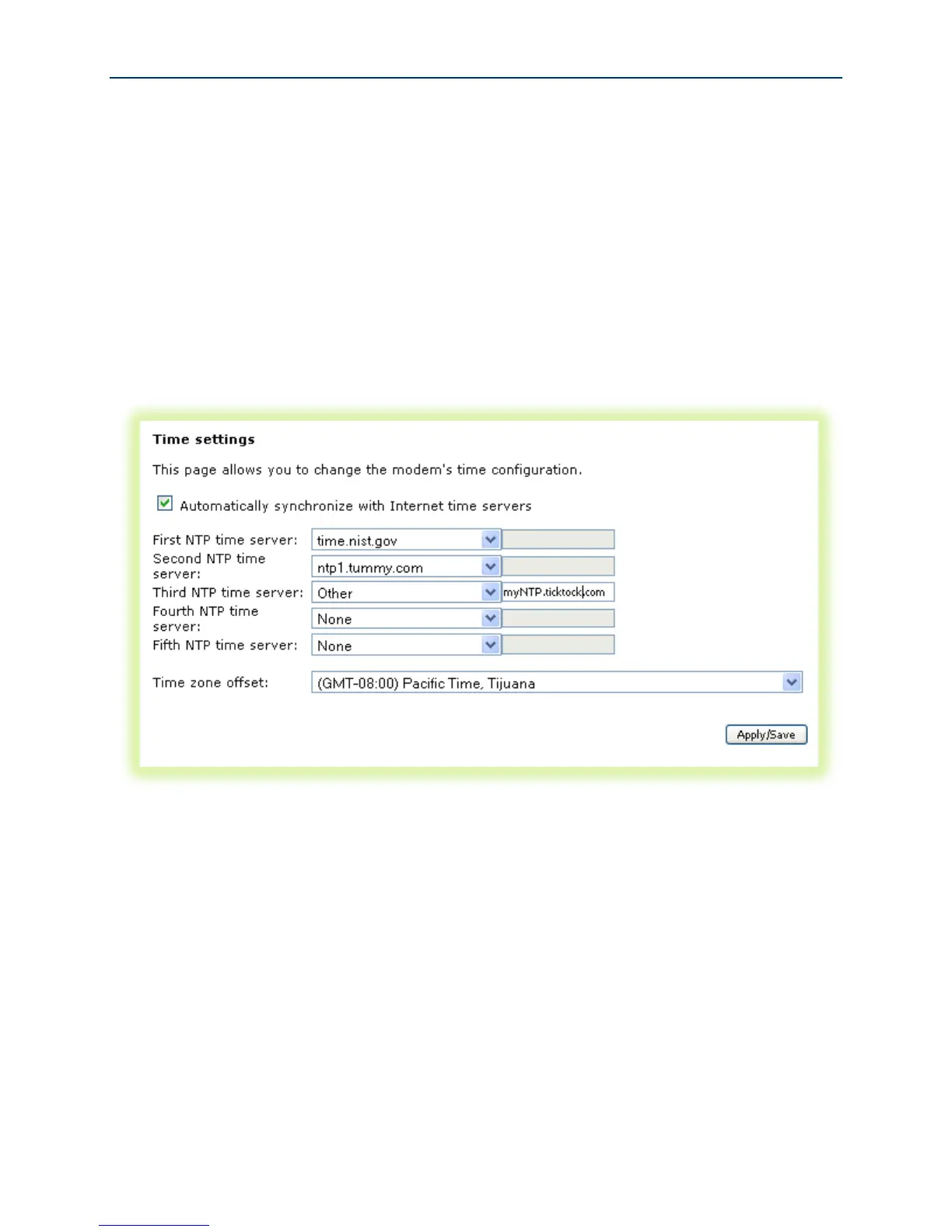
To set the gateway’s time zone and NTP server settings:
1. Select Management -> Internet Time.
2. Select your time zone from the drop down list.
3. (Optional) Select the first, second … NTP servers from the drop down lists. (A custom NTP
server can be configured by selecting “Other” from the drop down list and entering the
custom URL.)
Figure 46 Time Zone and NTP Server Settings
4. Click Apply/Save.



 To Next Page