SmartRG™ Residential Gateways
P a g e | 48 C o n f i d e n t i a l S m a r t R G © 2 0 1 2
To configure the SmartRG’s QoS feature:
1. Ensure the layer 2 WAN interface “Enable Quality of Service” check box is checked as
detailed in the Layer 2 Interface configuration sections.
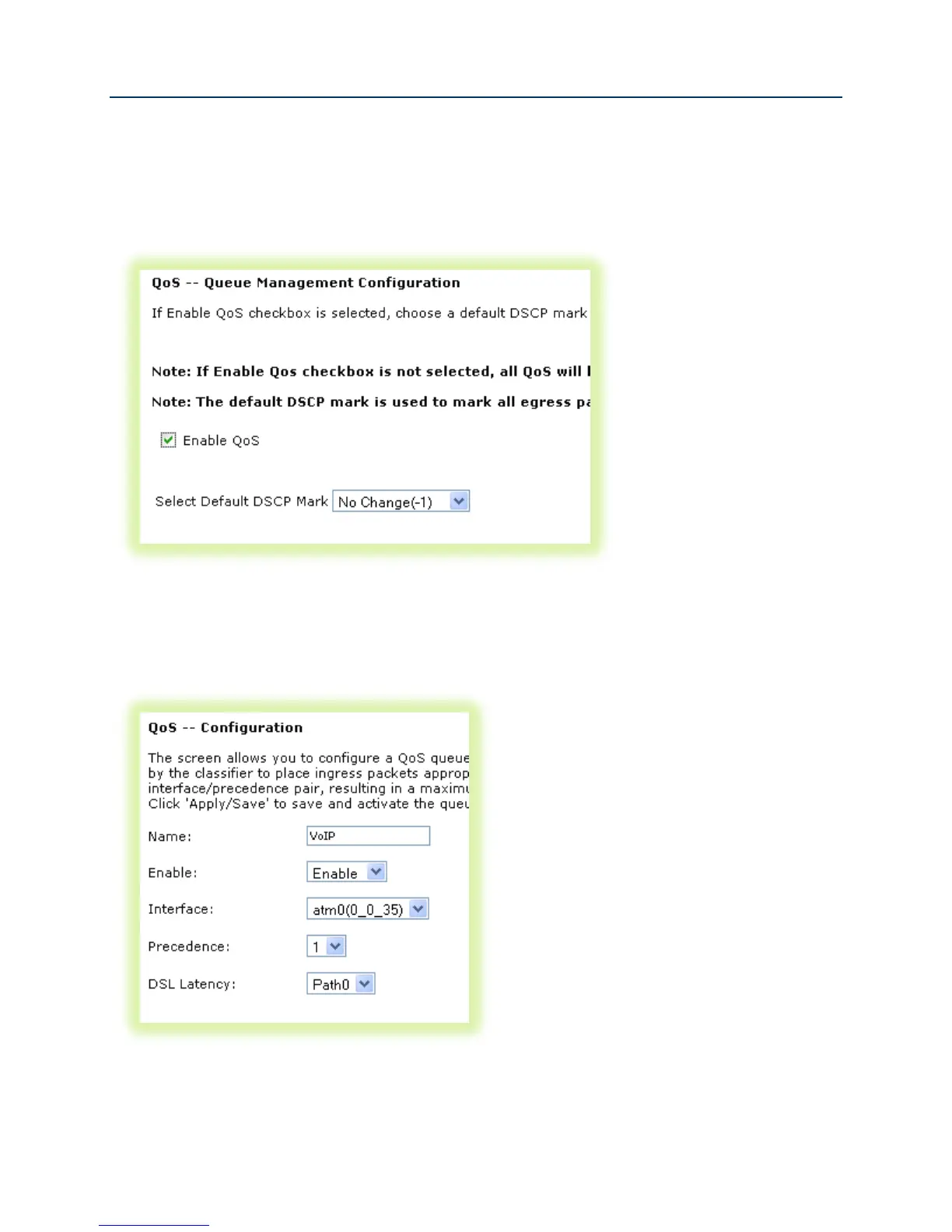
2. Select Advanced Setup -> Quality of Service -> QoS Config
Figure 39 Enable SmartRG QoS Processing
3. Check “Enable QoS”, set the “Default DSCP Mark” to “No Change(-1)” and click Apply/Save.
4. Create the VoIP queue by selecting Advanced Setup -> Quality of Service -> QoS Queue
Config and click Add.
Figure 40 QoS VoIP Queue Configuration



 To Next Page