Configuring Your SmartRG™ - Common Use Cases
S m a r t R G © 2 0 1 2 C o n f i d e n t i a l P a g e | 51
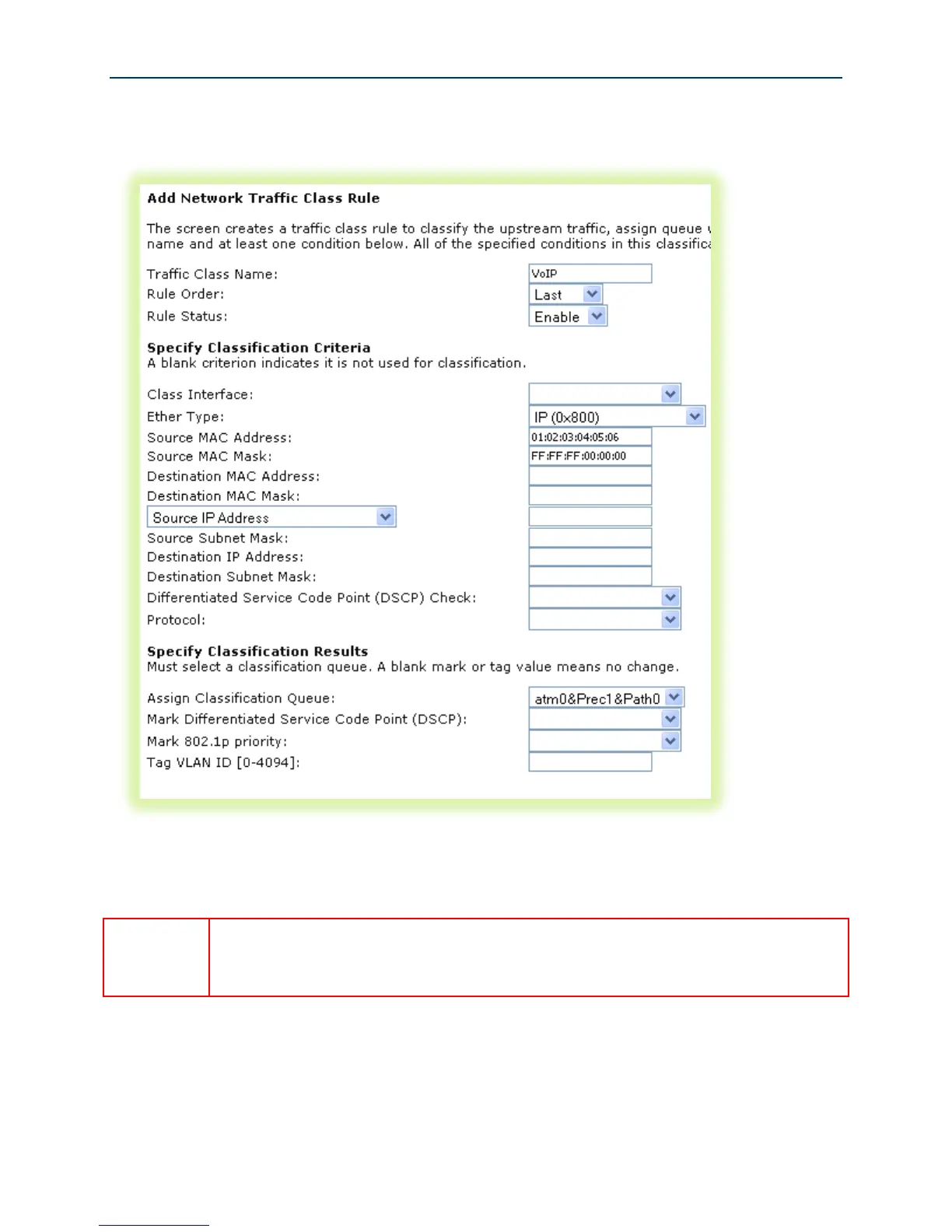
13. Create the VoIP traffic classifier by selecting Advanced Setup -> Quality of Service -> QoS
Classification and click Add.
Figure 43 QoS VoIP Classifier Configuration
14. Set the Name, Rule Order, and enable the classifier rule.
If you create the classifier rules in priority order (VoIP then IPTV), you may leave the
“Rule Order” set to “Last.” Each successive classifier rule created will become the
last one checked in the traffic identification process.



 To Next Page