SmartRG™ Residential Gateways
P a g e | 22 C o n f i d e n t i a l S m a r t R G © 2 0 1 2
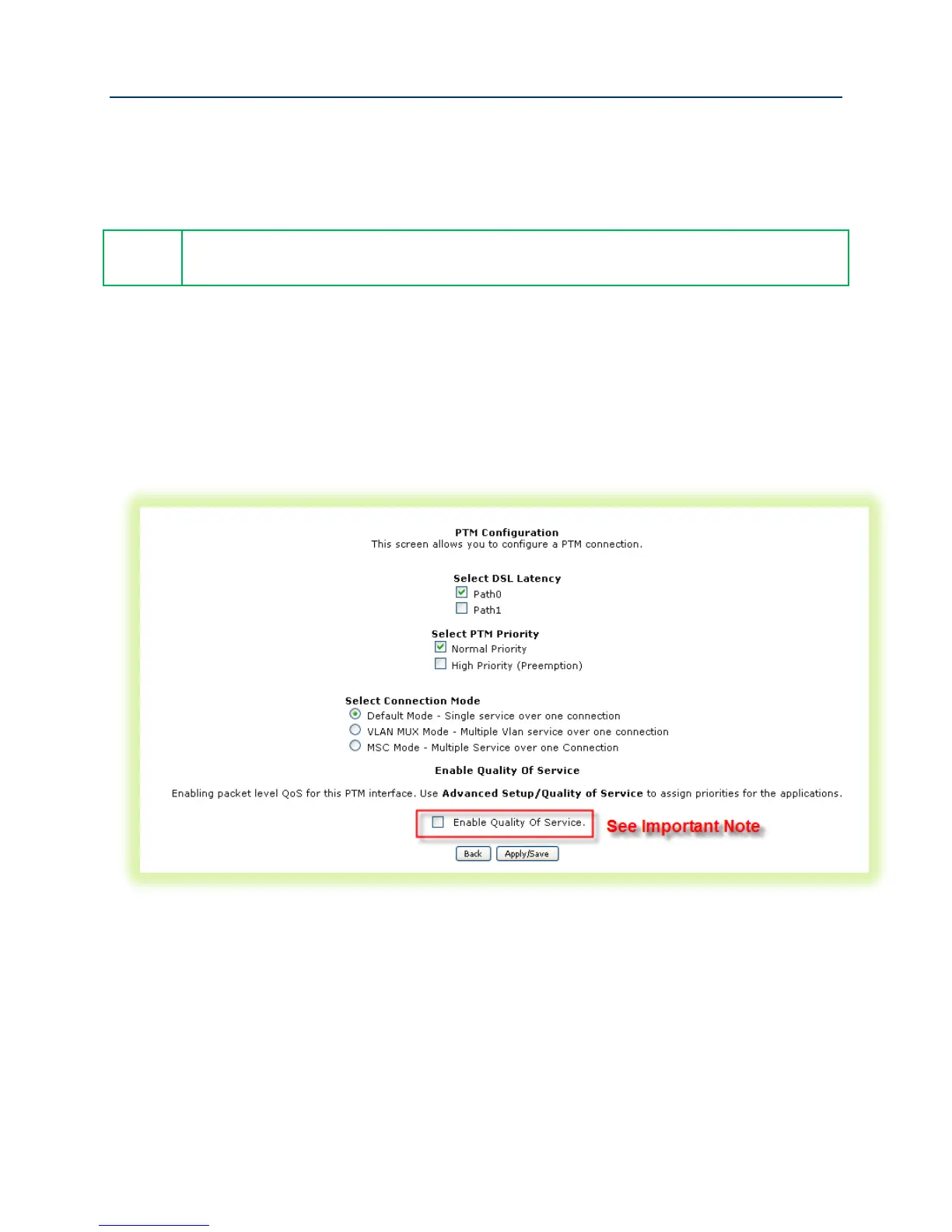
7. IMPORTANT - Check “Enable Quality of Service” if you intend to support QoS classified
traffic through the WAN service.
8. Click Apply/Save.
Enabling QoS for routed IPTV service configurations will improve channel change
performance.
Configuring the Layer 2 Interface (PTM – Supported on ADSL and VDSL)
To configure a PTM layer 2 interface :
1. Select Advanced Setup -> Layer2 Interface -> PTM Interface and click Add.
Figure 14 VDSL Layer 2 Interface Configuration
2. Select the “DSL Latency” – Path0 is typical.
3. Select the “PTM Priority” – Normal Priority is typical.
4. Select the “Connection Mode” – Default Mode is typical (when VLAN segmentation is not
required).



 To Next Page