SmartRG™ Residential Gateways
P a g e | 32 C o n f i d e n t i a l S m a r t R G © 2 0 1 2
6. If you would like to select a specific Wi-Fi channel (1-11), select Wireless -> Advanced and
change the Channel setting. The default value is “Auto.”
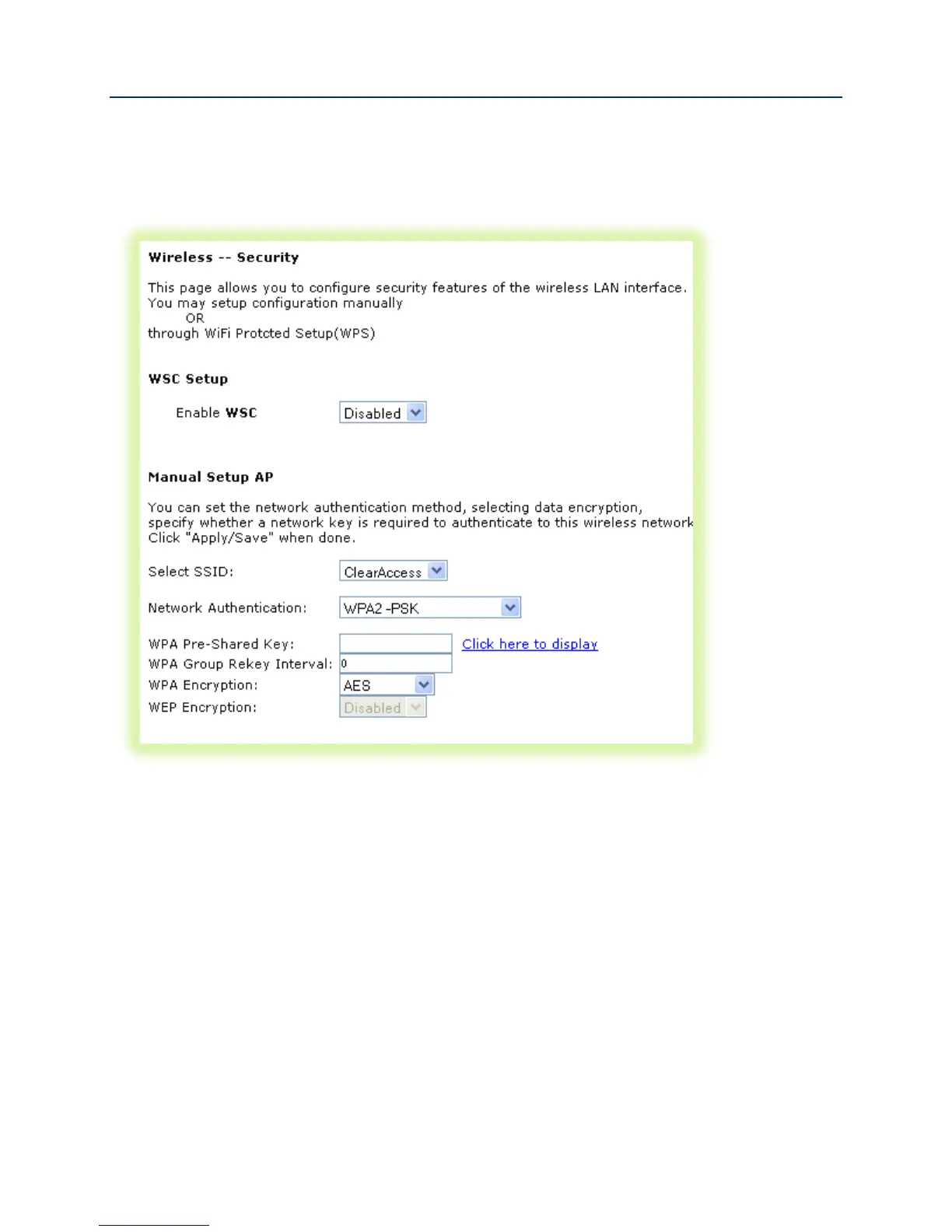
7. Select Wireless -> Security
Figure 23 Wireless - Security Settings
8. Select the “SSID” configured in step 3 above.
9. Select the “Network Authentication” – WPA2 with a Pre-Shared Key is common
10. Enter the “WPA Pre-Shared Key.” Click the link to display the private key value.
11. Click Apply/Save.



 To Next Page