Configuring Your SmartRG™ - Common Use Cases
S m a r t R G © 2 0 1 2 C o n f i d e n t i a l P a g e | 35
Use Case: Creating IPTV Service Configurations
The SR350N, SR350NE, SR500N and SR500NE SmartRG gateways are designed to meet the
demands of IPTV service deployments.
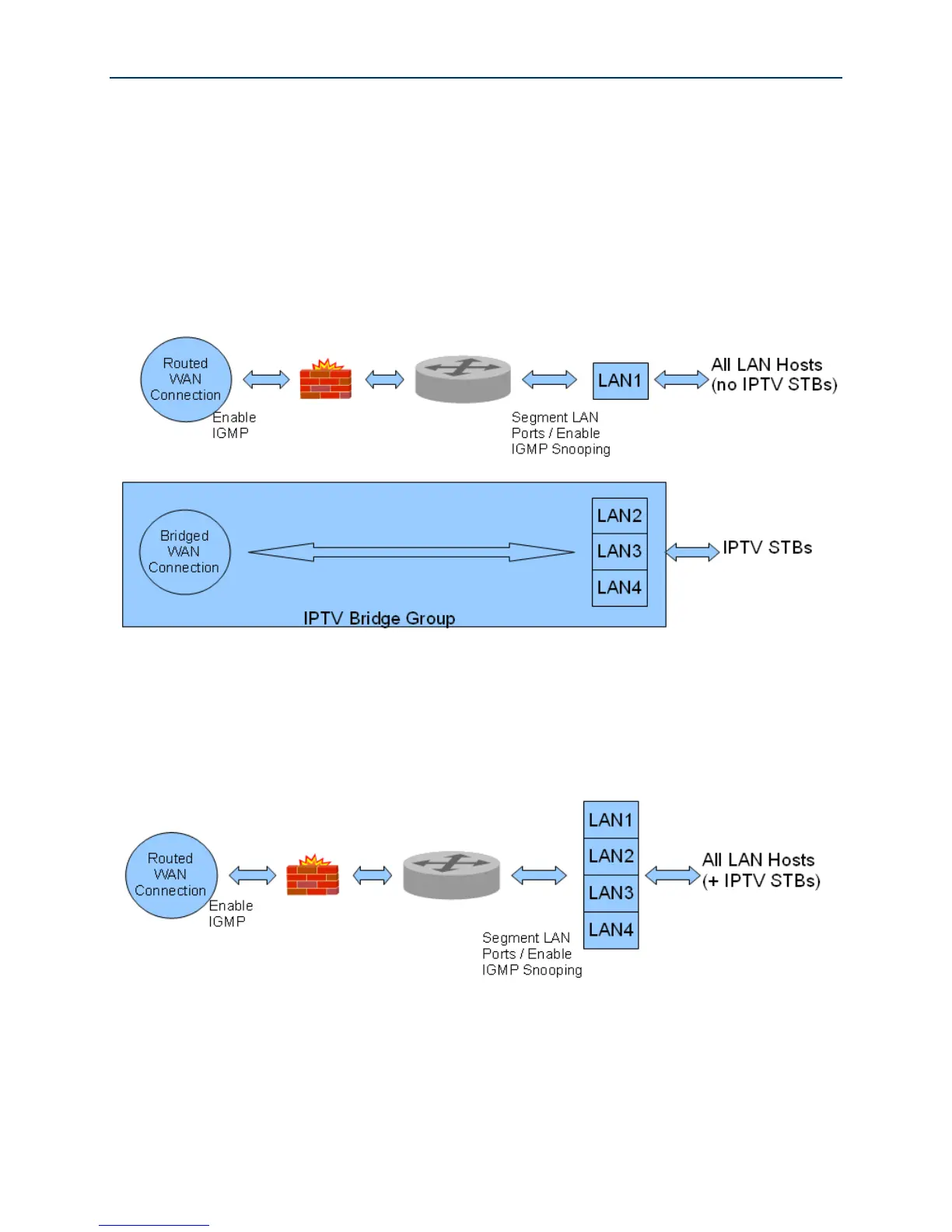
Typically IPTV services have been deployed using bridged architectures with public IP addresses
assigned to the IPTV Set-top-boxes (STBs) connected to the gateway’s LAN ports. A typical bridged
IPTV service configuration is shown below.
Figure 25 Bridged IPTV Configuration
Recently service providers have begun deploying routed IPTV services with STBs being assigned
private LAN IP addresses by the gateway. A typical routed IPTV service configuration is shown
below.
Figure 26 Routed IPTV Configuration



 To Next Page