Configuring Your SmartRG™ - Common Use Cases
S m a r t R G © 2 0 1 2 C o n f i d e n t i a l P a g e | 31
Use Case: Setting Up Wireless
To configure the SmartRG’s Wireless interface:
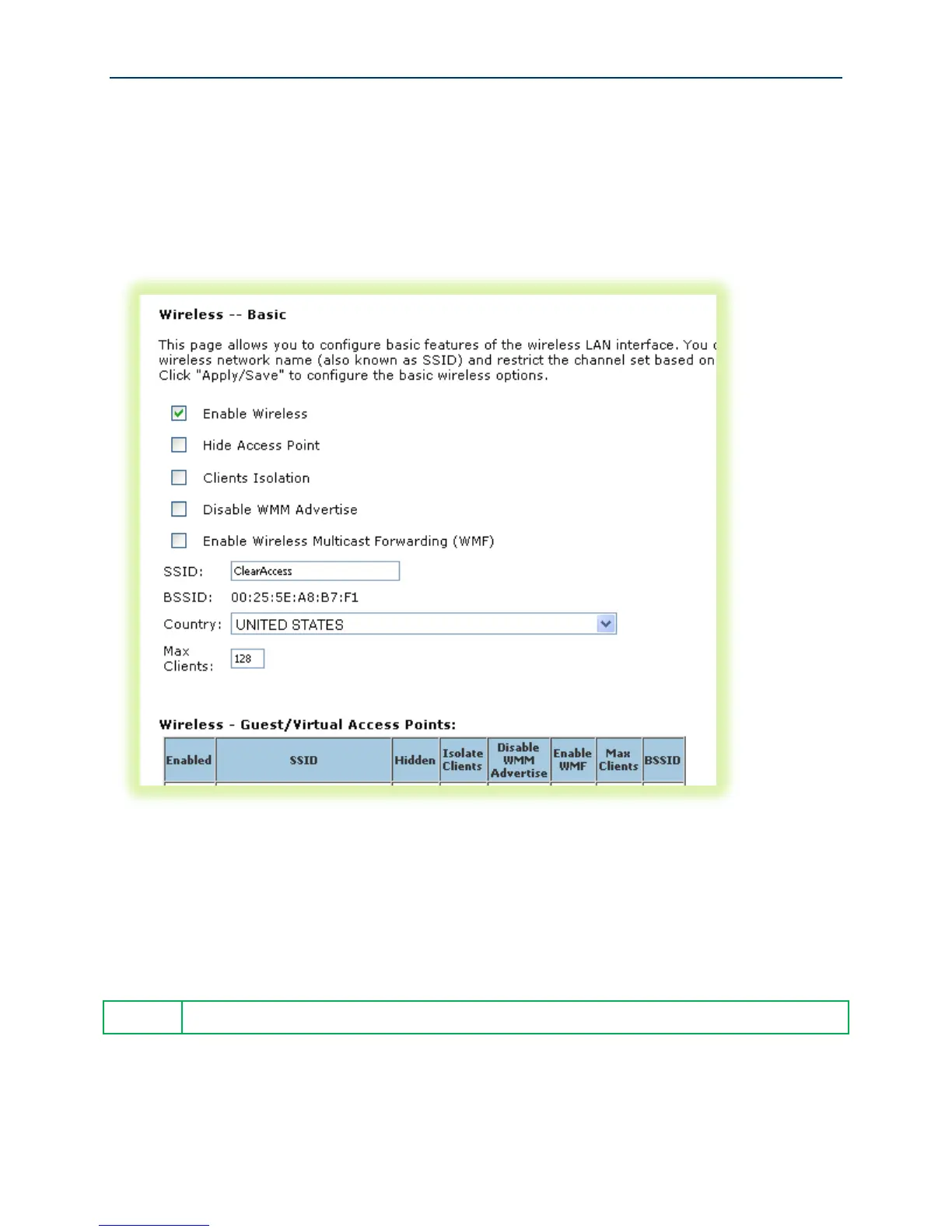
1. Select Wireless -> Basic
Figure 22 Wireless - Basic Settings
2. Select “Enable Wireless.”
3. Set the wireless access point’s “SSID.”
4. Select the “Country” from the dropdown list.
5. Click Apply/Save.
The SmartRG provides support for 3 additional guest/virtual wireless access points.



 To Next Page