Configuring Your SmartRG™ - Common Use Cases
S m a r t R G © 2 0 1 2 C o n f i d e n t i a l P a g e | 49
5. Name, enable and select the WAN interface to be fed by this queue.
Select the routed WAN interface created in the “Creating the WAN Service” section.
6. Select a “Precedence” of 1.
Lower values of “Precedence” indicate HIGHER priority.
7. Leave the “DSL Latency” value set to Path0 and Click Apply/Save.
8. Create the IPTV queue by selecting Advanced Setup -> Quality of Service -> QoS Queue
Config and click Add.
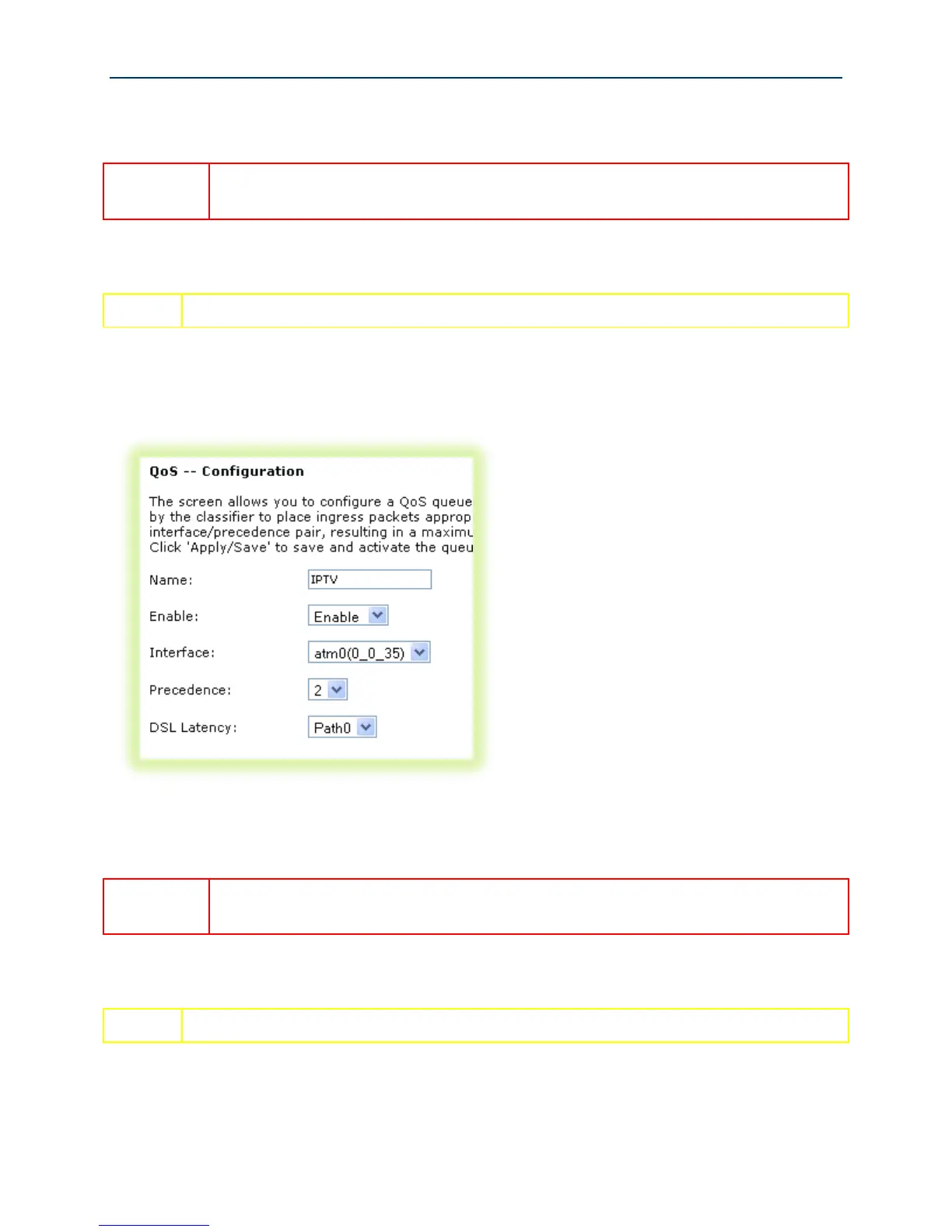
Figure 41 QoS: IPTV Queue Configuration
9. Name, enable and select the WAN interface to be fed by this queue.
Again, select the routed WAN interface created in the “Creating the WAN Service”
section.
10. Select a “Precedence” of 2.
IPTV traffic should be of LOWER priority (HIGHER Precedence value) than VoIP traffic.



 To Next Page