SmartRG™ Residential Gateways
P a g e | 26 C o n f i d e n t i a l S m a r t R G © 2 0 1 2
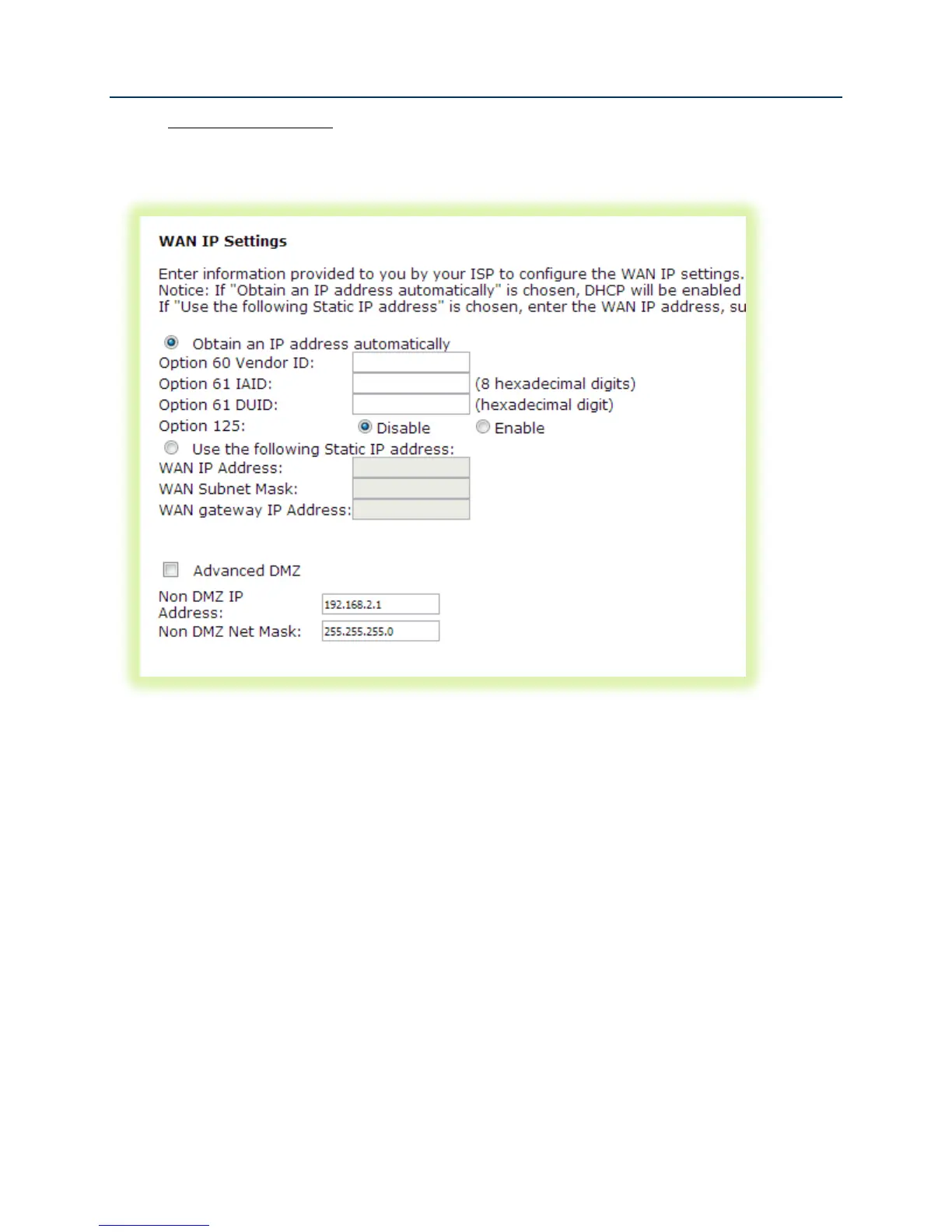
6. For IPoE WAN services select “Obtain an IP address automatically” (DHCP) or select “Use
the following Static IP address” and enter the “WAN IP Address”, “WAN Subnet Mask” and
“WAN gateway IP.” Click Next.
Figure 17 WAN IP Settings
7. If desired enable the firewall, NAT and IGMP Multicast.



 To Next Page