Configuring Your SmartRG™ - Common Use Cases
S m a r t R G © 2 0 1 2 C o n f i d e n t i a l P a g e | 43
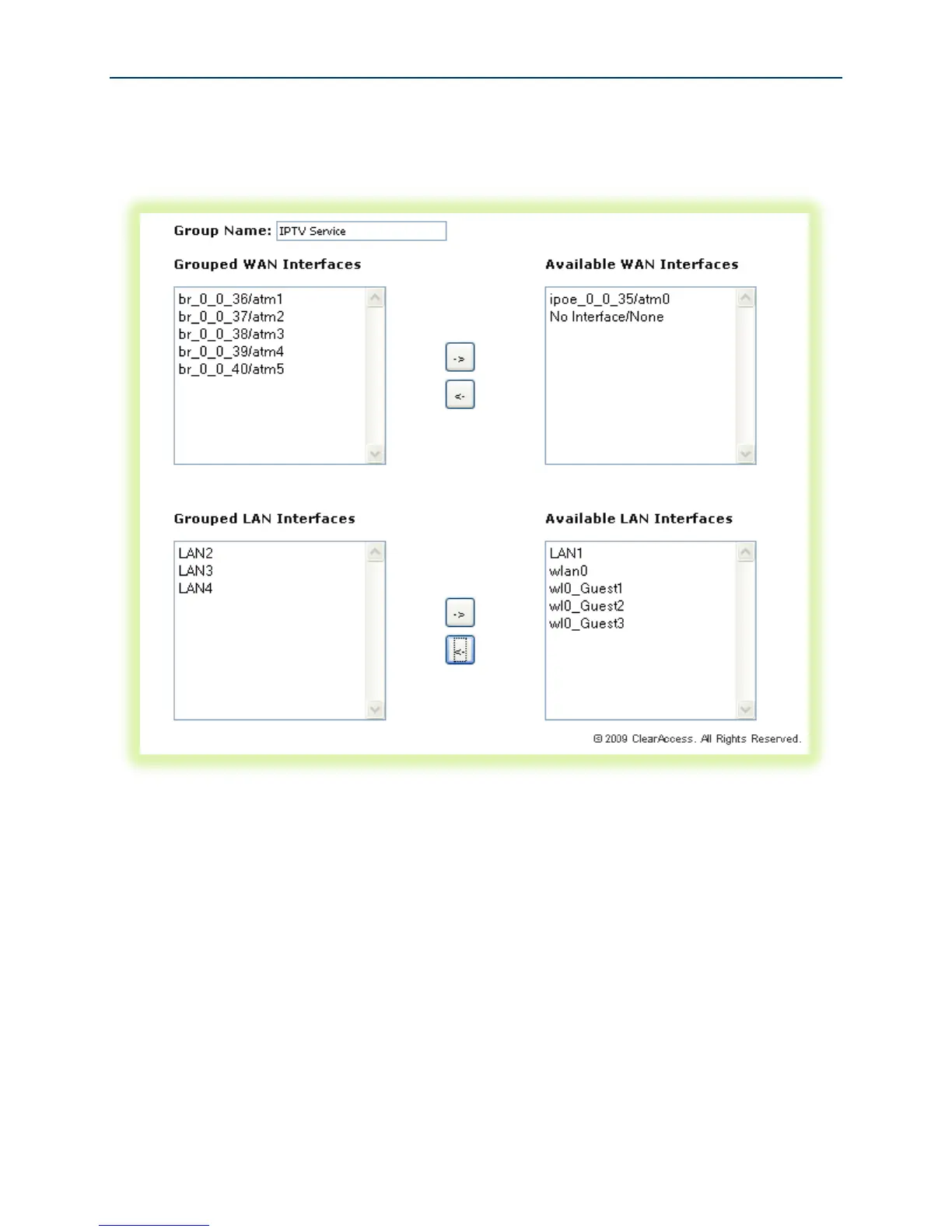
12. Enter the “Group Name.”
13. Highlight the bridged “WAN Interfaces” to be included in the bridge group and click <-.
14. Highlight the LAN Interfaces to be included in the bridge group and click <-.
Figure 34 Typical IPTV Bridge Interface Group



 To Next Page