Configuring Your SmartRG™ - Common Use Cases
S m a r t R G © 2 0 1 2 C o n f i d e n t i a l P a g e | 55
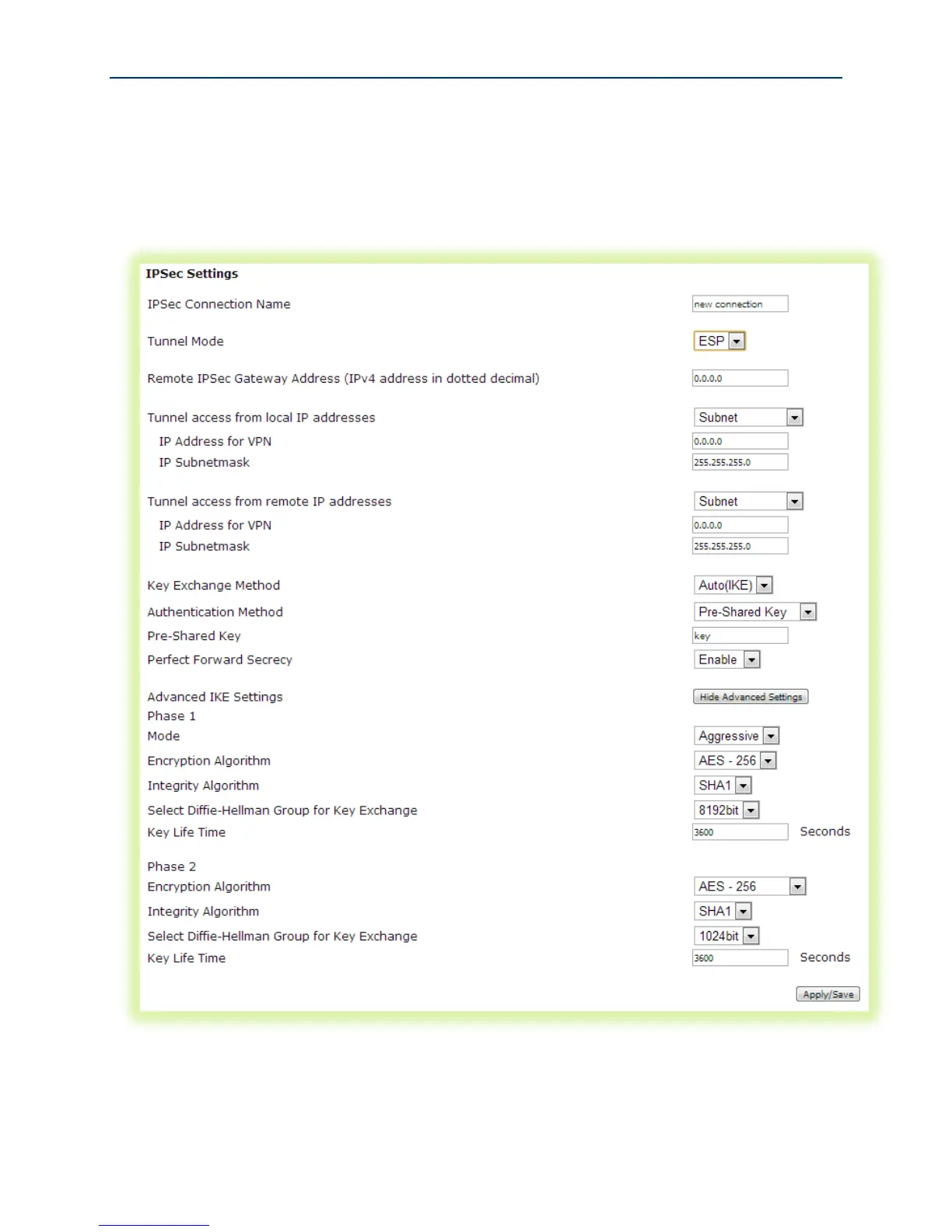
To configure IPSec in the SmartRG gateway:
1. Select Advanced Setup -> IPSec
2. Click Add New Connection and then click Show Advanced Settings to bring up the following
screen:
3. Enter a name for the IPSec connection.
4. Select the Tunnel Mode. “Authentication Header” (AH) protects both the IP payload and the
IP header. “Encapsulating Security Protocol” (ESP) protects the original IP payload and



 To Next Page