13
D712/710 User Manual Setting up the Phone
Connecting a headset
• If you want to use a wired headset, connect it to the RJ audio jack labeled .
• If you want to use a wireless headset, you need the Snom EHS Advanced wireless-headset
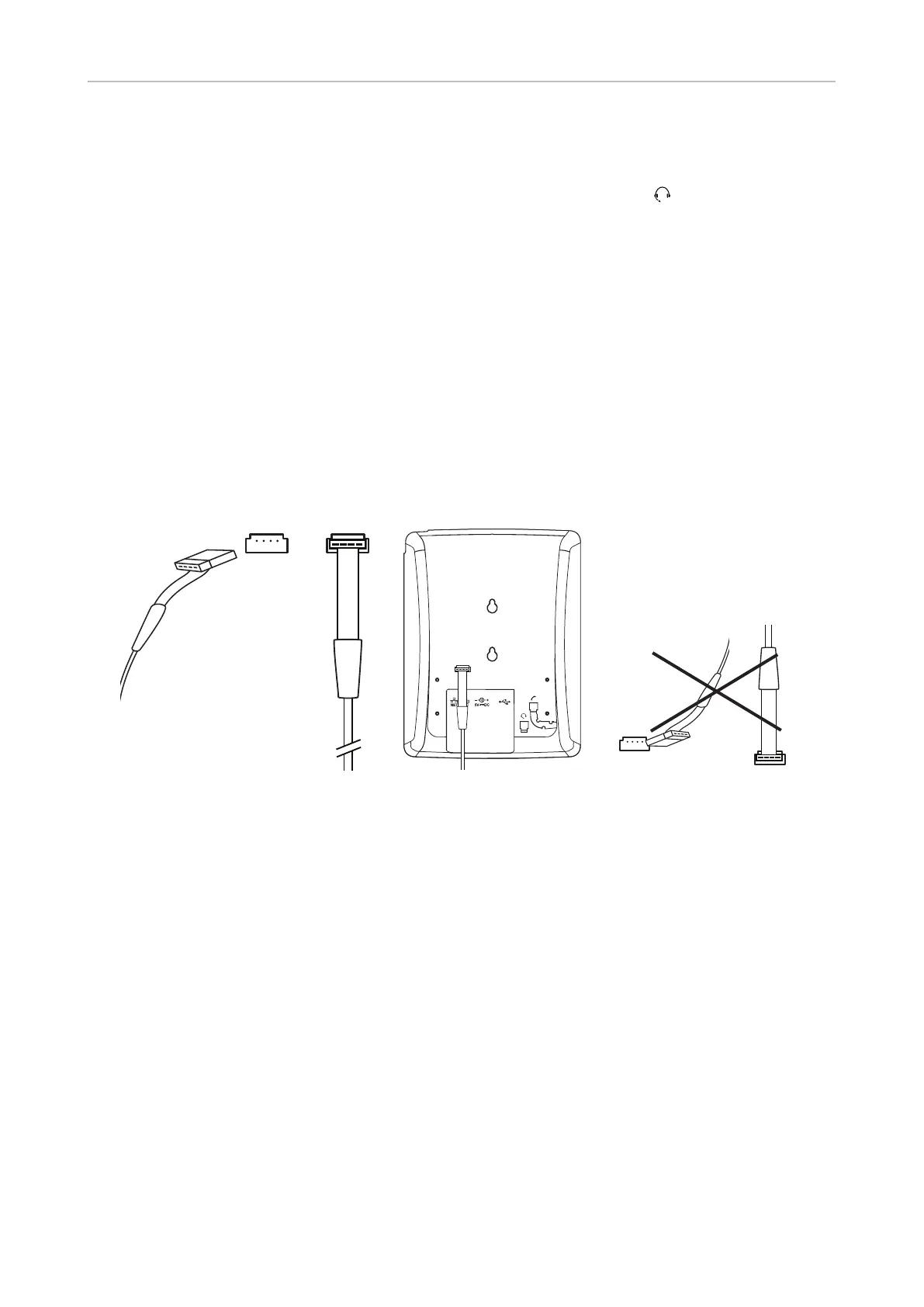
adapter to connect to the base station of the wireless headset. Insert the plug of the 7xx adapter
cable into the connector on the phone, as shown in Fig. 1, 2, and 3, below.
Note: You need to remove the footstand to gain access to the connector (see "Attaching
and detaching the footstand" on page 10). After you have inserted the plug, make sure
that the cable is lying flat against the bottomshell of the phone while you are attaching
the footstand to the phone. Twisting or curling up the cable may result in damaging the
cable and the wires inside it.
Do not insert the plug upside down (Fig. 4)!
Please refer to the Quick Installation Guide of the Snom EHS Advanced and the manual of your
wireless headset for further information on how to connect the Snom EHS Advanced and the
headset.
Fig. 1 Fig. 2 Fig. 3 Fig. 4
Initializing and registering the phone
Prerequisites
To be able to use VoIP, you or your company must have:
• A broadband internet connection.
• Access to the internet via a router. This could be a separate device available in various versions
from many dierent manufacturers or in the form of a router on a server or a PC.
• Account information provided by your network administrator or a VoiP account with a VoIP service
provider who supports the VoIP SIP standard. The phone supports up to four VoIP accounts with
one or more VoIP providers.
You will need the registration information received from your Internet service provider or your
network administrator. Required and optional data dier from provider to provider. They normally
include:



 To Next Page