49
D712/710 User Manual Using the Phone
Press or / on the navigation key - depending on your firmware version - to select individual
participants and to return to the conference screen.
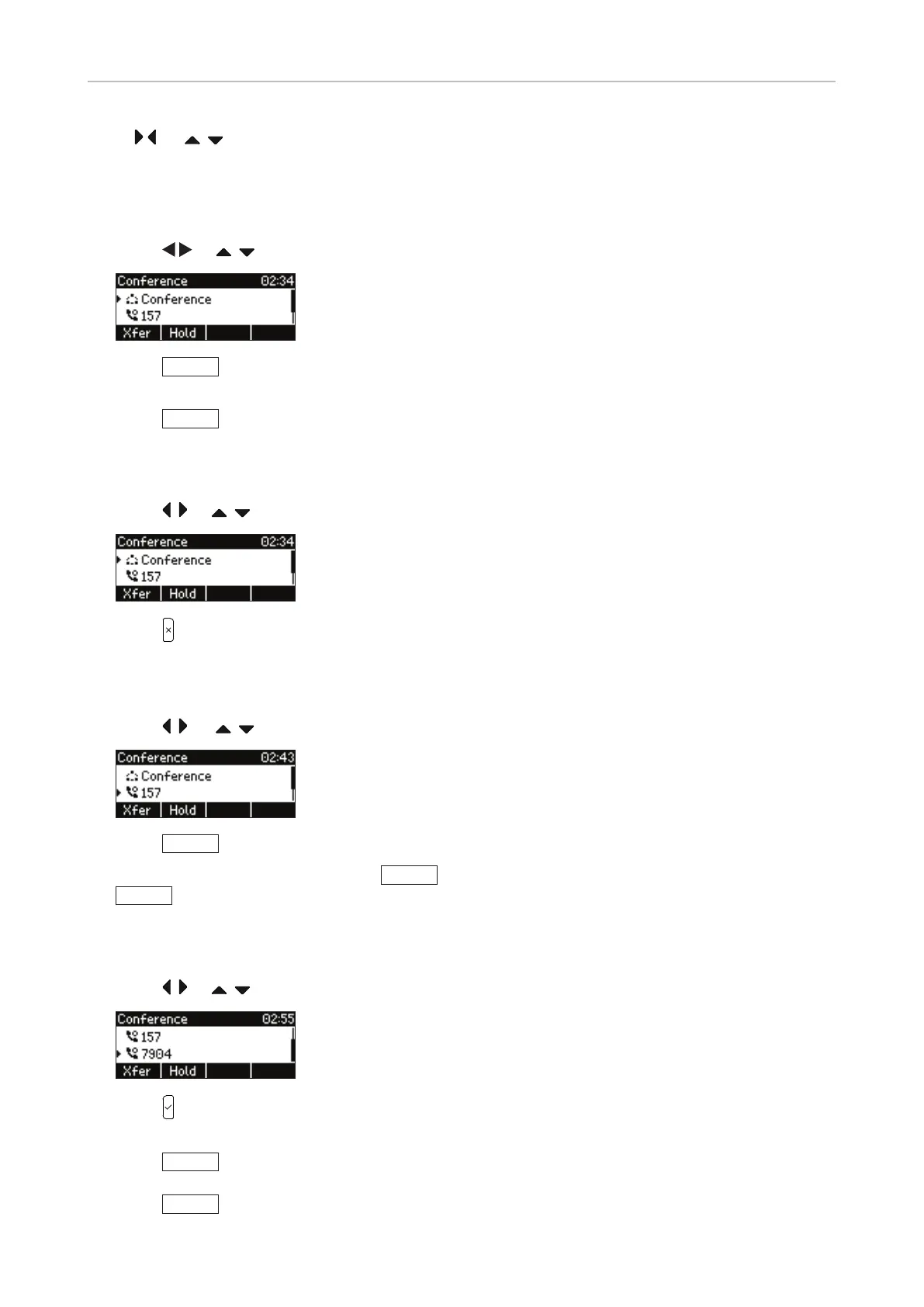
Putting the conference on hold
1. Press
or / , depending on your FW version, to select the conference.
2. Press
Hold
to put all participants on hold. Technically, you are, in eect, terminating the
conference. You will see the "Calls on Hold" screen (see "Holding multiple calls" on page 47).
3. Press
Cnf.On
to restart the conference, i.e., start another conference with all calls on hold.
Terminating the conference
1. Press
/ or / , depending on your FW version, to select the conference.
2. Press .
Putting one participant on hold
1. Press
/ or / , depending on your FW version, to select a participant.
2. Press
Hold
. You will simultaneously be connected to the other participant.
3. To start the conference anew, press
Hold
to put the connected participant on hold, then
Cnf.On
.
Speaking to one participant in private
1. Press
/ or / , depending on your FW version, to select a participant.
2. Press to speak to that participant in private, simultaneously putting the other participant on
hold.
3. Press
Hold
to put the connected participant on hold.
4. Press
Cnf.On
to start the conference anew.



 To Next Page