35
D712/710 User Manual Directories
Adding/Editing Entries on the Phone
Adding new entry manually
1. Press
Dir
to open the phone's directory.
2. Press
Add
. You will be prompted to enter the phone number.
3. Enter the phone number and press
. You will then be prompted consecutively to enter the first
and the last name.
Note: Entering a phone number is mandatory. You can skip entering a first or last
name or both. If you don't enter a name, the data set will use the number as both
name and number. You can add a name later by editing the entry on either the web
interface or on the phone.
4. Enter the first name and press
, or press without entering a name. The "Last name" screen
opens.
5. Enter the last name and press
, or press without entering a name.
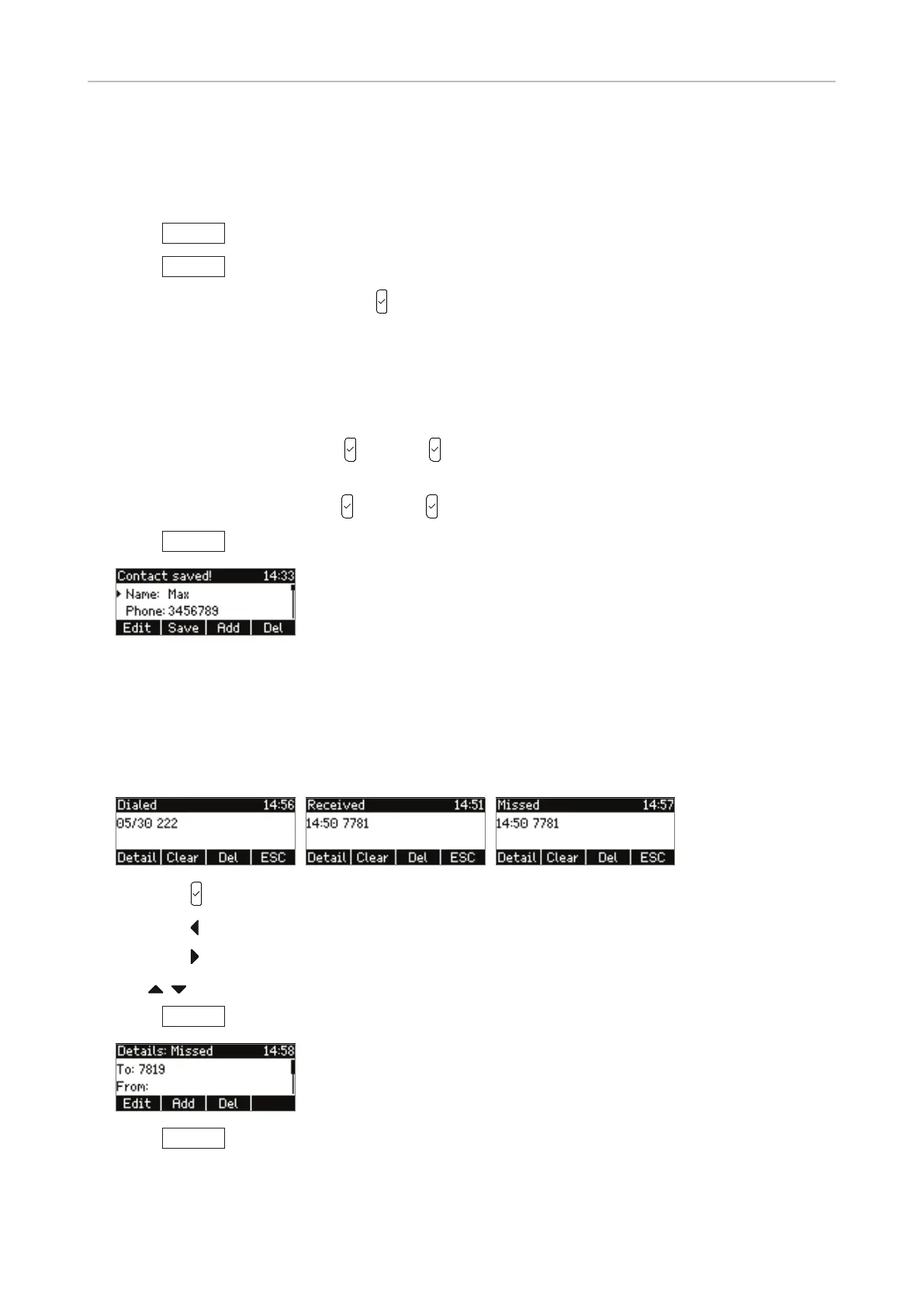
6. Press
Save
to save the entry and return to the Directory menu.
See "Editing existing entry" on page 36 on how to add other types of information like title,
organization, birthday, etc. to individual entries.
Adding new entry from call list
1. Open the respective call list:
◦ Press to open the list of dialled calls.
◦ Press
to open the list of received calls.
◦ Press
to open the list of missed calls.
2. Use
/ to select a call.
3. Press
Detail
.
4. Press
Add
to add the number to the phone directory.
See "Editing existing entry" on page 36 on how to add a name, phone type, group, etc.



 To Next Page