48
D712/710 User Manual Using the Phone
function key underneath to put the calls onscreen (round-robin principle). You can hold up to four
calls.
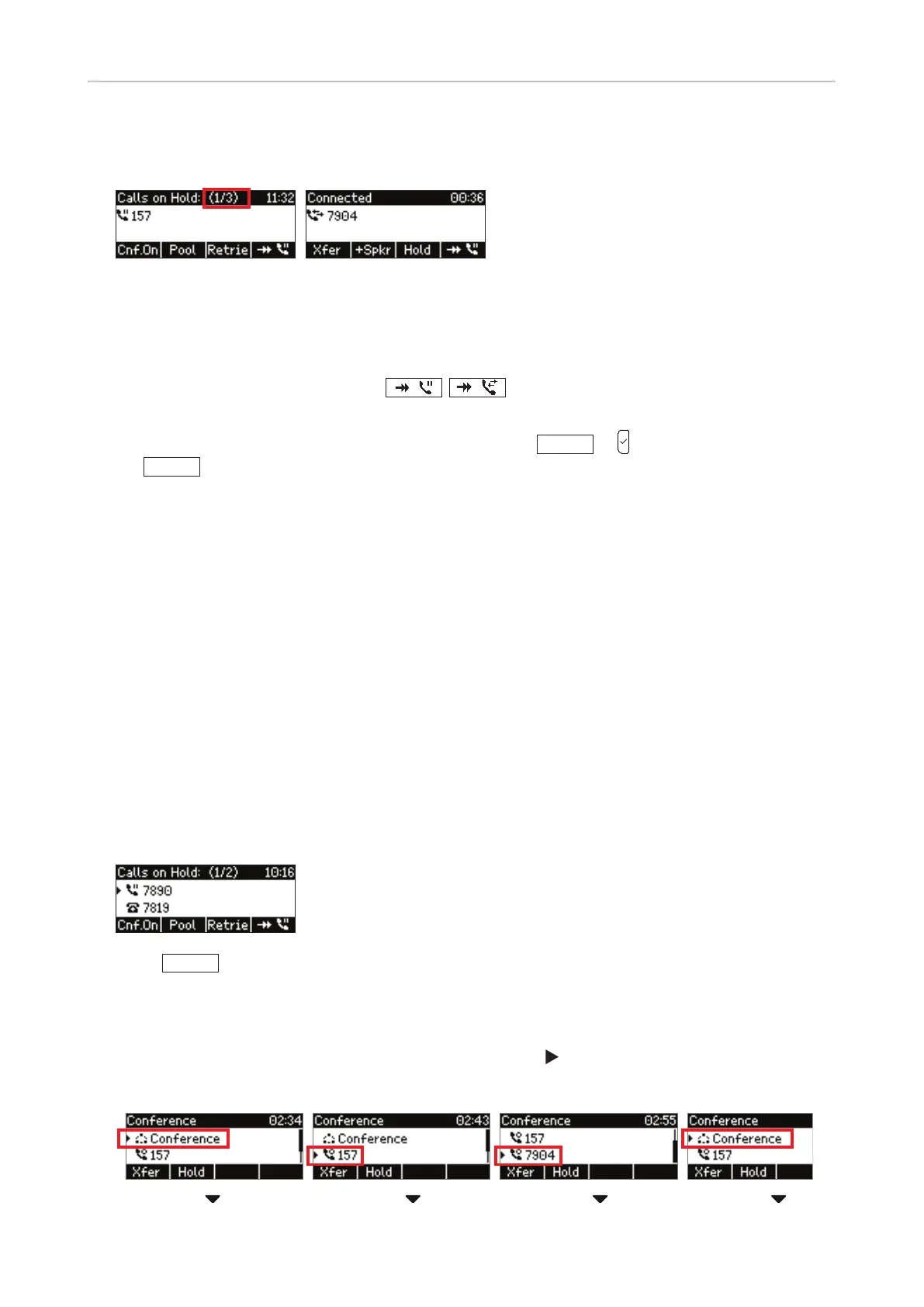
Fig. 1 Fig. 2
When one of the held calls is onscreen, the status bar tells you how many there are and which one is
on-screen, i.e. 1/3 (the first one of three), 2/3 (the second one of three) etc. (Fig. 1).
◦ Use the function key underneath
/
, respectively, to scroll through the held calls.
Your input on the phone's keys will aect the call on-screen at the time.
◦ To connect to the held call currently on-screen, press
Retrie
or to connect to it. Press
Hold
or the line key again to put it back on hold.
◦ A held call cannot be terminated without connecting to it first.
Music on hold
As of firmware version 8.7.3.8, firmware downloads include a music on hold that is saved locally on
the phone. The default setting for playing music to callers on hold is "o".
Changing the setting: See "Music on hold" on page 75.
Conference
The maximum number of participants is three (your phone and two others).
Initiating a conference
1. Put both intended participants on hold.
2. Press
Cnf.On
to start the conference.
Conference screen navigation
Your input on the phone's keys will aect the call marked with
, i.e. an individual participant or the
entire conference.
1
st
participant
2
nd
participant



 To Next Page