60
D712/710 User Manual Configuring the Function Keys
Programming the function keys
The freely programmable function keys on the phone and on all connected expansion modules can
be mapped on the phone and on the phone's web interface. We recommend using the web interface
which is faster and more comfortable.
Settings on the phone
On the phone, a limited number of functionalities is available.
1. Press
Einste
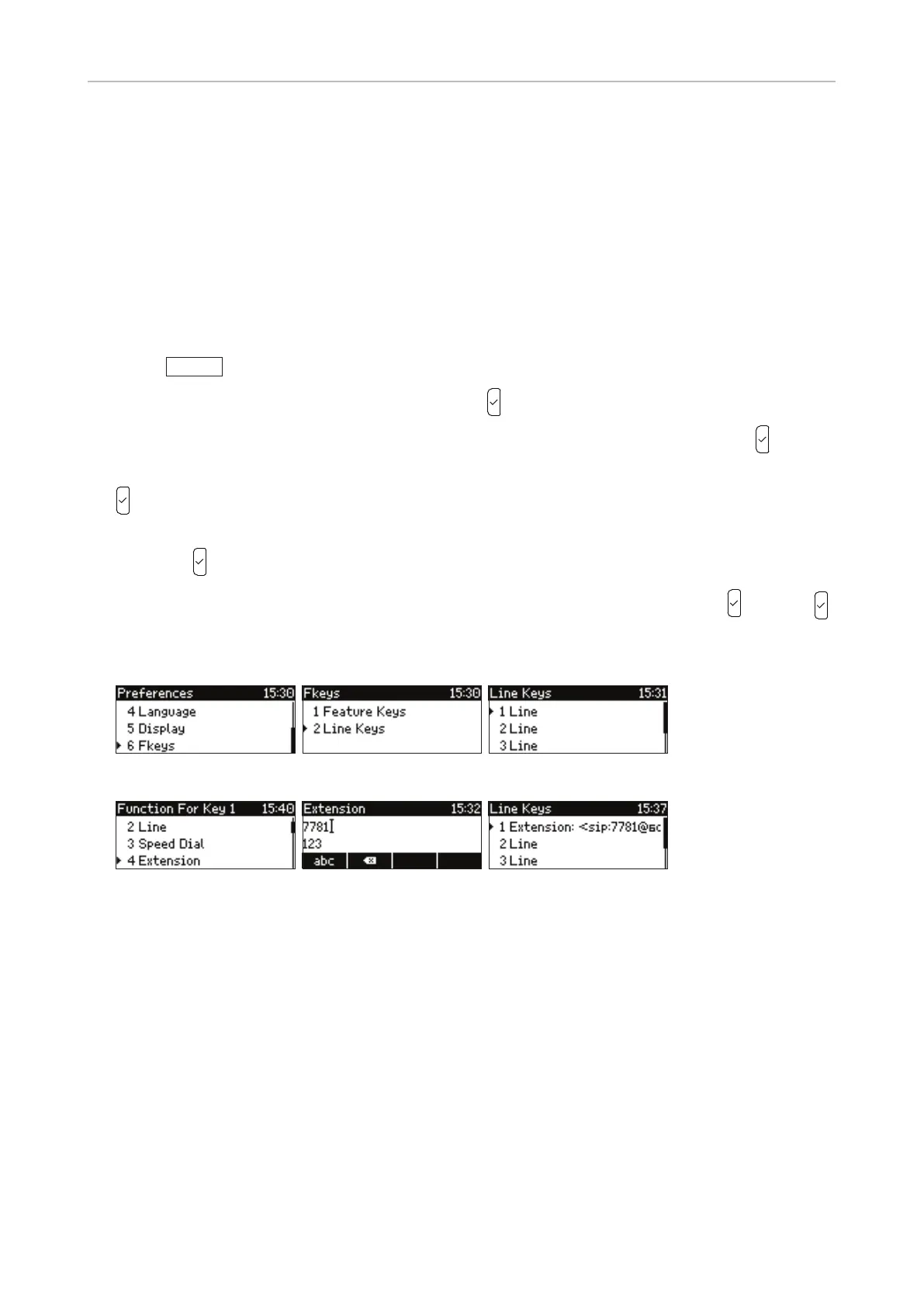
> 1 Preferences > 6 Fkeys (Fig. 1).
2. Press 2 to select the Line keys or scroll and press
(Fig. 2).
3. Select a key by typing its menu number on the keypad or by scrolling to it and pressing
(Fig. 3).
4. Select the functionality by typing its menu number on the keypad or by scrolling to it and pressing
(Fig. 4).
5. The information you will then be prompted to enter depends on the selected functionality. Enter it
and press
(Fig. 5).
6. You will then be prompted to enter an optional Short Text. Enter the text and press
, or press
without entering text to save the setting and return to the line key menu. In our example, line key
1 has been mapped with extension 7781 (Fig. 6).
Fig. 1 Fig. 2 Fig. 3
Fig. 4 Fig. 5 Fig. 6
Settings on the web interface
1. On the phone's web interface, click on Function Keys in the menu on the left.
2. Under Context of the key, select "Active" or one of the configured identities from the drop-down
list.
3. Under Type of the key, select the functionality from the drop-down list.
4. Depending on the selected functionality, there will be a text field or a drop-down menu in the
Number column. Enter the number or select an item from the list.
5. Optional: In the Short Text text field of the key, enter a name or descriptive text.
6. Click on Apply and Save.



 To Next Page