52
D712/710 User Manual Using the Phone
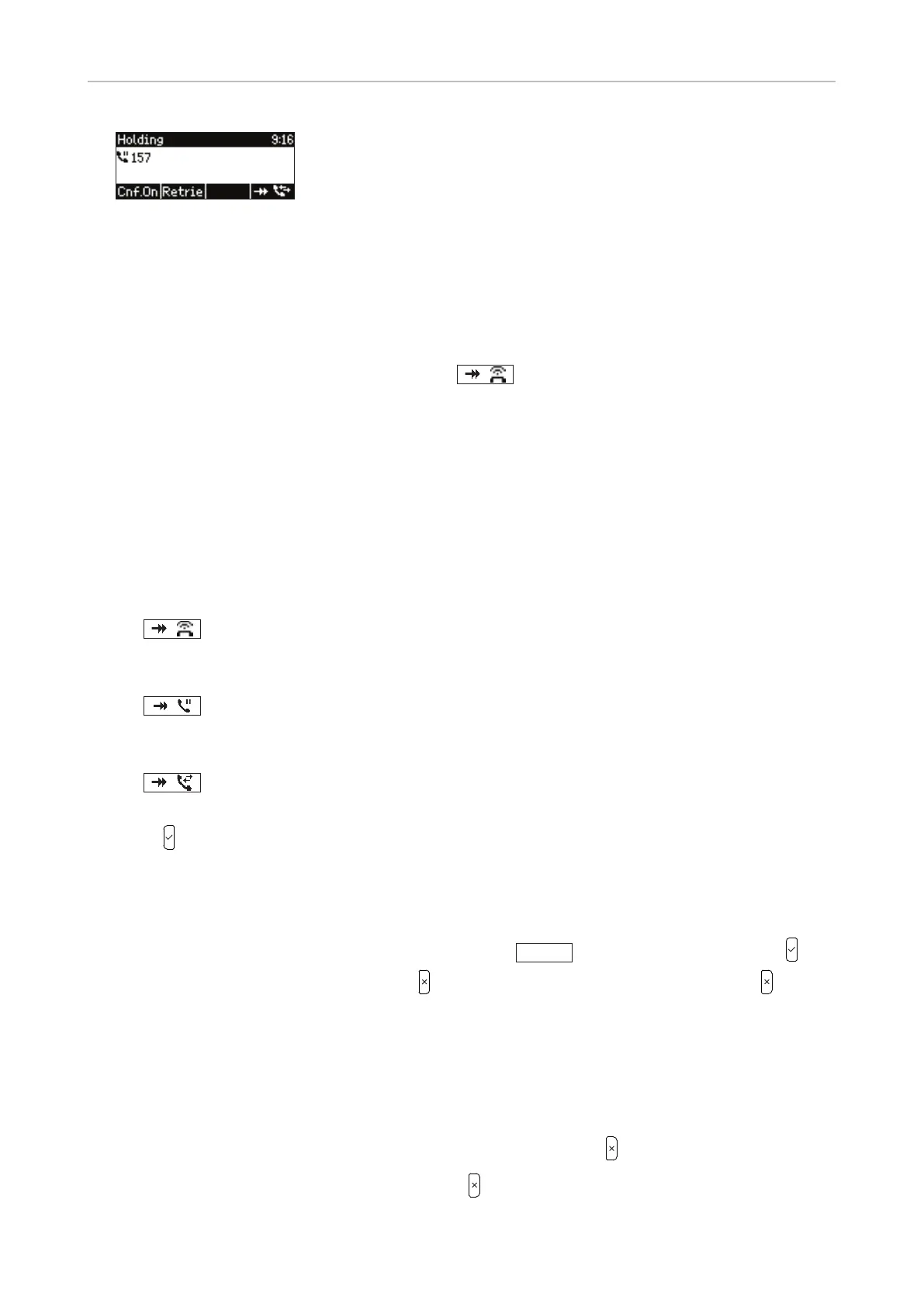
Fig. 7
When a call waiting is announced, you have the following options:
• Press the blinking line key to accept the call and to simultaneously put your current call on hold
(Fig. 3). This option is available only when there is a free line key at the time the call arrives.
Drücken
• Press the function key underneath the symbol
to put the call waiting on-screen (Fig. 2);
you will also see the caller ID on-screen if it is being transmitted. If there is more than one call
waiting, the info/status bar will indicate the total number of calls waiting and which one of them is
currently on-screen (Fig. 3), i.e., in the example the first one (Fig. 3) or the second one (Fig. 4) of a
total of two.
• Switch between the active call, the call(s) waiting, and any call(s) on hold by pressing the function
key underneath the function key symbol in the lower right corner of the display. The symbol
varies, depending on which call is currently on-screen and which one is next in line round-robin
style; keep pressing the function key until you see the call you want on-screen.
◦ Calls are displayed on-screen in the following order: Connected call, first call waiting, second
call waiting, etc., first held call, second held call, etc., back to connected call, etc.
◦
: Indicates that call(s) waiting will be displayed next. Press the function key
underneath to put the call waiting on-screen (Fig. 1). If there is more than one call
waiting, press again to put next call waiting on-screen (Fig. 3).
◦
: Indicates that held call(s) will be displayed next. Press the function key underneath
to put the held call on-screen (Fig. 7). If there is more than one held call, press
again to put next held call on-screen.
◦
: Indicates that the connected call will be displayed next. Press the function key
underneath to put the connected call on-screen (Fig. 4 and 6).
•
Press
to connect the on-screen call waiting and put your current call on hold.
•
If you do not w
ant to accept the call waiting, you can:
◦ ignore the announcement. If you have set call forwarding when busy, the call will be
transferred to that phone.
◦ transf
er the on-screen call (blind transfer). Press
Xfer
, dial the number, and press .
◦ reject the on-scr
een call by pressing
. The caller hears the busy signal. Pressing for
three seconds will also put the caller on the Deny list of the phone's directory. Future calls
from this number will not ring on the phone; the caller hears the busy signal. For further
information on the Deny list, see "Contact Types" on page 34.
Terminating calls
• When using the handset: Place the handset in the cradle or press .
•
When using speakerphone or a headset: Pr
ess
.



 To Next Page