22
D712/710 User Manual Getting to Know Your Phone
Press once to enter a space ("˽"), press twice to enter an underscore ("_").
1
Press once to enter the period ("."). Press as many times as indicated to enter the special
character listed in the following table:
1x . 2x + 3x @ 4x 1 5x : 6x ,
7x ? 8x ! 9x - 10x _ 11x / 12x \ 13x (
14x ) 15x ; 16x & 17x % 18x * 19x #
20x < 21x = 22x > 23x $ 24x [ 25x ]
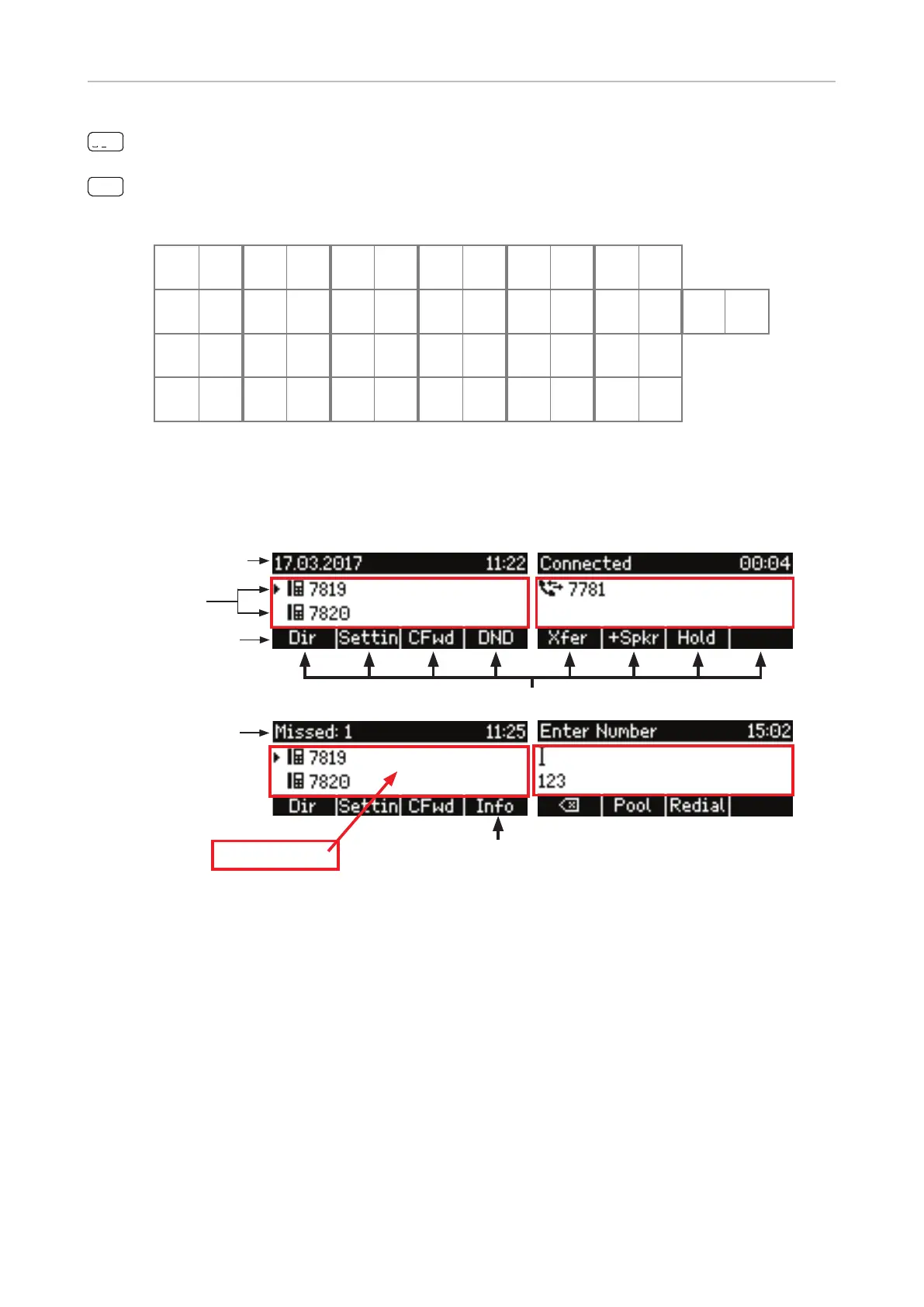
Display layout
Date is replaced
by current status
message
Right function key is replaced by "Info"
key when status messages are available
Function key line
When activeIn idle mode
Info & status bar
with date and time
Confi gured
identities
Context-sensitive function key symbols
Context area
Idle Mode
In idle mode, the display presents the following information:
Info and status bar. The date and time are displayed in this line, unless there is a new status
message. Any of numerous messages concerning the current status of the phone will replace
the date in this bar, for example missed calls, the availability of a firmware update, a reboot being
required, etc. If there is more than one current status message at any one time, the one with the
highest priority will be shown. For a comprehensive list in descending order of priority, see "Appendix
1 - Display symbols and Icons" on page 87.
Two of the most common status messages you will see in idle mode are:
• The text "Missed:" and the number of missed calls since the last time you checked missed calls or
turned o the missed calls indicator.



 To Next Page