17
D712/710 User Manual Getting to Know Your Phone
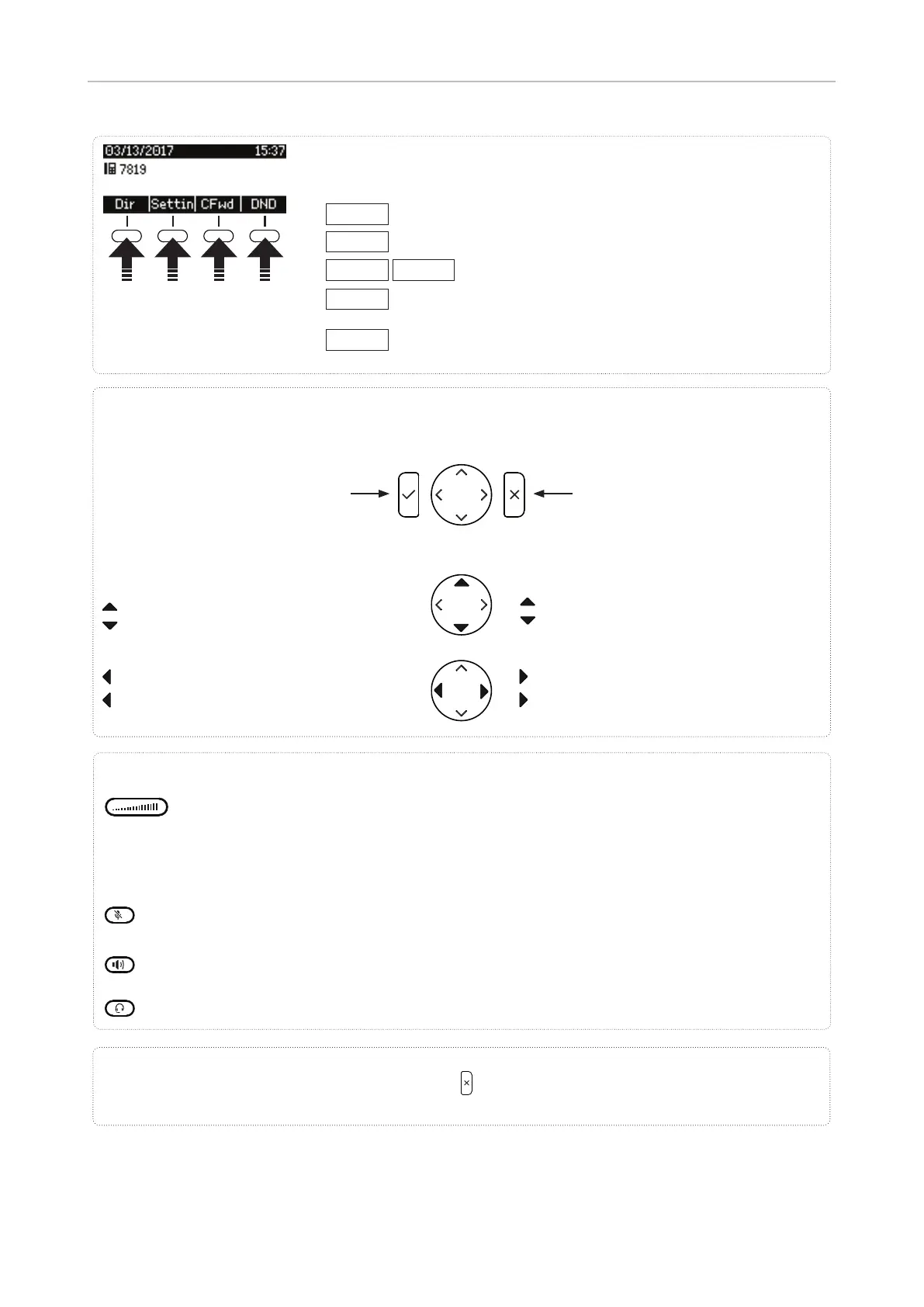
Adjusting the volume
• of the ringer when the phone is idle or ringing
• of the handset/casing loudspeaker when in a call
Keys with LEDs - LED lights up when function is activated:
• In a call: Muting and unmuting the microphone
• In idle mode: Turning DND on and off
Toggling between handsfree and handset mode. Press to dial number and accept calls on speaker-
phone.
Headset mode on/o
Audio control keys
Dir
Directory
Settin
Settings Menu
CFwd
noFwd
Forwarding all calls (on/o )
DND
Turn DND mode on and o . When there is status information,
this function key is replaced by:
Info
Status information (call forwarding active, passwords not set,
missed calls, etc.)
Press the function key to
activate the function, open
the list etc. depicted by the
symbol above the key.
Context-sensitive, programmable
function symbols and function keys
Looking up phone's IP address during initial logon: Press for three seconds.
• Confi rming, saving actions &
input, and returning to previous
screen
• Accepting calls on speakerphone
and in headset mode
• From idle screen: Redial
• Canceling actions & input, and re-
turning to previous screen
• Terminating calls on speakerphone
and in headset & handset modes
• Turning o call LED after missed
call
From idle screen: Received calls
In other contexts: Navigate/space left
From idle screen: Missed calls
In other contexts: Navigate/space right
Navigation keys
From idle screen:
Settings menu
Selecting identity for outgoing calls
In other contexts: Navigate up/down
Navigate up
Navigate down



 To Next Page