Paramount GEM User Guide
127 | P a g e
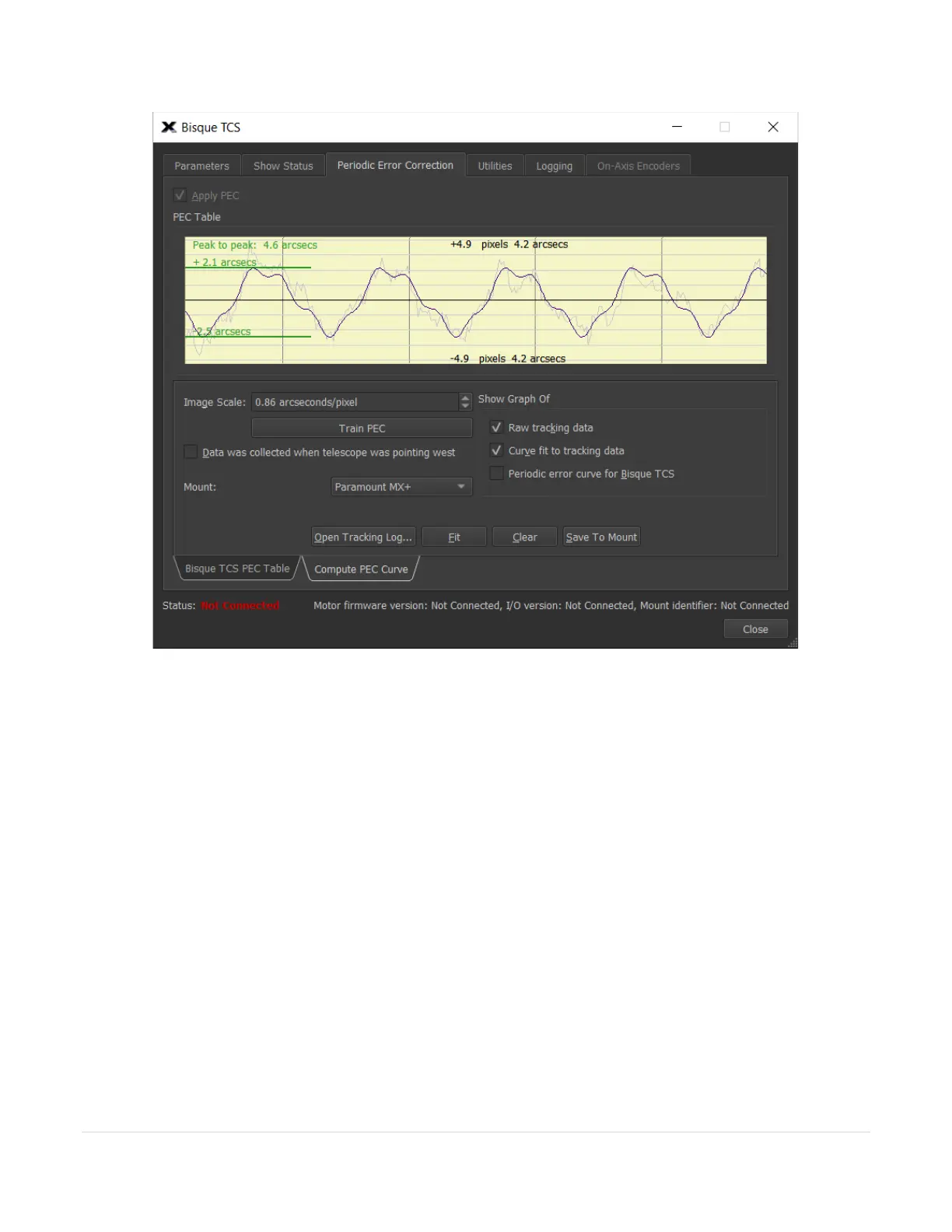
Figure 59: The Bisque TCS PEC Table tab on the Periodic Error Correction tab (Bisque TCS window).
Apply Periodic Error Correction (Apply PEC Checkbox)
Turn this checkbox on to correct periodic error correction sidereal tracking. Note that periodic error correction is
not applied when tracking fast moving objects, such as spacecraft.
Bisque TCS PEC Table Tab
The central portion of the Bisque TCS PEC Table tab on the Periodic Error Correction tab shows a graph of the
mount’s periodic error correction table. Note that you must first retrieve or Get the periodic error table that is
stored in the mount’s firmware. The message No Table Present is displayed on the graph if the periodic error
data has not been retrieved from the mount, or the mount does not have a periodic error curve. The green line
on the graph shows the corrections that are applied over one period of the worm. The vertical black line shows
the current position of the worm in the PEC table.
The shaded purple region shows a graph of the mount’s periodic error or PEC table. The X-axis represents the
time for one revolution of the worm. The Y-axis shows the magnitude of the correction at a given worm position.
The red line shows the actual periodic error correction, in arcseconds, that is applied over one revolution of the
worm.



 To Next Page