Paramount GEM User Guide
48 | P a g e
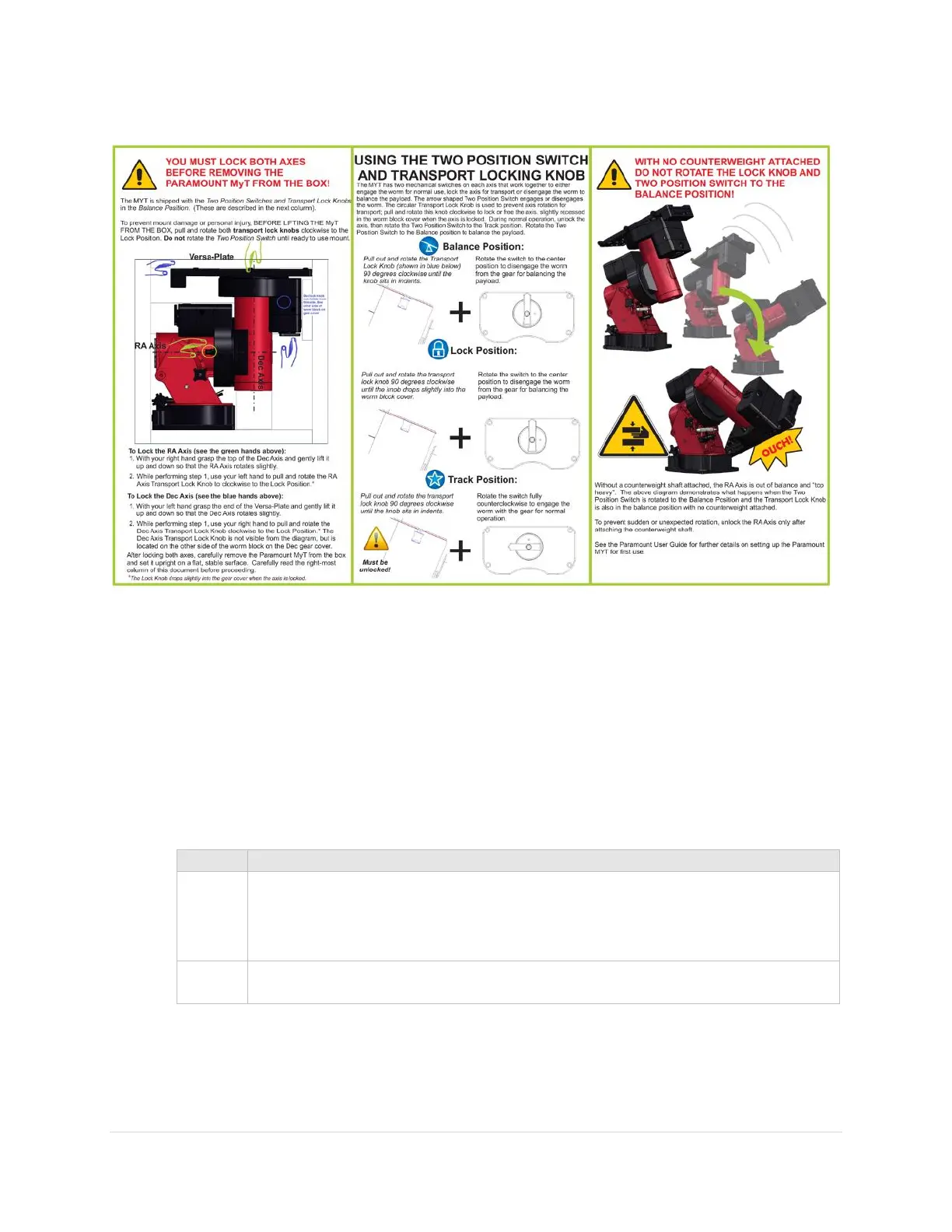
Paramount MYT Unpacking Insert
Figure 13: Please carefully read this flyer before unpacking the Paramount MYT.
The Paramount MYT hour angle axis includes locking holes at 10-degree increments.
Boxing the Paramount for Transport
Always perform the following steps when boxing the Paramount for shipment or transport.
1. Place the hour angle axis mechanical switch in the balance position.
2. Rotate the hour angle axis so that the counterweight shaft is “down”.
3. Lock the hour angle axis so that it cannot rotate when the mount is lifted off the pier or tripod.
Pull and rotate the transportation lock knob clockwise 90 degrees to the lock
position and slowly rotate the axis until the internal plunger drops into one of the
locking holes on the gear. The locking holes are spaced in 10-degree increments.
4. Remove the payload from the Versa-Plate.
5. Remove the counterweight safety knob.
6. Remove the counterweights.
7. Remove the counterweight shaft.



 To Next Page