Paramount GEM User Guide
62 | P a g e
Access hole for custom through-the-mount cables.
L-COM Keystone Panel Adaptors
The L-COM Keystone connector on the HA Rear Panel is designed to make adding a custom through mount
cable easier to install, and simpler to disconnect from the mount. The L-com webpage (http://www.l-
com.com/Adaptors) has cables, connectors and adaptors that can be used to tailor this port to your needs.
Instrument Panel
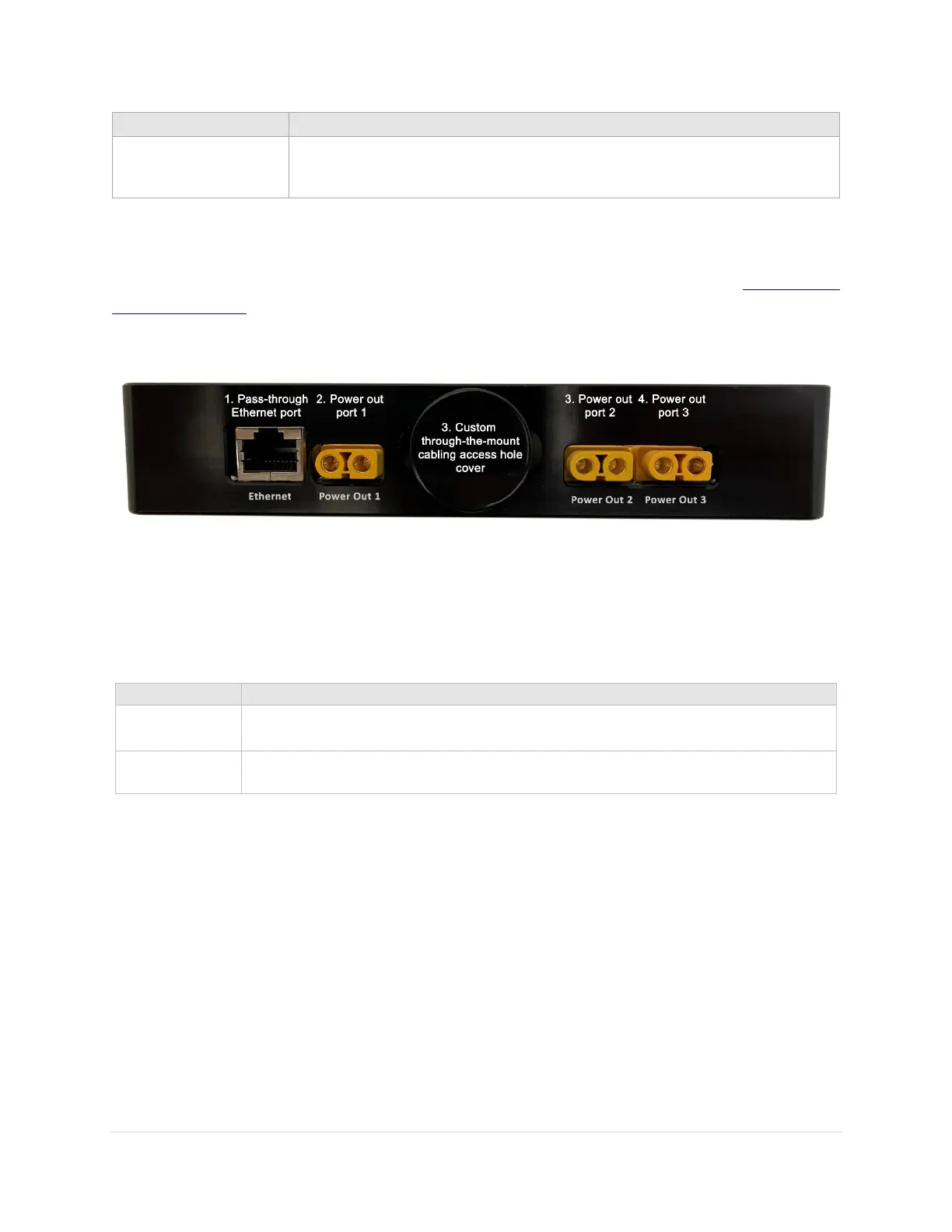
Figure 26: Photograph of the Instrument Panel connectors.
Instrument Panel Housing
Compared to the Paramount MYT and MX, Paramount ME’s Versa-Plate includes a physical pass-through
hole that can be used to house additional cables that run from the declination axis to the telescope.
Integrated circular cable pass through hole.
Integrated cable pass through with two 4-40 threaded holes to secure the cabling to
the Instrument Panel.
Instrument Panel Ports
The Instrument Panel has three XT60 pass through power ports that can be used to power devices at the
telescope, and a pass-through Ethernet port to connect, for example, a single-board computer to your
local network.
Powering Devices (Yellow XT60 Ports)
The female XT60 connectors on the Instrument Panel are powered by plugging a 12V DC power supply
into the male XT60 connector located on the through-the-mount panel. These ports are not powered
otherwise (page 67).
XT60 connectors are rated up to 500V at 30A DC (15,000W maximum) and can be used to power a variety
of DC-powered astronomical devices, including dew heaters, video cameras, and other instruments.



 To Next Page