Paramount GEM User Guide
28 | P a g e
The Local Celestial Meridian
The local celestial meridian is a great circle on the celestial sphere that runs from the zenith directly
overhead to a point due South on the horizon, continuing around to the nadir (directly below) and back
up to the zenith. This line divides the celestial sphere into east and west hemispheres.
To show the local celestial meridian in TheSky Professional, on the Chart Elements window, expand
Reference Lines and Photos and turn on the Meridian checkbox.
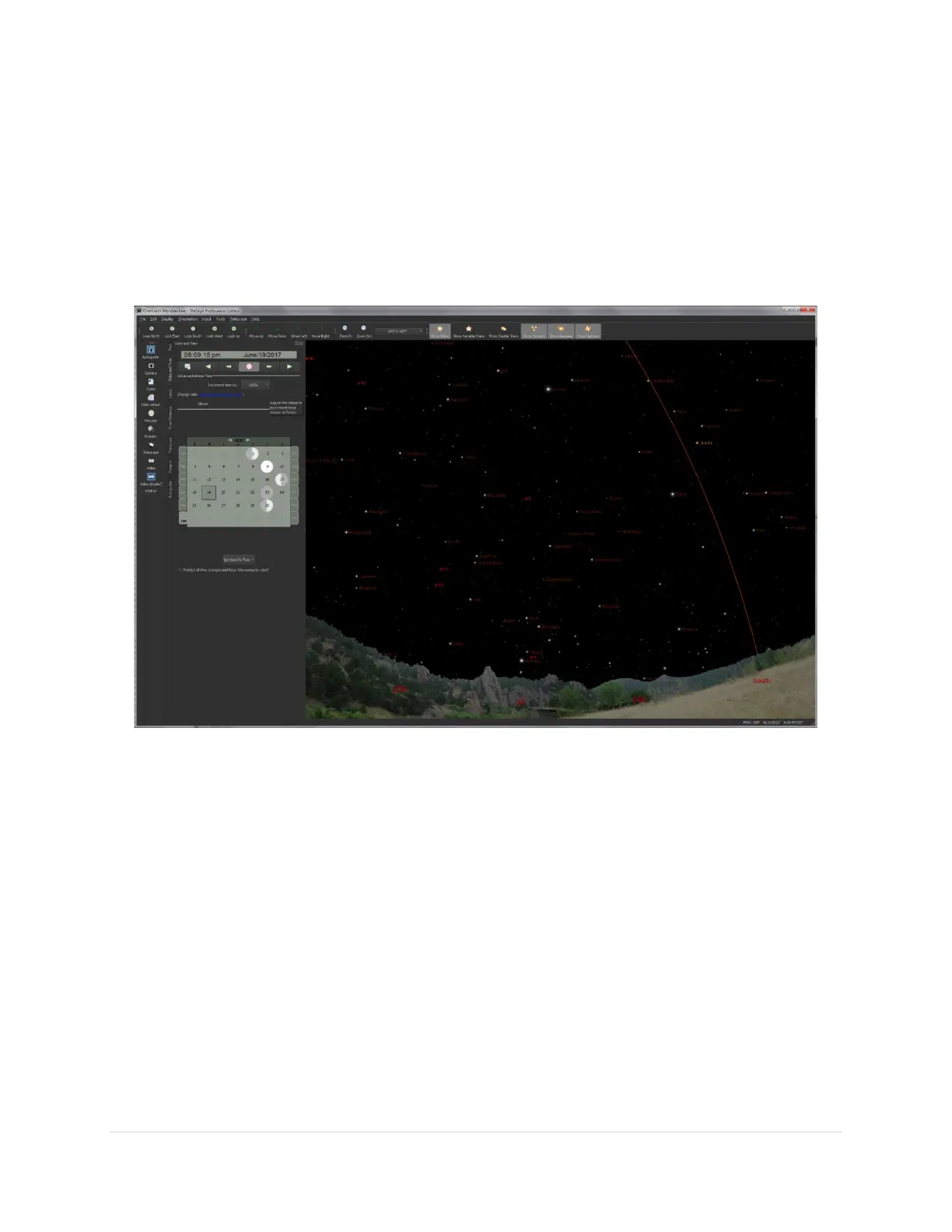
Figure 6: TheSky Professional with the meridian reference line turned on.
The arcing line in Figure 6 represents the local celestial meridian. When the Paramount is at the home
position, the telescope is pointing directly at the meridian hour angle 0, declination 0 and the telescope
is on the east side of the pier.
After successfully finding home, if the mechanical orientation of the mount is such that the telescope is
not pointing at hour angle 0, declination 0, or if the telescope cross hairs in the TheSky Professional are
located elsewhere (by more than a few arcminutes or so), then one or more of the following may be
wrong:
• TheSky Professional is not configured correctly for your location. Before continuing, make sure
that TheSky Professional’s location, date, time, time zone, and Daylight-Saving Option are
correct.
• The Versa-Plate is mounted in the wide configuration (page 58) but the telescope is attached to
the Versa-Plate in the standard orientation.



 To Next Page