Paramount GEM User Guide
27 | P a g e
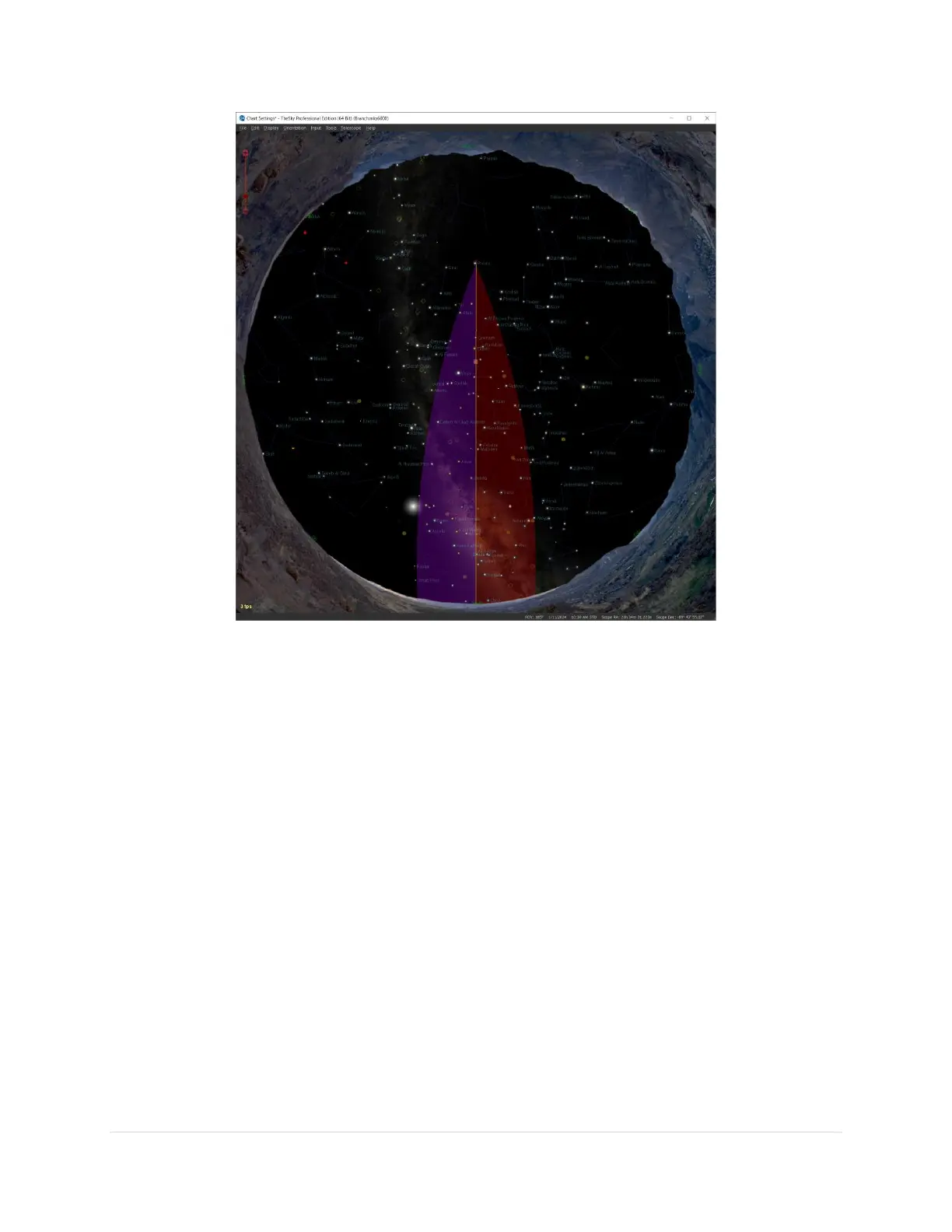
Figure 5: TheSky Professional showing overhead view with the purple and red meridian regions.
Purple Region
When the telescope is on the east side of the mount, the purple region (the region on the east side of the
meridian) indicates the area where the mount can be slewed beyond the meridian without flipping sides.
If the OTA is on the east side, and you attempt to slew beyond this region, the mount automatically flips
sides.
Red Region
When the optical tube assembly is on the west side of the mount, the red region indicates how far past
the meridian the mount can track before encountering a software or hardware limit. If the telescope
remains on the west side and the mount tracks to the tracking limit, then mount tracking is turned off.
Note that the Paramount will not automatically slew the telescope to the opposite side of the pier in this
situation. The red region also indicates the area where, when the telescope is on west side, the mount
can be slewed beyond the meridian, without requiring the telescope to slew to the opposite side of the
pier.



 To Next Page