Paramount GEM User Guide
156 | P a g e
Configuring the Mac’s Network Settings
The Mac computer’s network settings must be configured correctly before connecting to the WiSky’s ad hoc
network.
Step-by-Step Mac Network Configuration
1. Make sure the Paramount is turned on, and the LED located between the profile button and the
antennae is blue.
2. Click the System Preferences command from the Apple menu.
3. Double-tab the Network icon to access the computer’s network settings.
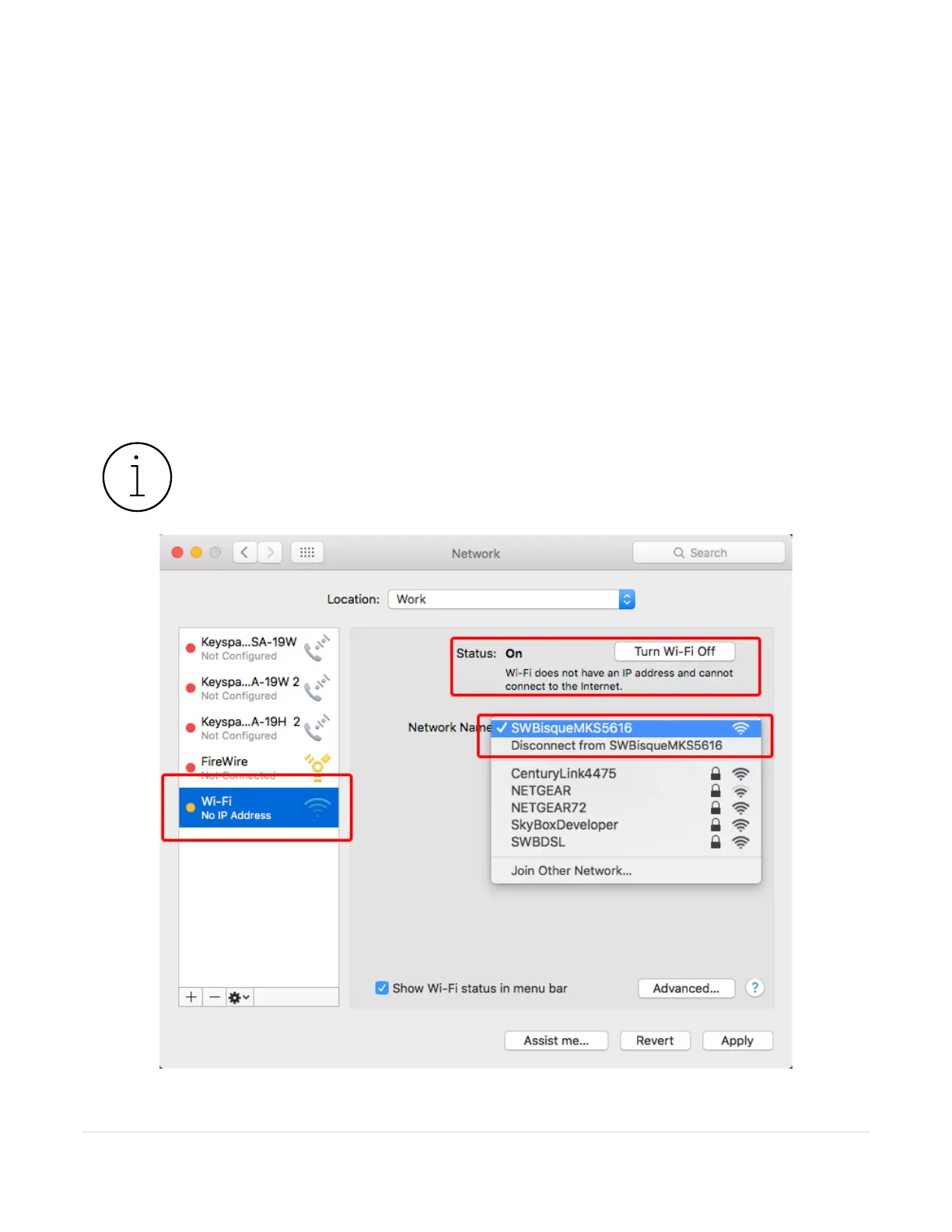
4. Highlight Wi-Fi from the networks listed on the left side of the Networks window.
5. Turn on the computer’s Wi-Fi by clicking the Turn On Wi-Fi button, if necessary.
6. Select the WiSky’s ad hoc network (the default name is SWBisqueMKS5616; if you entered a different
name when configuring the ad hoc network, select that name instead) as the Network Name.



 To Next Page