Paramount GEM User Guide
155 | P a g e
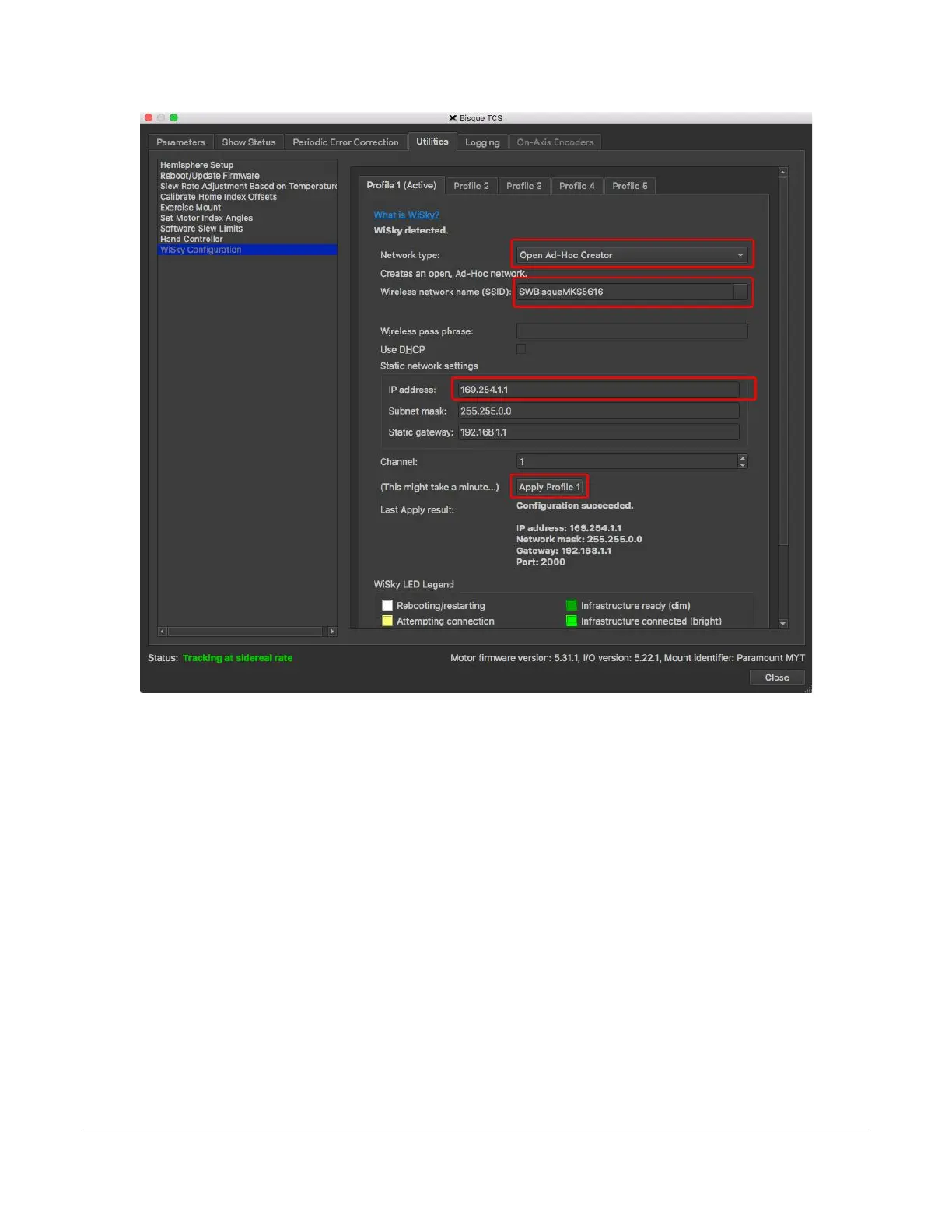
Figure 76: Configuring the WiSky as an ad hoc network.
Ensure the following settings are selected for Profile 1:
• Network Type: Open Ad-Hoc Creator
• Wireless Network Name (SSID): SWBisqueMKS5616 (or you can type any allowable network name; make
sure to remember this name, as it will be required later)
• IP Address: 169.254.1.1
Once these options are set, click Apply Profile 1 near the bottom of the Profile 1 pane (you may need to scroll
down on the window to see this button). When the configuration is complete, a pop-up window and the Last
Apply Result reads, “Configuration succeeded.” followed by the IP address, Network Mask, Gateway, and Port
for the ad hoc network access point.
When Profile 1 is the active profile, the text Profile 1 (Active) appears as the title of the pane, and the LED on the
WiSky emits a blue color. The WiSky is now configured to communicate with a Wi-Fi enabled device.



 To Next Page