Paramount GEM User Guide
90 | P a g e
counterweight shaft should always remain in the vertical position (Figure 44) while the
attaching counterweights and instrumentation (telescope, camera, etc.).
If you must orient the mount’s payload in a severely out of balance position, for the
Paramount MX, place the Three Position Switch in the Lock position first (page 63), for
the Paramount ME install the locking bolts and place the two-position switch to balance,
and for the Paramount MX place the two-position switch to balance and pull and rotate
the transport lock knob 90 degrees to a lock position.
Even if the mount’s axis is locked in place, the excessive imbalance demonstrated above
could bend, the locking mechanism. Please do not abuse your precision mount in this
manner.
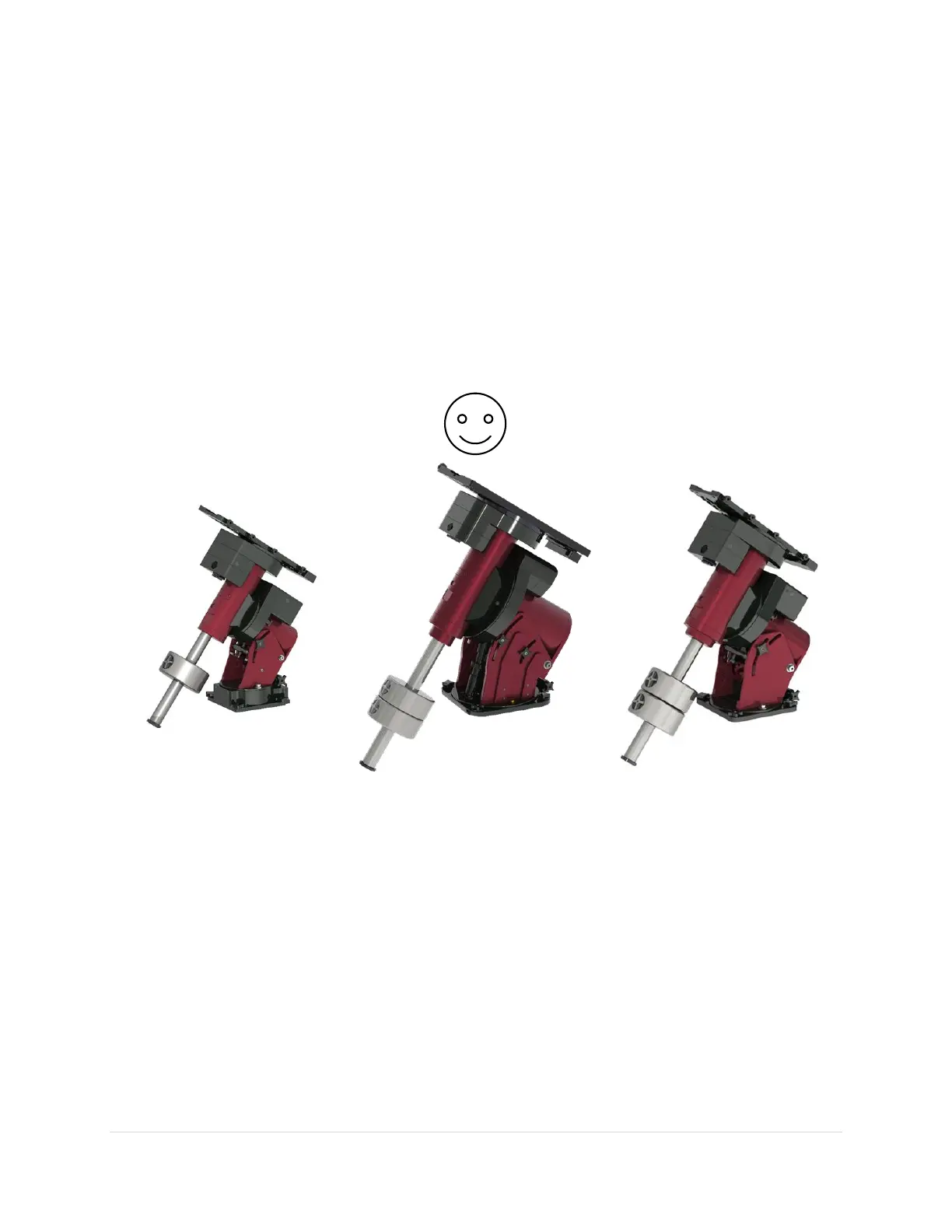
Figure 44: Before attaching a telescope to the Versa-Plate, orient the Paramount to its “happy place” with the
counterweight shaft oriented vertically. In this orientation, the counterweights do not impart any lateral forces on the
worm and gear.
Payload Imbalance Cause and Effect
When the counterweight shaft is oriented “non-vertically” and one or more counterweights are on the
counterweight shaft, and the worm is engaged with the gear, extreme lateral forces are placed on the
worm teeth and causes them to separate. Once partially separated, the hour angle axis quickly rotates
until the counterweights are at their lowest position, and you will hear a disturbing grinding noise as the
teeth of the precision gear bounce past the teeth of the precision worm gear.
Despite the gut wrenching feeling this sound brings on, damage to the worm and gear is usually minimal.
The recommended procedure is to exercise the mount for several cycles (page 142) and to try avoid this
from occurring again.



 To Next Page